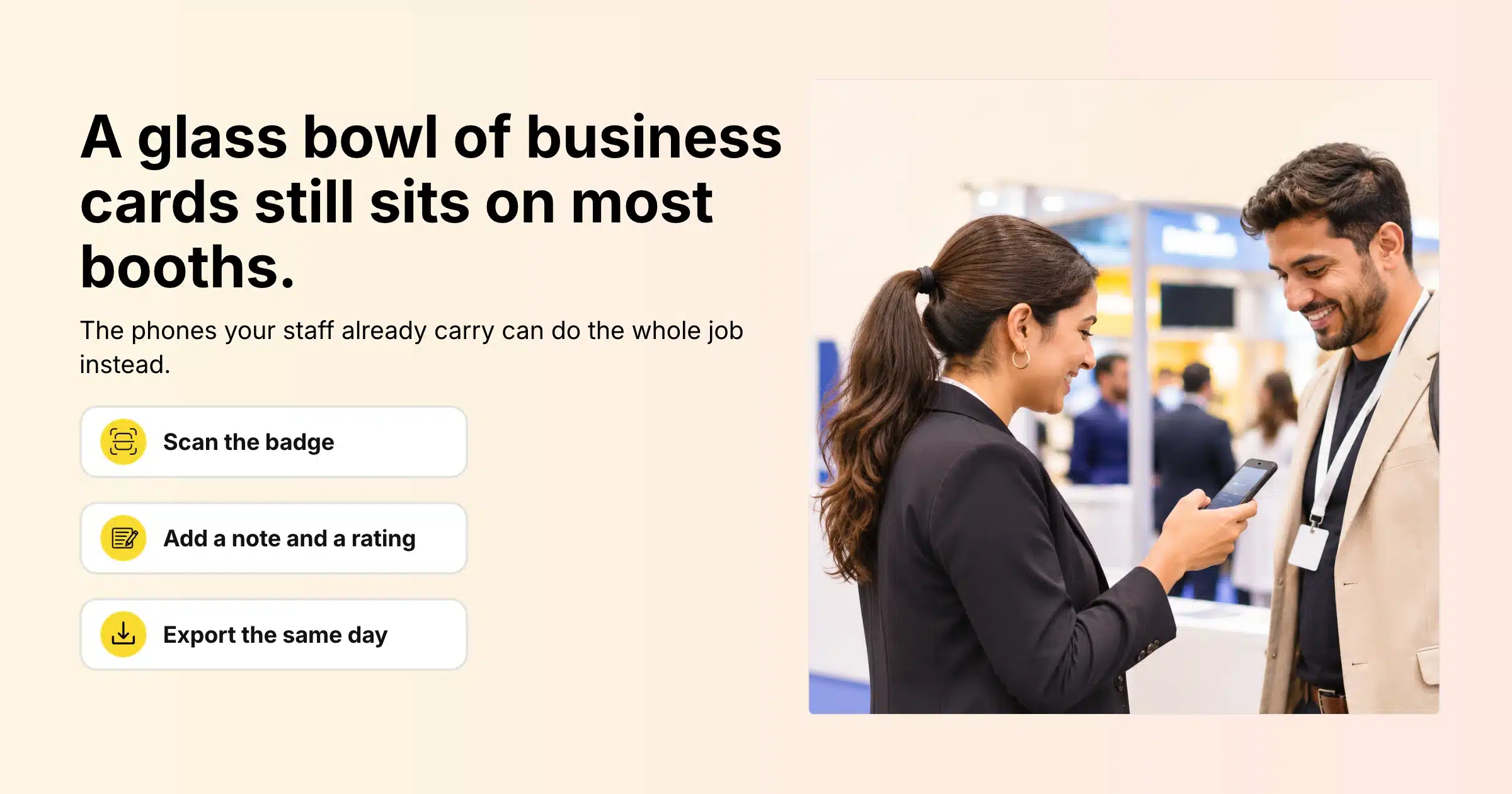
Walk past almost any exhibition booth and you will still see it: a glass bowl of business cards, a clipboard with a half-filled sign-up sheet, or a rented handheld scanner that one person is allowed to use. After the show, someone spends two days typing names into a spreadsheet, half the handwriting is unreadable, and nobody remembers which visitor wanted a quote by Friday.
Trade show lead capture is the process of recording who visited your booth, what they were interested in and how likely they are to buy, so your team can follow up after the event. The lead capture form is simply the set of details you collect for each visitor: their contact details plus a few notes that tell sales what to do next. Today most of that can happen on the phones your booth staff already carry, by scanning the QR code printed on each attendee’s badge.
This guide covers where the old methods break down, what a good exhibitor lead capture form should collect, how phone-based lead retrieval works in Gevme for organisers, booth admins and booth staff, how to handle privacy, and how to turn a list of scans into follow-ups that actually happen.
Key Takeaways
- Exhibitors can capture leads at events without rented scanners by scanning attendee badge QR codes with the Gevme app on their own iOS or Android phones.
- A useful lead capture form has two parts: contact details pulled from the badge, and the booth staff’s own notes and rating on each conversation.
- Agree before the show what each lead rating means, so ratings from five different booth staff can be compared on the same export.
- In Gevme, the booth admin invites booth staff from the Exhibitor Portal, sees leads in real time, and exports them to CSV with notes and ratings.
- Attendees without a badge scan can still swap details through Metacard, a free digital business card in the Gevme app.
- Tell attendees at registration that a badge scan shares their details with the exhibitor, and keep exported lead files secure.
- Follow up within a day or two of the event, starting with the highest-rated leads and quoting the notes from the conversation.
The Old Ways of Capturing Leads, and Where They Break
| Method | What goes wrong |
|---|---|
| Business card bowl | No notes, no rating, many visitors don’t carry cards, and every card needs to be typed up by hand |
| Paper sign-up sheet | Handwriting errors, missed fields, sheets lost or left behind at the venue |
| Rented handheld scanner | Limited number of devices, collection and return queues, charging, and data handed over after the show |
| Shared tablet with a web form | Visitors type their own details while staff wait, typos in email addresses, and one device for the whole booth |
All four slow down the conversation at the booth, and all four push work into the week after the show, when sales teams want to be calling people.
What a Good Exhibitor Lead Capture Form Collects
Contact Details From the Badge
The badge already holds the basics, because the attendee entered them at registration: usually their name, company, job title and email address. Scanning the badge QR code pulls those details in without anyone typing. For organisers, this is a good reason to ask for company and job title on the registration form, since those are the fields exhibitors value most.
Conversation Notes
This is where the value sits. A note such as “evaluating three vendors, decision in Q1, wants pricing for 500 users” is worth more than a hundred bare email addresses. Keep notes short and consistent across the team.
A Lead Rating
A quick rating lets sales sort the list the moment it is exported. The rating only works if everyone on the booth uses it the same way, so define it before the doors open. For example: the top rating means ready for a sales call this month, the middle rating means interested but early, and the lowest rating means general interest or a competitor.
Context for the Follow-Up
Agree on a short note format that covers the product or service discussed, the agreed next step and any timing. The person writing the follow-up email may not be the person who met the visitor.
Here is a lead capture form template your booth team can copy:
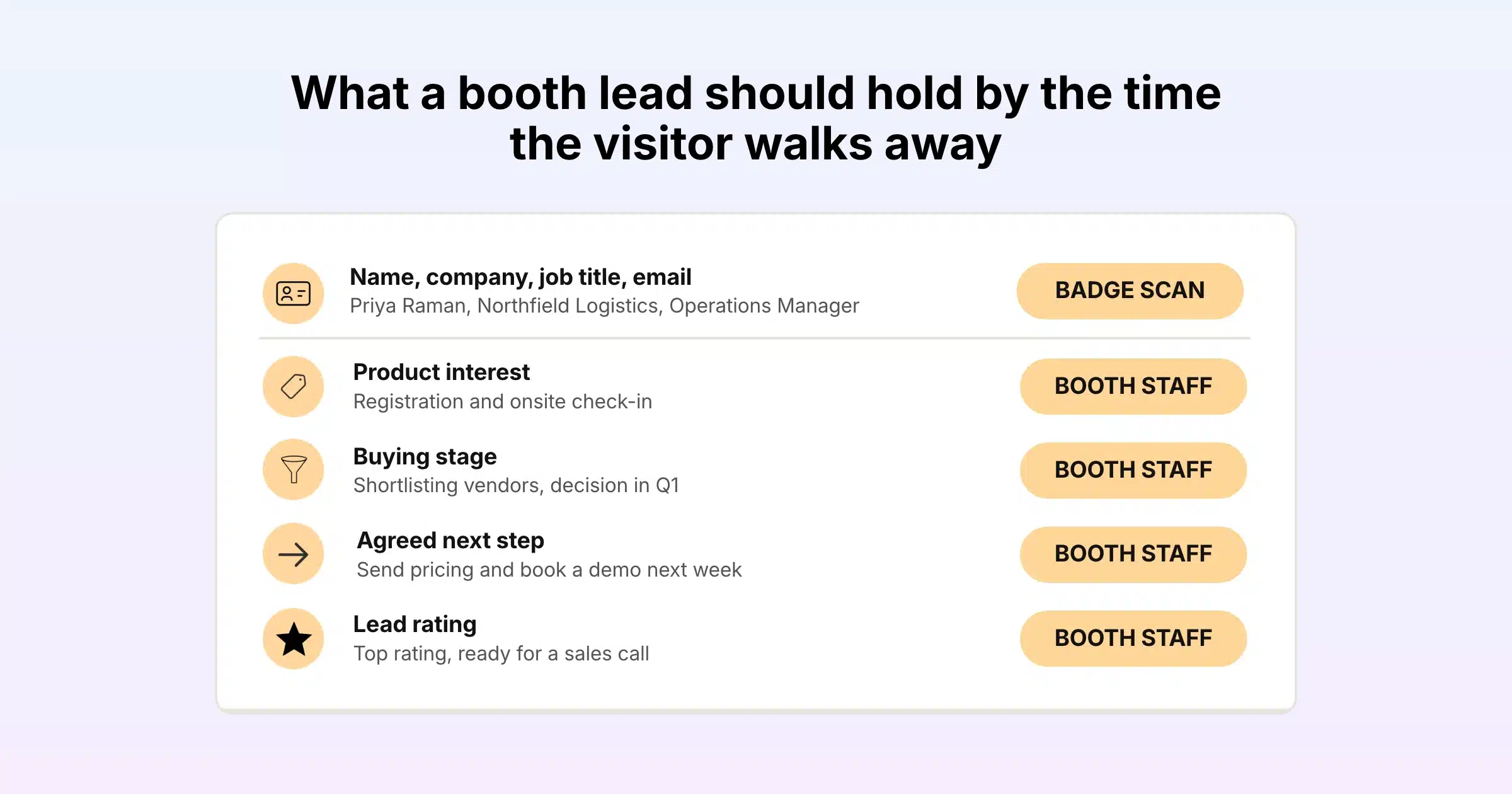
| Field | Where it comes from | Example |
|---|---|---|
| Name, company, job title, email | Badge scan | Priya Raman, Northfield Logistics, Operations Manager |
| Product interest | Booth staff note | Registration and onsite check-in |
| Buying stage | Booth staff note | Shortlisting vendors, decision in Q1 |
| Agreed next step | Booth staff note | Send pricing and book a demo next week |
| Lead rating | Booth staff rating | Top rating, ready for a sales call |
How Phone-Based Lead Capture Works in Gevme
Gevme’s lead retrieval runs through two pieces: the Exhibitor Portal, where a booth admin manages the team and downloads leads, and the Gevme app, where booth staff scan badges and take notes. There is no separate scanner to rent.
What the Organiser Sets Up
Every attendee registered through Gevme receives an e-ticket with a unique QR code, and badges printed at Gevme onsite check-in carry that code too. Exhibitors get access to the Exhibitor Portal as part of Gevme’s exhibitor and sponsor management, where organisers can also set up exhibitor packages for each sponsorship tier, badge quotas and an Online Exhibitor Manual.
What the Booth Admin Does
- Log in to the Exhibitor Portal with the registered email address.
- Click Leads Generation / App Users.
- Add each team member who will be scanning at the booth. Use Add User to add several people at once, then click Send Invite(s).
- Each invited person receives an email to download the app.
- If the staffing changes during the show, deactivate a user from the user list.
What Booth Staff Do on the Day
- Download the Gevme app from the App Store or Google Play by searching for “Gevme”, or use the link in the invitation email.
- Choose Login with your Email, enter the email address the invitation was sent to, and enter the one-time password (OTP) sent to that email.
- Select the event, tap Leads Gen, then select the Scanner. Allow camera access when asked.
- Point the camera at the attendee’s badge. Their profile appears in a read-only view.
- Add conversation notes and a rating. Staff can go back to their scanned leads and edit them at any time.
The lead retrieval guide for booth staff shows each screen.
What Happens After the Scan
Every lead captured by the team appears in the Exhibitor Portal in real time. The booth admin clicks Export Leads to download the full list as a CSV file, including the notes and ratings. Only the booth admin can download leads, which keeps the exhibitor’s data in one pair of hands.
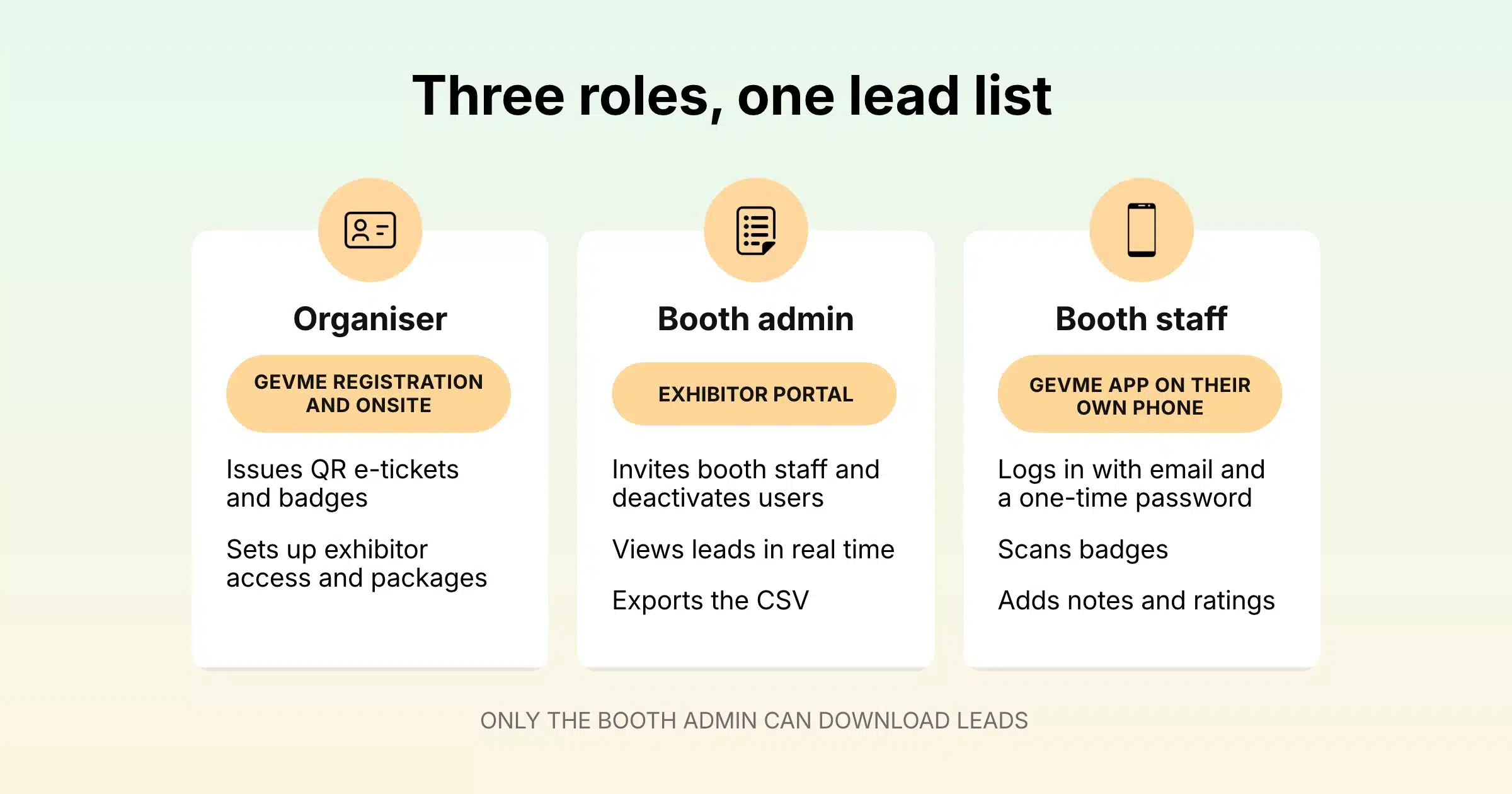
| Who | Where | What they do |
|---|---|---|
| Organiser | Gevme Registration and onsite | Issues QR e-tickets and badges, sets up exhibitor access and packages |
| Booth admin | Exhibitor Portal | Invites booth staff, deactivates users, views leads in real time, exports CSV |
| Booth staff | Gevme app on their own phone | Logs in with email and OTP, scans badges, adds notes and ratings |
Why Skipping Extra Hardware Helps Everyone
For exhibitors, there are no devices to collect, charge, share or return. Every invited team member can scan at the same time, so the booth doesn’t form a queue behind the one person holding the scanner. Staff use a phone they already know how to handle, which keeps training to a few minutes.
For organisers, there is no scanner inventory to track, no rental desk to staff and no end-of-show recovery of devices. Exhibitor support questions shift from “my scanner won’t charge” to simple login help.
For the event’s footprint, fewer devices shipped and no paper forms printed is a small but real contribution. If sustainability reporting is part of your event plan, Gevme’s sustainable events page shows how the wider platform supports it.
Swapping Contacts With People Who Don’t Have a Badge
Not every useful conversation is with a registered attendee. Speakers, partners and fellow exhibitors may not have a badge you can scan. For these moments, the Gevme app includes Metacard, a free digital business card.
Each person sets up their Metacard with the contact options they want to share, such as email, phone or LinkedIn, and a card design. To swap details, one person shows their Metacard QR code and the other scans it. Someone with the Gevme app adds the contact straight away. Someone without the app sees the card in a web version and can download it as a vCard to their phone’s contacts. You can also share the card as a link by email or message.
Badges printed through Gevme can also carry a vCard QR code, so anyone at the event can save an attendee’s contact to their phone with the camera.
Lead Capture Beyond the Physical Booth
Hybrid and virtual events need leads too. Exhibitors in Gevme manage their presence through the Exhibitor Portal, which covers their profile, a 2D or 3D virtual booth, products, livestreams, polls, booth staff, leads and analytics. That keeps the exhibitor’s view of in-person and online interest in one place.
Pre-scheduled meetings are another strong source of qualified leads. Gevme’s business matchmaking uses rules and AI to suggest relevant attendees, sponsors and products, and lets people book meetings at a booth or meeting room. Combined with badge scanning, exhibitors arrive with a calendar of planned conversations and leave with notes on the unplanned ones.
The Gevme mobile event app ties it together for attendees as well, with the agenda, speakers, sponsors, maps and push notifications on the same app booth staff use for scanning.
Common Lead Capture Mistakes at the Booth
Most lost leads trace back to a handful of habits that are easy to fix once you know to look for them.
| Mistake | What it costs you | Fix |
|---|---|---|
| Scanning everyone who walks past | A long export full of people with no interest, which buries the real prospects | Scan after a real conversation, and use the rating to separate browsers from buyers |
| Leaving notes blank | Sales gets a name with no context and sends a generic email | Agree on a three-part note (interest, stage, next step) and check it during quiet periods |
| Every staff member rating differently | Ratings can’t be compared, so nobody trusts the sort order | Define each rating before the doors open and keep the definitions at the booth |
| Only one person scanning | Queues form and visitors walk away during busy hours | Invite every booth team member as an app user in the Exhibitor Portal |
| Waiting a week to export | Leads go cold and competitors get in first | Export on the last day and hand the file to sales the same evening |
| Keeping the export on one laptop | Data gets lost or shared insecurely | Import into your CRM and delete loose copies |
A quick review of this table during booth setup takes five minutes and saves a lot of cleanup after the show.
Privacy and Consent
Lead capture handles personal data, so treat it with care from registration onwards.
- Tell attendees at registration. Organisers should state in their registration terms that allowing a badge scan shares the attendee’s details with that exhibitor.
- Scan with permission. Booth staff should ask before scanning a badge. A quick “Mind if I scan your badge so we can send you the deck?” is enough.
- Keep exports secure. Lead files hold names and emails. Store them in your CRM or a secure shared drive, and delete loose copies from laptops after import.
- Follow your local rules. Check that your follow-up emails meet the data protection and marketing rules where you and your leads are based.
On the platform side, Gevme is certified to ISO 27001, ISO 27017 and ISO 27018, holds a SOC 2 Type 2 report, supports GDPR, PDPA and CCPA requirements, encrypts data at rest with AES-256, and never sells attendee data. The details are on the Gevme security page.
Getting Booth Staff Ready Before the Doors Open
- Send app invitations at least a few days before the event, so everyone has downloaded the app and logged in at home.
- Run a practice scan on a colleague’s badge or e-ticket during setup.
- Agree what each rating means and write it on a card at the back of the booth.
- Share the note format (product interest, buying stage, next step) and ask staff to use it on every scan.
- Pack a power bank. Scanning all day uses the camera and drains batteries.
- Check the portal at the end of each day to confirm leads are coming in from every team member.
Following Up After the Show
Leads cool quickly. Plan the follow-up before the event so it starts the moment the export lands.
- Export on the last day. The booth admin exports the CSV before leaving the venue, or first thing the next morning.
- Import into your CRM. Map the notes and rating columns to fields your sales team already uses, so the context travels with the contact.
- Sort by rating. Top-rated leads get a personal email or call within a day or two. Middle-rated leads get a tailored email within the week. The rest go into a nurture sequence.
- Quote the conversation. Use the notes in the first line of the email. “You mentioned you’re choosing a registration platform before Q1” gets a reply far more often than “Thanks for visiting our booth”.
- Report back. Count leads by rating and by staff member, and compare them with the cost of the booth. That number decides whether you exhibit again next year.
How Organisers Can Offer Lead Retrieval to Exhibitors
For organisers, lead retrieval is one of the most practical things you can offer exhibitors, because it shows them a clear return on their booth. Include it in your exhibitor packages, explain the setup in your Online Exhibitor Manual, and send booth admins their portal access early so they have time to invite their teams.
GovInsider Festival of Innovation 2025 brought more than 1,200 attendees together with Gevme, using self-check-in kiosks, session tracking, Leads Scan for exhibitors and Snapsight summaries of sessions. Badge-based lead capture sat alongside the rest of the event data in one platform.
A Few Terms Worth Knowing
- Lead retrieval: the process and tools exhibitors use to capture the details of people who visit their booth.
- Booth admin: the exhibitor team member who manages booth staff access and downloads the leads.
- Lead rating: a quick score booth staff give each visitor to show how ready they are to buy.
- vCard: a standard digital contact file that phones can save straight to their contacts.
Pro Tip
Give one person on the booth the job of checking lead quality every few hours. They open the Exhibitor Portal, look at the latest scans and spot anyone leaving notes blank or rating everything the same. A quick word mid-morning fixes the habit while there are still two days of visitors to go, and the final export becomes a list your sales team can actually work through.
Frequently Asked Questions
Trade show lead capture is the process of recording the details of people who visit an exhibitor’s booth, along with notes on their interests and buying intent, so the exhibitor can follow up after the event. Today it is usually done by scanning the QR code on attendee badges with a mobile app.
Yes. With Gevme, booth staff download the Gevme app on their own iOS or Android phones and scan the QR code on attendee badges with the phone camera. No extra hardware is needed.
A badge scan pulls the attendee’s contact details that were collected at registration, typically name, company, job title and email. Booth staff then add their own notes and a rating on the conversation in the app.
Only the booth admin can download leads, from the Exhibitor Portal. All leads captured by the booth team appear in the portal in real time and export to a CSV file that includes notes and ratings.
The booth admin invites booth staff from the Leads Generation / App Users section of the Exhibitor Portal, and each invited person scans from their own phone. The number of app users each exhibitor receives depends on the package the organiser offers for that event.
Use Metacard in the Gevme app. Show your Metacard QR code or scan theirs to swap contact details. People without the app can view your card on the web and save it as a vCard.
Follow up with your highest-rated leads within a day or two of the event, while the conversation is still fresh. Use the notes captured at the booth to make the first message specific to what you discussed.
Conclusion: Better Leads Start at the Badge
The best lead capture setup is the one booth staff actually use. That means no queue for a shared device, no paper forms to decode, and a clear agreement on what to note and how to rate each conversation. Collect contact details from the badge, add a short note and a rating, export the same day, and follow up while the visitor still remembers your booth.
Gevme brings that whole flow into the platform organisers already use for registration and onsite check-in: QR badges, the Exhibitor Portal, phone-based scanning in the Gevme app, real-time lead lists, CSV exports with notes and ratings, and Metacard for everyone else you meet. To see how lead retrieval would work at your next exhibition, request a demo and the Gevme team will show you around.