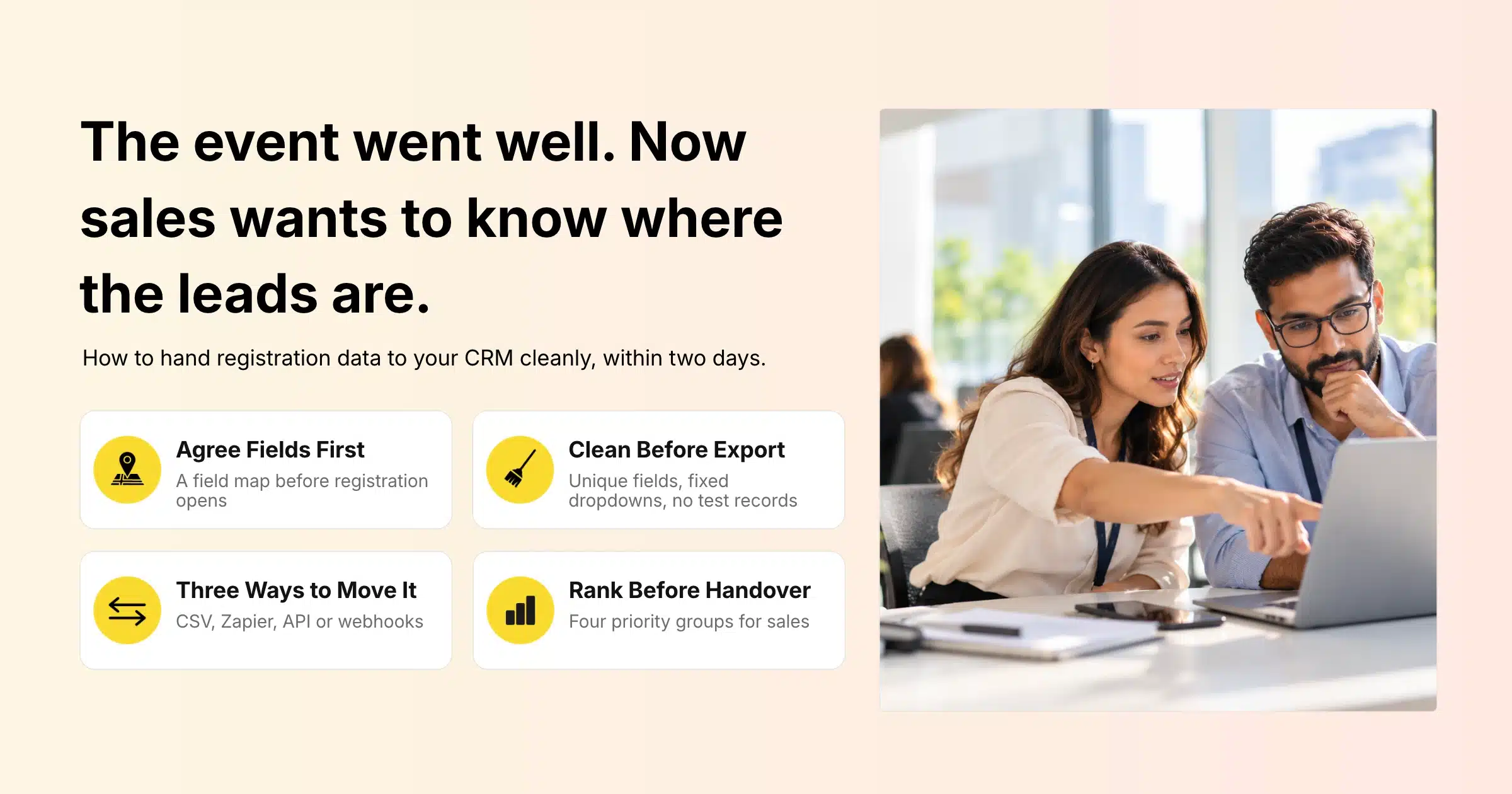
Your event is over, the feedback is good and the sales team is asking one question: where are the leads? Somewhere between the registration platform, a few spreadsheets and the badge scans from the exhibition floor, hundreds of useful conversations are waiting to be followed up. If the handover is slow or messy, many of them go cold before anyone calls.
Exporting event registration data means taking the information attendees gave you when they signed up (names, companies, job titles, ticket types, consent choices, session picks) and moving it into the system your sales and marketing teams work from every day. For most teams that system is a CRM, short for customer relationship management software. An event CRM handover is simply that move done well: the right fields, cleaned and labelled, delivered while the event is still fresh in everyone’s mind.
This guide covers why event data handovers break down, how to decide which fields sales needs, how to clean the data before it leaves your event platform, the three ways to move data from Gevme into a CRM, a step-by-step export checklist, how to rank leads for follow-up and how to handle privacy and consent along the way.
Key Takeaways
- Agree with sales on the exact fields and field names they need before registration opens, so your forms collect data the CRM can use.
- Use unique-value fields and consistent dropdowns on your registration form to prevent duplicates and messy free text at the source.
- Pick the handover method that fits your team: CSV export for one-off events, Zapier for simple automated flows, and the API, webhooks or a custom integration for ongoing syncs.
- Add context sales can act on, such as ticket type, sessions attended, check-in status, booth scans and survey answers, alongside basic contact details.
- Rank leads into clear groups before the handover, so sales calls the warmest contacts first.
- Hand over within one to two business days after the event, while attendees still remember the conversations they had.
- Only pass on contacts and fields that attendees agreed to share, and record consent alongside each record.
Why Event Data Handovers Break Down
Event data handovers usually break down because the event team and the sales team never agreed what “a lead” looks like. The event team exports everything it has; sales receives a spreadsheet it cannot load or prioritise.
Field Names That Do Not Match
The registration form asks for “Organisation”, the CRM expects “Account Name”, and the job title field is free text with 400 variations of “manager”. Every mismatch means someone has to fix the file by hand before it can be imported, and manual fixes introduce new errors.
Duplicates and Partial Records
For example, the same person registers twice with a work and a personal email. Similarly, a colleague registers on behalf of three team members using one buyer email. Without rules on the form, these duplicates flow straight into the CRM and create confusion about who owns the relationship.
No Context on Who Is Worth Calling
A flat attendee list treats the person who sat through three product sessions and visited your booth the same as the person who registered and never turned up. Sales has no way to tell them apart, so the follow-up is generic for everyone.
Late Handover
Data that arrives two weeks after the event is far less useful. Attendees have moved on, and a “great to meet you” email lands with nothing to connect it to.
Decide What Sales Needs Before Registration Opens
The cleanest event CRM handover is decided before the first attendee registers, because your registration form is where the data is created. Sit down with whoever owns the CRM and agree on the fields, the field names and the format of each value.
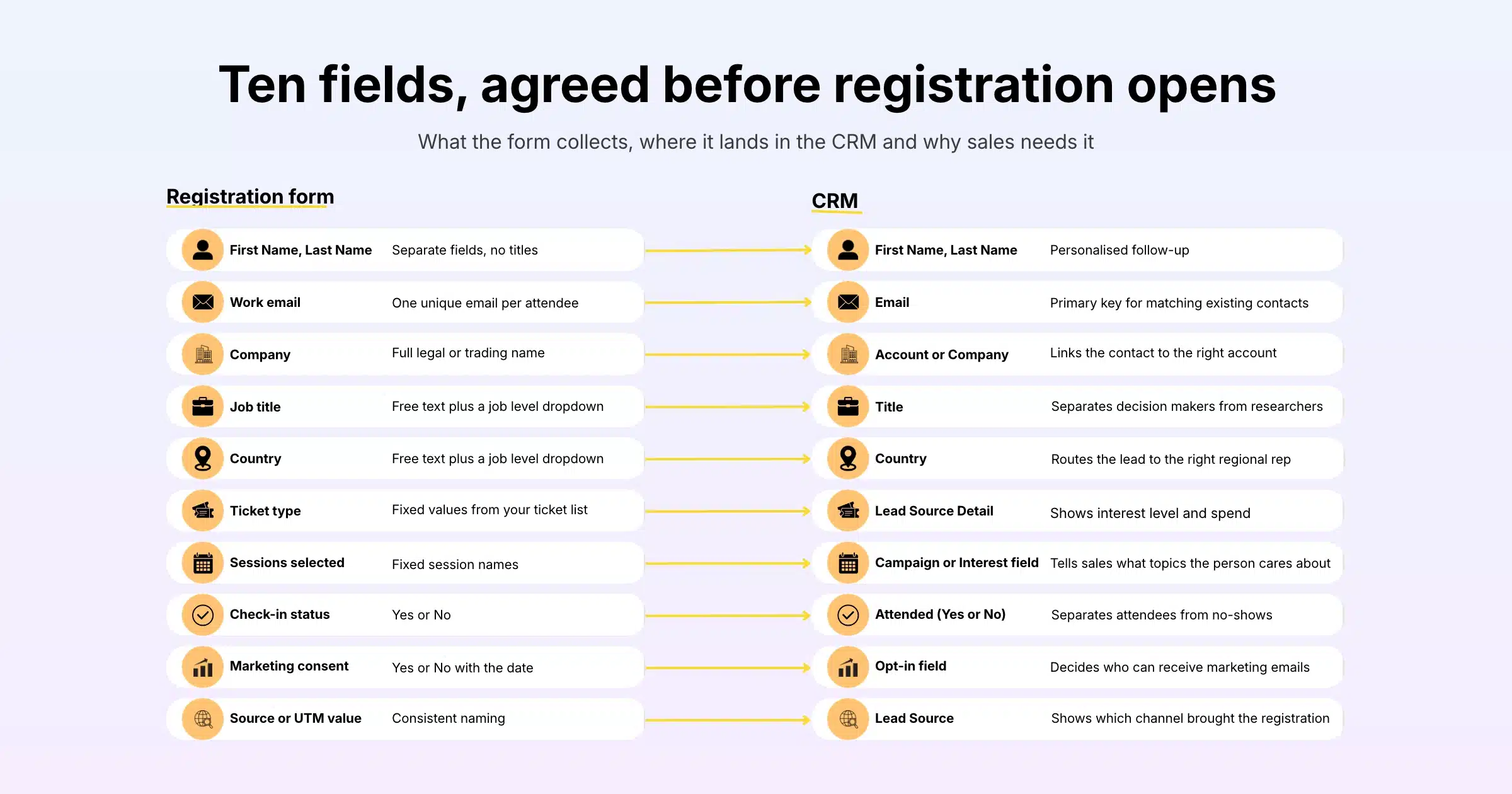
Build a Simple Field Map
A field map lists each piece of data you collect, the CRM field it goes into and why sales needs it. It takes an hour to agree and saves days of cleanup later.
| Registration field | CRM field | Format to agree | Why sales needs it |
|---|---|---|---|
| First name, last name | First Name, Last Name | Separate fields, no titles | Personalised follow-up |
| Work email | One unique email per attendee | Primary key for matching existing contacts | |
| Company | Account or Company | Full legal or trading name | Links the contact to the right account |
| Job title | Title | Free text plus a job level dropdown | Separates decision makers from researchers |
| Country | Country | Dropdown from a fixed list | Routes the lead to the right regional rep |
| Ticket type | Lead Source Detail | Fixed values from your ticket list | Shows interest level and spend |
| Sessions selected | Campaign or Interest field | Fixed session names | Tells sales what topics the person cares about |
| Check-in status | Attended (Yes/No) | Yes or No | Separates attendees from no-shows |
| Marketing consent | Opt-in field | Yes or No, with the date | Decides who can receive marketing emails |
| Source or UTM value | Lead Source | Consistent naming | Shows which channel brought the registration |
Turn Free Text Into Choices
Wherever you can, replace free-text questions with dropdowns, radio buttons or checkboxes. “Company size”, “Industry”, “Job level” and “What are you most interested in?” are all far easier to report on and route when every answer comes from a fixed list.
Ask Only What You Will Use
Every extra question lowers the number of people who finish registering. If nobody in sales will act on a field, leave it off the form. You can always collect more later through a post-event survey.
Clean the Data Before It Leaves Your Event Platform
Cleaning registration data inside your event platform, before export, is faster and safer than fixing it in a spreadsheet afterwards. The aim is a file that imports into the CRM without manual edits.
Prevent Duplicates at the Source
Gevme Registration lets you mark form fields as unique values, which blocks duplicate registrations using the same email or ID. Pre-filled fields for returning attendees and invitees also reduce typos, because people confirm details instead of retyping them. Fewer duplicates going in means fewer to merge in the CRM later.
Standardise Values
Check country names, phone number formats and company names before export. A company that appears as “ABC Pte Ltd”, “ABC” and “ABC Singapore” will create three accounts in the CRM unless someone merges them. Sorting the attendee grid by company is a quick way to spot these.
Remove Test and Cancelled Records
Test registrations from your own team, cancelled orders and internal staff badges should not reach sales. Filter them out before export, or keep them on a separate list you exclude every time.
Watch Characters and Long Numbers
If attendee names include accented letters or non-English scripts, open the exported CSV in a spreadsheet tool using UTF-8 encoding so the names display correctly. Long ticket or registration numbers can also be shortened by spreadsheet tools into scientific notation, so format those columns as text before saving.
Three Ways to Move Registration Data From Gevme to Your CRM
There are three main ways to move registration data from Gevme into a CRM: a CSV export, a Zapier connection, or an API, webhook or custom integration. In general, the right one depends on how often you run events and how quickly sales needs the data.
| Method | How it works | Best for | Setup effort |
|---|---|---|---|
| CSV export | Export a customised report or attendee list and import the file into your CRM | One-off events, small teams, full control over each import | Low |
| Zapier | Zapier connects Gevme to other apps (for example Google Sheets, Airtable, Gmail or ActiveCampaign) to send data automatically | Simple automated flows without coding | Low to medium |
| API, webhooks or custom integration | Your CRM pulls data from the Gevme API, or Gevme pushes each new registration to your system through webhooks | Regular events, real-time syncs, large volumes | Medium to high |
CSV Export
A CSV export is the simplest handover and works with almost every CRM. In Gevme Registration, reports can be customised before you export them. You choose which columns appear and in what order, set a default sort, add filters (with a filter pattern when you combine several conditions) and rename the report file before export. You can also add up to five aggregations, such as a count of unique companies or the total value of tickets sold, which is useful for the summary you send with the file.
Saved report settings stay in place and apply to everyone on your team who opens the report, so you can build a “CRM handover” report once and reuse it for every event. For organisations running several events, global reports bring data from multiple events together. The Gevme Registration knowledge base on reports walks through each setting.
Zapier
Zapier sits between Gevme and other apps and moves data automatically when something happens, such as a new registration. Gevme’s third-party integrations include Zapier connections to tools such as ActiveCampaign, Gmail, Google Sheets and Airtable. Many teams send new registrations into a shared Google Sheet or an email marketing tool this way, then sync onwards to the CRM from there.
API, Webhooks and Custom Integrations
In contrast, for teams that run events often, an integration removes the manual export completely. Gevme supports two main approaches. Your CRM or another third-party app can pull attendee data from the Gevme API, which uses OAuth 2.0 authorisation, through a Gevme user account set up with the right role and permissions. Or Gevme can push registration data to your system using webhooks each time a registration is submitted. Gevme recommends keeping API usage to a maximum of 500 calls per minute with a maximum of 1,000 records to keep both platforms stable.
To start an integration, you send the Gevme team your organisation’s backend URL, the objective of the integration, your requirements, a data flow diagram and your use cases. The team then reviews them and advises the most suitable method. Where your needs go beyond the standard API and webhooks, Gevme can scope a custom integration, and Enterprise plans include a custom integrations engine for more complex setups. API credentials are shared as an encrypted file with the password sent separately, and should never be shared publicly, since they give access to your attendee data.
For NRF 2025 Retail’s Big Show Asia Pacific, Gevme handled registration for 9,500 attendees across multiple ticket tiers and add-ons, with CRM integration as part of the setup.
A Step-by-Step Export Checklist
Use this checklist after every event so the handover follows the same steps each time, whoever runs it.
- Close the loop on attendance. Make sure check-in and session check-in data is complete before you export, so the “attended” field is accurate.
- Open your saved handover report in Gevme Registration with the agreed columns, sort and filters.
- Filter out test, cancelled and internal records.
- Add context fields: ticket type, sessions, check-in status, source or UTM values and consent.
- Export the file and name it with the event name and date.
- Open the file using UTF-8 and check names, company fields and long numbers.
- Merge in other lists such as booth scans and survey responses, matching on email.
- Assign a priority group to each record (see the next section).
- Import into your CRM using the agreed field map, with a campaign or event tag on every record.
- Send sales a short summary: total attendees, number of leads in each priority group and any notable accounts.
Rank Leads So Sales Calls the Right People First
Ranking leads before the handover tells sales who to call first, and it is the single change that improves follow-up the most. Combine what people did before and during the event into a few simple groups.
Use Attendance and Session Data
Gevme Onsite records check-in times, and session check-in captures when each attendee checked in and out of individual sessions, visible in the attendee grid after the event. For example, someone who checked into three product sessions is a stronger lead than someone who only attended the keynote.
Add Booth Scans and Meetings
Exhibitors and your own booth staff can scan attendee badges with the Gevme app, add notes and ratings, and export the leads as a CSV. Similarly, business matchmaking meetings show who chose to meet your team. Both are strong buying signals. Gevme’s exhibitor and sponsor tools keep these leads tied to the same attendee records you registered.
Add Survey Answers
A post-event survey question such as “Would you like a follow-up conversation?” turns the warmest leads into a clear list. Gevme Survey reports can be exported in full and matched to your attendee data by email.
Suggested Priority Groups
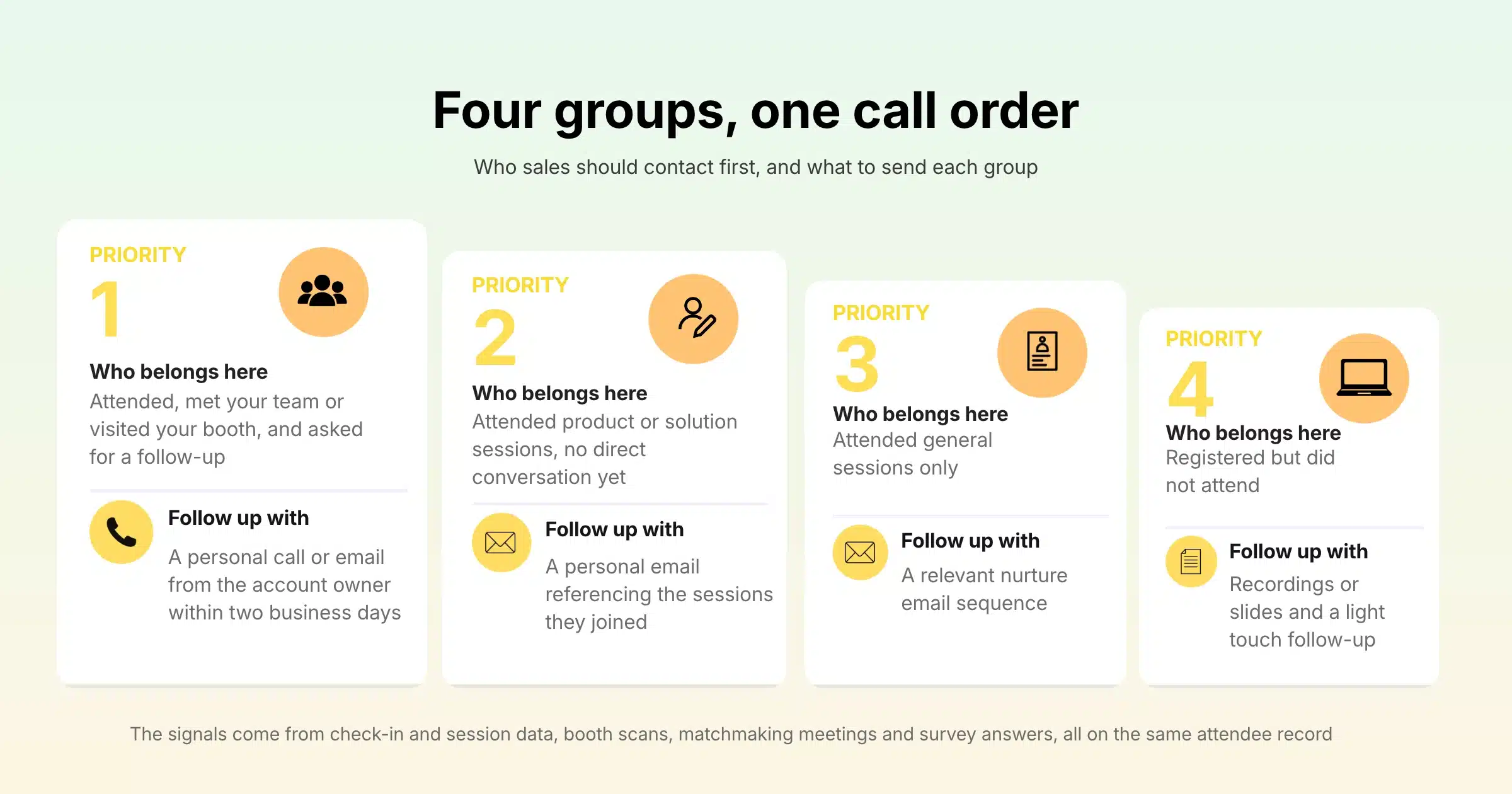
| Group | Who belongs here | Suggested follow-up |
|---|---|---|
| Priority 1 | Attended, met your team or visited your booth, and asked for a follow-up | Personal call or email from the account owner within two business days |
| Priority 2 | Attended product or solution sessions, no direct conversation yet | Personal email referencing the sessions they joined |
| Priority 3 | Attended general sessions only | Add to a relevant nurture email sequence |
| Priority 4 | Registered but did not attend | Send recordings or slides with a light touch follow-up |
Privacy, Consent and Security
A clean handover respects what attendees agreed to when they registered. Only pass on records and fields that people consented to share, and store the consent choice and date alongside each record so the CRM owner can see it.
Keep the export file itself safe. Send it through a shared drive with restricted access, avoid attaching attendee lists to emails and delete local copies once the import is done. If your team works under PDPA in Singapore or GDPR in Europe, check that the purpose you collected the data for matches how sales plans to use it.
On the platform side, Gevme’s security and trust centre lists ISO 27001, ISO 27017, ISO 27018 and SOC 2 Type 2 certifications, along with GDPR, PDPA and CCPA compliance. In addition, data is encrypted with AES-256 at rest and TLS in transit, and personal data can be anonymised by masking or encryption. Gevme never sells attendee data, and customer data is retained for two years after a subscription ends.
A Few Terms Worth Knowing
- CRM (customer relationship management): the software your sales and marketing teams use to store contacts, accounts and every interaction with them.
- Field map: a simple table that shows which field in one system goes into which field in another.
- Webhook: an automatic message one system sends to another the moment something happens, such as a new registration.
- API (application programming interface): a secure way for two pieces of software to request and exchange data with each other.
Pro Tip
Run a test import a week before the event. Take ten real or dummy registrations from your event in Gevme, export them with your saved handover report and import them into a sandbox or test view of your CRM. You will find mismatched field names, broken dropdown values and missing consent fields while there is still time to fix the registration form. After the event, the real import becomes a five-minute job.
Frequently Asked Questions
An event CRM is the customer relationship management system that stores the contacts and activity from your events, so sales and marketing can follow up. It usually holds attendee details, sessions attended, booth visits and consent choices, all linked to the right company account.
Event data should reach sales within one to two business days after the event. Attendees still remember the sessions and conversations at that point, so a personal follow-up feels relevant and gets more replies.
Export the fields sales will act on: name, work email, company, job title, country, ticket type, sessions, check-in status, source and marketing consent. Leave out fields nobody uses, because extra columns slow down imports and make records harder to read.
Yes, Gevme can connect to your CRM through its API, webhooks or a custom integration, so attendee and registration data flows into your sales and marketing systems. The Gevme team reviews your requirements and advises the right method, and Enterprise plans include a custom integrations engine for more complex setups.
Avoid duplicates by blocking them at registration and matching on email at import. Use unique-value fields on your Gevme registration form, check for repeated company names before export and set your CRM import to update existing contacts by email instead of creating new ones.
A report export is built for repeat use, with saved columns, sorting, filters and aggregations that apply every time anyone opens it. The attendee grid is better for quick searches, selecting specific records and building smart lists. For a regular CRM handover, a saved report is the more reliable option.
Yes, it is safe to share attendee data with sales when attendees agreed to it and the file is handled securely. Share only consented records, use restricted shared drives instead of email attachments and delete local copies after the import.
Conclusion: Make the Handover Part of the Event Plan
A clean event CRM handover starts long before the event ends. Agree on the fields with sales before registration opens, build forms that collect consistent values, clean the data inside your event platform, add the context that shows who is worth calling, and deliver it within a day or two. Treat the export as one of the event’s deliverables and it stops being a scramble every time.
Gevme keeps every part of that handover in one platform. Registration forms with unique fields, saved and customised reports, check-in and session data, booth scans and survey results all sit on the same attendee record, and they can reach your CRM by CSV, Zapier, API, webhooks or a custom integration. To see how your next event’s data could reach sales the day after it ends, request a demo or explore Gevme’s event management software.