Running events in Singapore comes with its own checklist. Your attendees expect to register in a minute or two, pay the way they normally pay, and walk into a venue at Suntec or Marina Bay without queuing behind a printed list. Meanwhile, your legal team wants to know how attendee data is handled under the PDPA. Your finance team wants invoices that show GST properly. And if something breaks at 8am on event day, you want to reach a support team that is awake in the same time zone.
Event management software is the platform that handles all of this in one place: registration and ticketing, the event website, emails, onsite check-in and badge printing, engagement during sessions, and the reports you share afterwards. Most platforms on the market can tick the basic boxes. However, the differences show up in the local details, and those are the details that decide whether your event day runs smoothly.
This guide covers what Singapore event teams actually need from event management software, a local buyer’s checklist you can use in any evaluation, how pricing works, how Singapore organisers run their events on Gevme, and a short process for building your shortlist.
Key Takeaways
- Check PDPA compliance first, then look for independent certifications such as ISO 27001 and SOC 2 Type 2 that show how attendee data is protected day to day.
- Make sure the platform supports the payment options your attendees use, including local gateways, bank transfer and pay-at-event, plus tax settings that show GST the way your finance team needs.
- Singpass Myinfo auto-fill cuts form-filling time for Singapore attendees and reduces typos in names and contact details.
- Support hours matter as much as features. A team working Singapore hours can fix a problem before doors open.
- Test onsite check-in under realistic crowd numbers, including kiosks, badge printing and what happens if the venue Wi-Fi drops.
- Compare pricing in the currency the vendor actually quotes, and check what sits in each plan so you only pay for what your events use.
- A platform built in Singapore that also runs events across Asia Pacific lets you reuse the same setup when your event travels to Jakarta, Manila or Sydney.
What Singapore Event Teams Need From Event Management Software
Singapore packs a lot of event activity into a small island. In a single month you might see a government innovation festival, a regional trade show, a university fair, a medical association congress and a dozen corporate town halls. Each has a different audience, but they share a few needs that shape how you should choose software.
High Expectations From Attendees
Singapore audiences are used to fast digital services. They pay with a tap, log in to government services with Singpass, and expect the same speed when they sign up for an event. A long registration form, a slow payment page or a queue at the door reflects on your event, even when the problem sits with the tool.
That means the attendee experience deserves as much attention as the admin features. Look at the registration page on a phone. Try paying. Open the confirmation email and find your QR code. If any step feels clumsy to you, it will feel clumsy to 2,000 attendees.
A Wide Mix of Event Types
Many Singapore event teams run very different formats in the same year. A corporate team might host an annual conference, a customer roadshow, a hybrid town hall and an invitation-only dinner. An agency or PCO (professional conference organiser) might run all of those for different clients.
Good event management software handles that range without forcing you into a new tool for each format. On Gevme, you can set up an event as in-person, virtual or hybrid, and choose between three registration types: a simple registration form, tickets with multiple categories and prices, or RSVP for invitation-only events. The same account covers a 50-person client dinner and a trade show with tens of thousands of visitors.
Regional Reach From a Singapore Base
Plenty of events that start in Singapore travel. A summit that launches here often runs in Kuala Lumpur, Bangkok or Sydney the following year, and regional teams want a single platform they can reuse. So when you evaluate software, think past the first event. Ask whether you can clone an event, save it as a template, and run it in another market without rebuilding everything.
Gevme is headquartered in Singapore with offices in the United States, the Philippines, China, India and Australia. As a result, the platform is built with Asia Pacific events in mind while staying usable anywhere.
The Singapore Buyer’s Checklist
The points below are the ones Singapore organisers raise most often when choosing event management software. Use them as questions for every platform you evaluate, then compare the answers side by side.
Data Protection and PDPA
The Personal Data Protection Act (PDPA) governs how organisations in Singapore collect, use and disclose personal data. Every registration form you publish collects personal data, so your software has to support compliant handling from the first click.
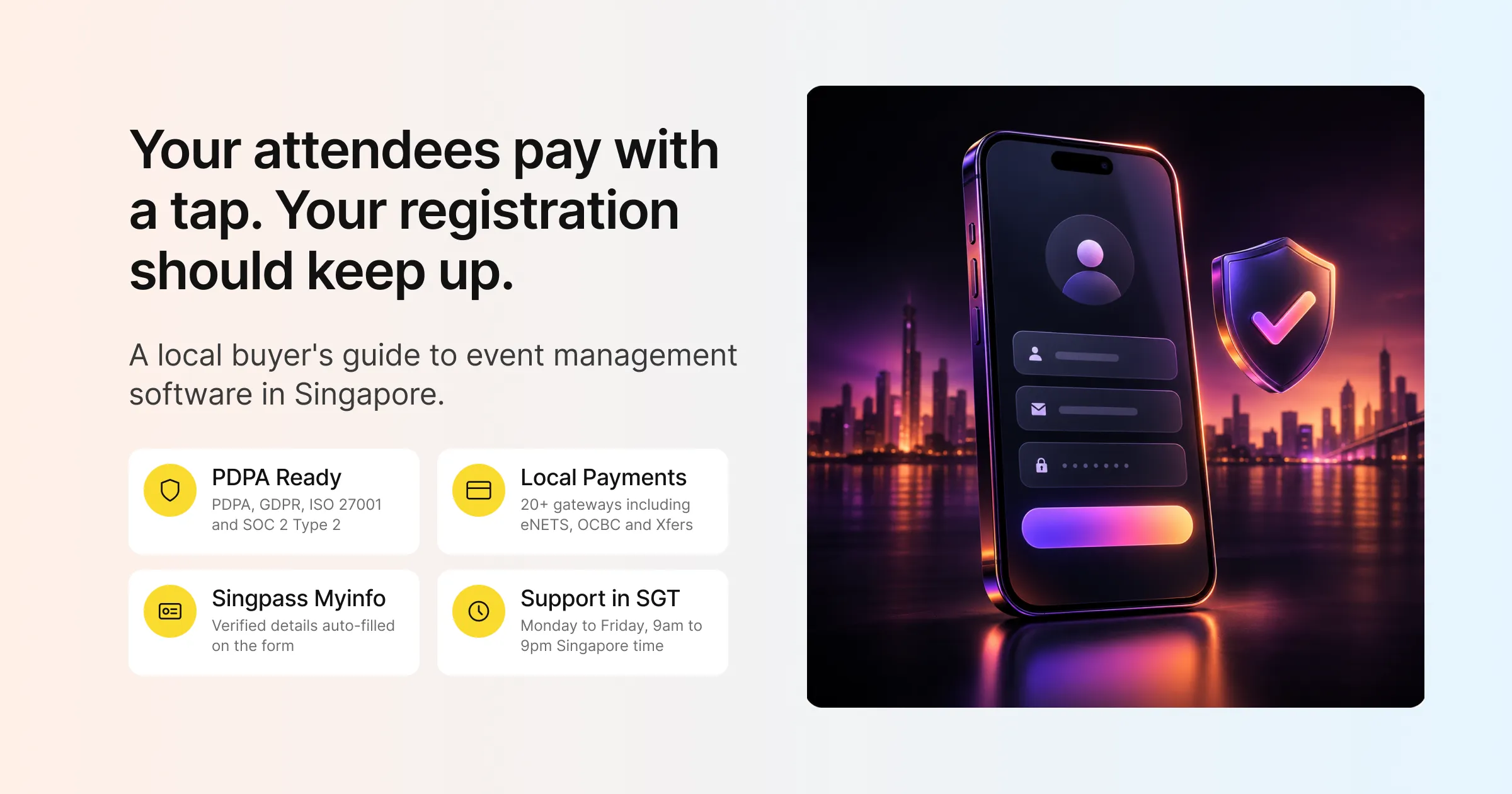
Start with the vendor’s trust centre and look for specifics. Gevme’s trust centre lists PDPA, GDPR and CCPA compliance alongside ISO 27001, ISO 27017, ISO 27018 and SOC 2 Type 2 certification. Data is encrypted with AES-256 at rest and TLS in transit, and the platform is hosted on AWS.
The day-to-day controls also matter. Gevme supports two-factor authentication through an authenticator app (with SMS or voice on Gevme Registration) and lets admins enforce 2FA across their team. It also sets session limits so an unattended laptop does not stay logged in all day. You can anonymise personal data by masking or encrypting it once you no longer need it in readable form. Gevme never sells attendee data, and customer data is kept for two years after a subscription ends.
For government agencies and large corporates, these are usually the first questions procurement will ask. Having the answers on a public trust page saves weeks of back and forth.
Local Payments and GST-Ready Invoicing
If you sell tickets, the payment step is where you lose or keep registrations. Singapore attendees and companies pay in a mix of ways: credit card, bank transfer, corporate invoice, and occasionally cheque for institutional buyers.
Gevme Registration connects to more than 20 payment gateways, including Stripe, Adyen and PayPal, plus regional options such as eNETS, OCBC and Xfers. You can also offer direct debit, bank transfer, cheque or pay at the event, and record offline payments by moving an order to Completed Payment once the money arrives. If you prefer not to set up your own gateway, Gevme Pay is a built-in option where Gevme Finance handles payouts. The payment gateway page walks through the options.
For GST, taxes can be set as inclusive or exclusive and are calculated per line item after discounts. Fees can be applied before tax, after tax or per payment method. Invoices and receipts attach to confirmation emails, and finance teams can download invoice PDFs whenever they need them.
One practical detail: the event currency locks after the first order, so decide on SGD, USD or another currency before registrations open.
Singpass Myinfo and Shorter Forms
Singpass Myinfo lets Singapore residents share verified personal details with a form in a couple of taps. For event organisers, it means fewer typos in names, correct contact details and a faster registration flow on mobile.
Gevme supports Singpass Myinfo form auto-fill. This is especially useful for government events and any event where accurate identity details matter, such as badge printing with full names or events that need verified attendee records.
Beyond Myinfo, look at how much the form builder can do. In Gevme’s event registration software, forms support compulsory, read-only and unique-value fields (a unique email field blocks duplicate registrations), conditional follow-up questions, and different fields per ticket type. Returning attendees and invitees see pre-filled fields, so they only confirm what has changed.
Support in Your Time Zone
A support team that works while you sleep is not much help on event morning. Ask every vendor when their support team is online, which channels they use, and whether they can send crew onsite.
Gevme’s support team works Monday to Friday, 9am to 9pm Singapore time, through live chat, WhatsApp (+65 8742 8757), support tickets and cs@gevme.com. Onsite crew support is available for events that want people on the ground. Scheduled maintenance happens on Tuesday and Thursday nights at 10pm SGT, which is worth noting when you plan late-night registration pushes.
For self-help, Gevme Academy and the product knowledge bases cover setup step by step, so your team can learn the platform before the first event.
Bilingual Events
Many Singapore events serve audiences who are more comfortable in Mandarin, especially trade events with visitors from China and Taiwan. Gevme Registration supports English and Simplified Chinese as event languages, so attendees can register in the language they read best.
For live sessions, Snapsight, part of the wider Gevme ecosystem, adds live captions and translation in more than 75 languages.
Onsite Check-In at Singapore Scale
The first ten minutes of an event decide how attendees feel about the whole day. A slow registration counter at a large venue can build a queue that stretches down the corridor.
Gevme’s onsite check-in covers several setups:
- Kiosks: Kiosk Model S is a standing kiosk made from eco-friendly paperboard with a badge printer. In addition, Kiosk Model T is a tabletop unit with an optional wireless sticker printer. The kiosk app runs on Android and keeps working offline.
- Counter Set: laptops, printers and scanners for assisted check-in at a staffed counter.
- Web and phone check-in: staff check people in from a browser, with Rocket Mode for fast scanning on a phone.
Attendees can check in by QR code, facial recognition, ID scanning or a search by name, email, company or registration ID. A check-in with badge printing takes around 5 to 10 seconds. Badges print on demand using printing rules per ticket type, and can carry a vCard QR code so attendees can swap contact details.
Onsite staff log in with an SMS one-time password and get timed access, so temporary crew only have access for the hours they work. Walk-in registration and payment at the counter, session check-in and check-out, and duplicate scan handling are all built in.
Event Websites, Virtual and Hybrid
Your event website is often the first thing attendees see. Gevme Omnichannel includes a no-code event website builder with 2D, 3D and immersive themes, plus 17 content blocks for agendas, speakers, sponsors, video, livestreams and more. Paid plans add a custom domain and custom SEO settings, and Google Analytics and Google Tag Manager tracking are built in.
For virtual and hybrid events, Gevme supports unlimited live channels over RTMP and works with production tools such as vMix and OBS Studio. It also connects natively to YouTube Live, Facebook Live, Vimeo and Zoom. A hybrid event can use a single registration page with separate physical and digital tracks, shared chat, Q&A and polls, and access control based on check-in.
Engagement, Matchmaking, Exhibitors and the App
Trade shows and B2B conferences in Singapore live or die on the meetings they create. Gevme’s business matchmaking combines rules with AI (exact or semantic matching), learns from attendee behaviour, and schedules meetings in physical locations such as rooms or booths, with daily digests and printable schedules.
Exhibitors get their own portal to manage their profile, products, booth staff and leads, and can scan attendee badges through the Gevme app with notes and ratings. The Gevme mobile app (iOS and Android) gives attendees the agenda, speakers, maps, push notifications and a free digital business card called Metacard. During sessions, live polls, moderated Q&A and chat keep the audience involved.
Reports You Can Share Upwards
After the event, you need numbers you can put in front of management or a client. Gevme Registration reports cover tickets, orders, attendees and surveys, with CSV export and reports across multiple events. Omnichannel analytics show visits, unique visitors, time spent, locations and devices. For large events, a real-time BI dashboard tracks sign-ups and check-in trends as they happen.
If your stakeholders want more than attendance, ImpactAIQ, part of the Gevme ecosystem, helps turn event evidence into ROI, sponsorship value and legacy outcomes.
The Checklist at a Glance
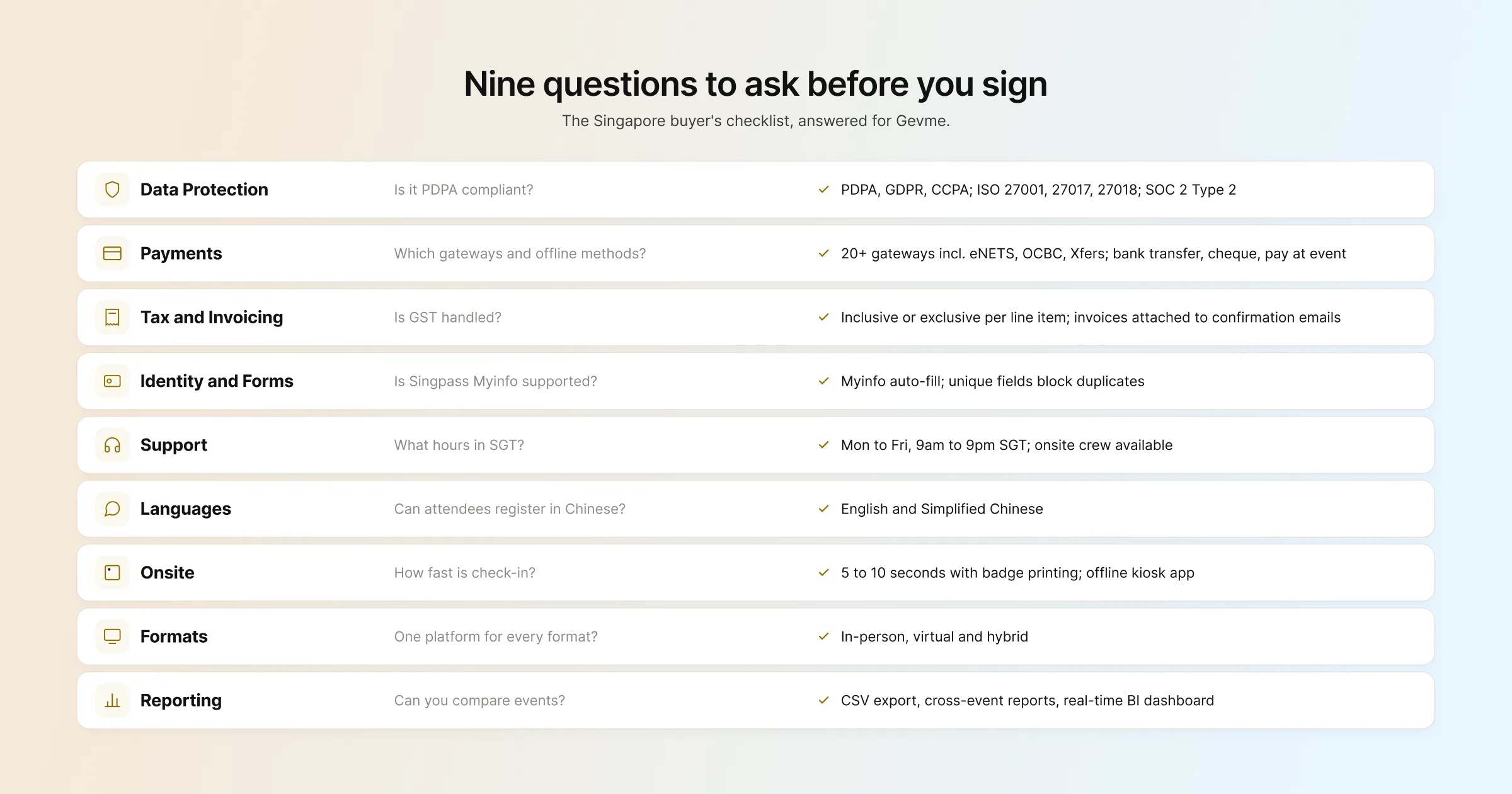
| What to check | Questions to ask | How Gevme handles it |
|---|---|---|
| Data protection | Is the platform PDPA compliant? Which certifications does it hold? | PDPA, GDPR, CCPA; ISO 27001, 27017, 27018; SOC 2 Type 2; AES-256 at rest |
| Payments | Which gateways and offline methods are supported? | 20+ gateways incl. eNETS, OCBC, Xfers, Stripe, PayPal; bank transfer, cheque, pay at event; Gevme Pay |
| Tax and invoicing | Can GST be inclusive or exclusive? Are invoices automatic? | Inclusive or exclusive tax per line item; invoices and receipts attached to confirmation emails |
| Identity and forms | Is Singpass Myinfo supported? Can duplicates be blocked? | Singpass Myinfo auto-fill; unique-value fields; conditional questions |
| Support | What are the support hours in SGT? Is onsite crew available? | Monday to Friday, 9am to 9pm SGT; chat, WhatsApp, email; onsite crew available |
| Languages | Can attendees register in Chinese? | English and Simplified Chinese event languages |
| Onsite | How fast is check-in? Does it work offline? | 5 to 10 seconds with badge printing; offline kiosk app; QR, face and ID scanning |
| Formats | Does one platform cover in-person, virtual and hybrid? | Yes, with shared registration, engagement and reporting |
| Reporting | Can you export data and compare events? | CSV export, cross-event reports, real-time BI dashboard |
How Event Management Software Pricing Works in Singapore
Most event management software is sold as an annual subscription. The price usually depends on which modules you need, how many attendees you expect, and whether you add hardware or services for onsite check-in. Some vendors quote only after a sales call. Others, however, list their plans openly.
Gevme lists its plans on the pricing page, in US dollars, across three tabs:
| Plan | Gevme Omnichannel (website, virtual, engagement, app) | Gevme Registration (registration, ticketing, emails) |
|---|---|---|
| Free | USD 0, no credit card: Website Builder, Virtual Venue Editor, Content Management, 50+ Themes and Experiences | Not available |
| Starter | From USD 1,050 per year, billed annually: adds Private Pages, Event Mobile App, Advanced Engagement Features, Unlimited Media Hosting | From USD 1,050 per year: custom registration forms, unlimited emails, smart attendee lists, event reports, Google Analytics integration |
| Pro | From USD 2,400 per year, billed annually: adds Custom Themes, Business Matchmaking, Advanced Event Analytics, Native Live Streaming | From USD 2,400 per year: adds custom landing pages, email templates, payment gateway integration, Google Tag Manager, priority support |
| Enterprise | Let’s Talk: adds Dedicated Premium Support, White Label Event Mobile App, Enterprise Level Security, Custom Integrations | Let’s Talk: adds multiple organisations, advanced security features, compliance reports, custom integrations engine |
The third tab, Onsite, covers hardware you book for event day: Kiosk Model S, Kiosk Model T and the Counter Set.
Budgeting for Add-Ons and Extra Attendees
A few things to plan for when budgeting. Extra attendees beyond your plan allowance start from USD 2.10 each on Starter and Pro. Some features are paid add-ons, such as seating management, automated invoicing and the lucky draw. If you plan to use your own payment gateway, note that gateway integration sits in the Registration Pro plan, while Gevme Pay is available from Starter.
The simplest way to budget is to list your events for the year, estimate attendee numbers for each, and match those to the modules you need. A team running one large conference and a few webinars needs a different mix from an agency running twenty client events.
How Singapore Organisers Run Events on Gevme
Gevme works with government agencies, corporates, agencies and PCOs, associations and educational institutions, on events from 50 to more than 50,000 attendees. A few published stories show what that looks like in practice.
- Tech Week Singapore 2024 ran 7 parallel events for more than 26,000 attendees, using 30 kiosks and over 150 mobile devices for onsite operations. Read the Tech Week Singapore story.
- GovInsider Festival of Innovation 2025 welcomed 1,200+ attendees with self-check-in kiosks, session tracking, Leads Scan and Snapsight summaries. Read the GovInsider story.
- NUS Postgraduate Fair 2024 was a hybrid event for 1,077 attendees with QR check-in and two livestreamed tracks. Read the NUS story.
- NRF 2025 Retail’s Big Show Asia Pacific handled registration for 9,500 attendees with multi-tier ticketing, add-ons and a CRM integration. Read the NRF story.
More stories sit on the customers page. Gevme has also been named Event Tech Company of the Year at the Singapore MICE Awards by SACEOS in 2023, 2024, 2025 and 2026.
How to Build Your Shortlist in Five Steps
A structured evaluation saves time and avoids the trap of choosing whichever vendor gave the smoothest demo.
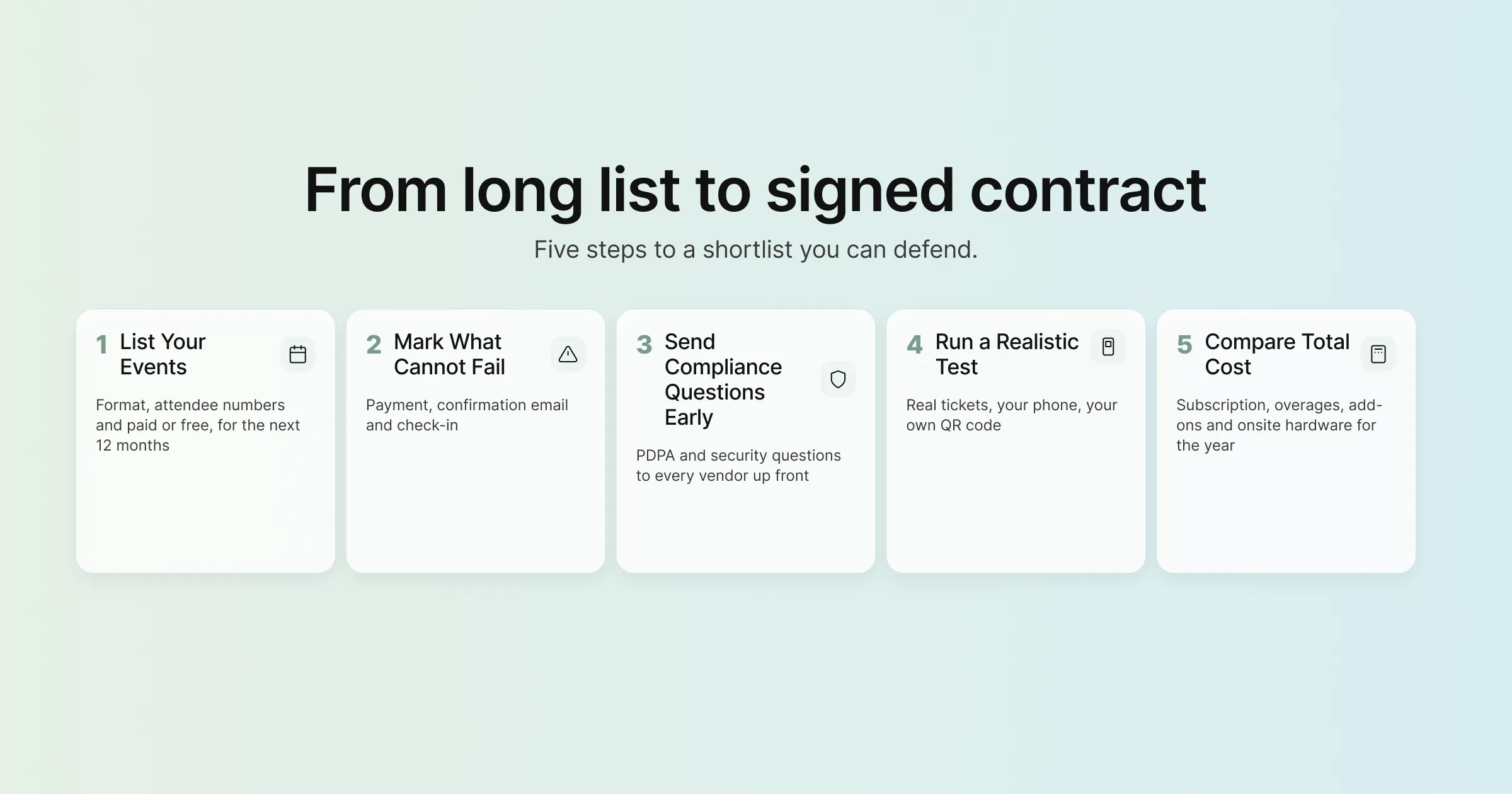
Step 1: List Your Events for the Next 12 Months
Write down every event you expect to run, with the format, rough attendee numbers and whether tickets are paid. As a result, this list tells you which modules you need and stops you paying for features you will never use.
Step 2: Mark the Moments That Cannot Fail
For most teams, these are the payment step, the confirmation email and check-in at the door. For B2B events, add matchmaking. Then test these moments yourself in every trial or demo.
Step 3: Send Your Compliance Questions Early
Share the PDPA and security questions from the checklist with each vendor at the start. Vendors with a public trust centre answer in minutes, and your procurement or IT team can review in parallel.
Step 4: Run a Realistic Test
Build a real registration page with your actual ticket types, promo codes and form fields. Register on your phone, pay, and scan your QR code. Ask how check-in works at your expected peak, for example 1,500 people arriving in 45 minutes.
Step 5: Compare Total Cost for the Year
Add up the subscription, attendee overages, add-ons and onsite hardware for all your events. Compare that total across your shortlist, then weigh it against support hours and the features you tested.
A Few Terms Worth Knowing
- PDPA: Singapore’s Personal Data Protection Act, which sets rules for collecting, using and disclosing personal data.
- Singpass Myinfo: a Singapore government service that lets residents share verified personal details with a form in a few taps.
- PCO: professional conference organiser, an agency that plans and runs conferences on behalf of a client.
- RTMP: Real-Time Messaging Protocol, the standard way to send a live video stream from production software to a streaming platform.
Pro Tip:
Before you sign, run a check-in rehearsal with the exact hardware you plan to use at your venue. Print 30 test badges, invite colleagues to arrive at the same time, and time the queue from first scan to last badge. Then switch off the Wi-Fi and do it again. Ten minutes of rehearsal will tell you more about how the platform handles event day than any feature list. It also gives your onsite crew a chance to learn the flow before real attendees arrive.
Frequently Asked Questions
The best event management software for a Singapore organiser is one that supports PDPA compliance, local payment options, Singpass Myinfo and support during Singapore hours, alongside strong registration, check-in and reporting. Gevme is built and headquartered in Singapore, covers all of these, and has been named Event Tech Company of the Year at the Singapore MICE Awards from 2023 to 2026.
Yes, Gevme is PDPA compliant. Its trust centre at trust.gevme.com also lists GDPR and CCPA compliance, ISO 27001, ISO 27017 and ISO 27018 certification, and SOC 2 Type 2.
Most event management software is priced as an annual subscription based on the modules you need and your attendee numbers. Gevme lists its prices in US dollars: the Omnichannel Free plan is USD 0, Starter starts from USD 1,050 per year and Pro from USD 2,400 per year, both billed annually, with Enterprise plans quoted on request.
Yes. Gevme Registration connects to more than 20 payment gateways, including regional options such as eNETS, OCBC and Xfers, and also supports bank transfer, cheque, pay at the event and Gevme Pay.
Yes, Gevme supports Singpass Myinfo form auto-fill, so Singapore residents can fill in verified personal details on your registration form in a few taps.
Yes. Gevme’s support team is available Monday to Friday, 9am to 9pm Singapore time, through live chat, WhatsApp, support tickets and email, with onsite crew support available for events that need it.
Yes. Gevme runs in-person, virtual and hybrid events across Asia Pacific and beyond, with offices in the United States, the Philippines, China, India and Australia. You can clone an event or save it as a template and run it in another market with the same setup.
Conclusion: Choose for Event Day, Budget for the Year
Choosing event management software in Singapore comes down to the local details: PDPA and security you can show procurement, payments that match how your attendees pay, forms that use Singpass Myinfo, support during your working hours, and check-in that keeps queues short at a busy venue. Work through the checklist, test the moments that cannot fail, and compare the full cost of your events for the year.
Gevme was built in Singapore, by the industry for the industry, and it brings registration, event websites, onsite check-in, engagement, matchmaking and reporting into one platform. If you would like to see how it fits your next event, request a demo and the team will walk you through it using your own event plan.