Most nonprofit event teams don’t choose their registration software so much as inherit it. Someone signed up for a free plan three galas ago, nobody has revisited the decision since, and now your development team spends every October reconciling tax receipts in a spreadsheet because the tool never quite fit what a fundraising event actually needs.
That gap shows up every time you run a gala, a fun run, or a donor appreciation dinner. Ticket buyers want to check a box adding a donation onto their payment. Your board wants a clean report of net proceeds by Friday. Your finance lead needs receipts that hold up at tax time. And you’re usually doing all of this with a staff of one and a half people and no IT department to call. Run a five-hundred-guest gala or a quiet cultivation dinner for twenty, and the job underneath doesn’t change.
Event registration software for nonprofits is registration software built, priced, and configured around one fact: a ticket sale and a donation are often the same transaction, and whoever is running the event isn’t a full-time technologist. Corporate registration tools assume a badge, a session agenda, and a marketing team behind them. Nonprofit tools assume a receipt, a table of eight, and a volunteer coordinator who has forty other things to do this week.
This guide covers what actually separates nonprofit event registration software from generic event tools, what it realistically costs in 2026, the pricing models you’ll run into, and a practical checklist covering everything from table sales to donor cultivation events before you sign anything.
Key Takeaways
- Nonprofit registration needs are different by design. Tax-deductible receipts, donation-plus-ticket combos, and table or group sales are standard requirements for a fundraising event, not add-ons.
- A free plan exists, but it rarely stays free at scale. Most “free” tiers cap attendee counts or shift the cost into a per-ticket fee instead.
- Three pricing models cover most of the market: flat platform fees, percentage-of-ticket fees, and per-attendee pricing. Each favors a different size and type of event.
- Ease of setup matters as much as features. Software your volunteer coordinator can’t configure without help isn’t saving you money, whatever the price tag says.
- Payment handling and receipting aren’t optional line items. Ask about PCI compliance and automated tax receipts before you ask about themes and branding.
- Reporting has to serve the board, not just the event manager. Net proceeds, donor history, and attendance by segment need to come out clean, without a rebuild in Excel.
- Donor cultivation and appreciation events are their own category. They run on RSVP accuracy and clean data sync rather than ticket revenue, so evaluate them separately from galas when you compare platforms.
Why Nonprofit Event Registration Software Needs Are Different
Corporate event platforms are built around a fairly narrow use case: paid attendees, a session agenda, maybe some sponsor logos. Fundraising events have to handle a wider set of realities, and if your tool wasn’t built with those realities in mind, you’ll feel it every single time you run one. That’s the core reason generic ticketing tools and nonprofit-built platforms aren’t interchangeable, even when the pricing pages look similar.
Donations and Ticket Sales Are Usually the Same Transaction
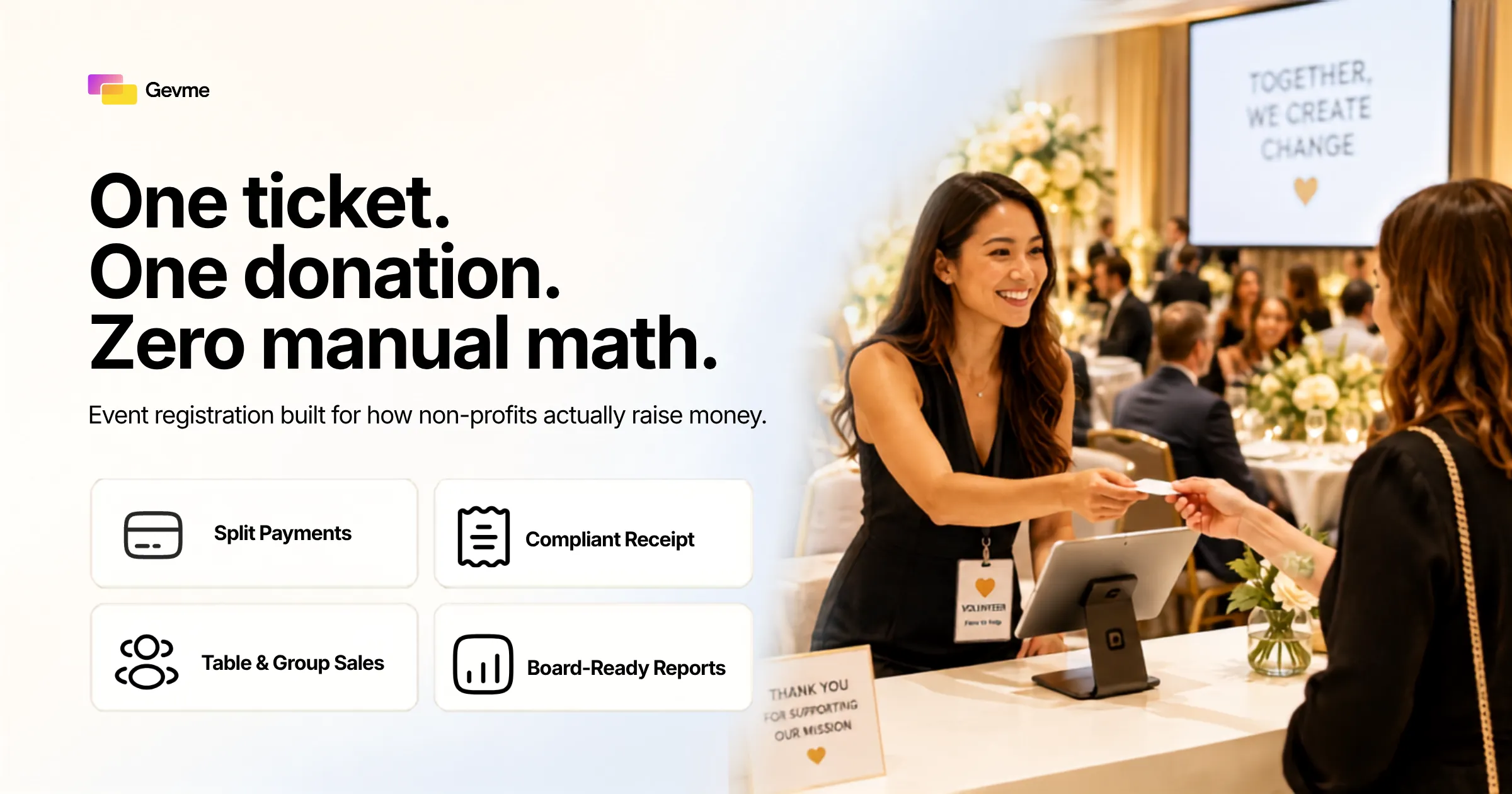
At a corporate conference, the ticket price is the ticket price. At a gala or fun run, a supporter might pay $150 for a ticket and then add another $50 as a straight donation in the same checkout flow. Good nonprofit event registration software splits that transaction cleanly on the back end, so your finance team can report ticket revenue and donation revenue separately, even though the donor experienced it as one payment.
Tax Receipts Are a Requirement, Not a Nice to Have
In most jurisdictions, only the donation portion of a ticket price is tax-deductible, and the receipt has to reflect that split accurately. If your platform can’t generate a compliant receipt automatically, someone on your team ends up doing that math by hand for every registrant. That approach breaks down fast as volume grows, and small errors creep in long before anyone notices them.
Table and Group Registration Is the Norm, Not the Exception
Galas sell in tables of eight or ten. Fun runs sell in team packs. Donor events sell in couples and family groups. A platform built primarily for individual conference tickets often makes group and table registration feel like an afterthought, forcing your coordinator to manually assign seats after the fact. Look for a tool where one buyer can purchase a table and name the other seats later, with each named guest getting a confirmation of their own. This is where fundraising event registration gets detail-heavy, and it’s exactly where generic tools fall down first.
Limited Technical Time, Limited Technical Staff
Corporate event teams often have a dedicated ops person or an in-house developer to wire up integrations. Nonprofit teams, especially smaller ones, usually have a development coordinator, or an executive director, doing this on top of their actual job. The software has to be configurable by someone without a technical background, on a deadline, without a support ticket sitting open for three days.
What to Look For in Event Registration Software for Nonprofits
Once you understand how different nonprofit needs are, the evaluation criteria get much clearer. Here’s what matters when you’re comparing platforms, roughly in the order it tends to bite you if you get it wrong.
Transparent, Nonprofit-Aware Pricing
You should be able to read the pricing page and understand, in under five minutes, what you’ll pay for a specific event size. If a vendor’s public pricing is vague or requires a sales call for a real number, treat that as a signal, not a formality. Many platforms offer reduced rates or dedicated nonprofit tiers. Ask directly whether nonprofit status changes your rate, because it often does and isn’t always advertised. Transparent pricing is one of the fastest ways to tell genuine nonprofit event registration software from a relabeled corporate tool.
Setup You Can Do Without IT
Ask for a trial or a sandbox and actually build a mock event page yourself before you buy. If you can’t create a basic donor event page, add a donation add-on, and set up a discount code within an hour, that’s a preview of what every future event will feel like under deadline pressure.
Integrated Payments and Receipting
Payment processing should be built in, not bolted on through a separate gateway you have to configure and reconcile yourself. Ask specifically how the platform handles PCI compliance for donor payment data, since that’s not something a small nonprofit should be managing on its own infrastructure. Automated tax receipts that generate at the moment of payment save hours of manual work after every event.
Reporting That Board Members and Grant Officers Can Actually Use
A registration list is not a report. You need net proceeds after fees, donor giving history tied to attendance, and attendance broken out by segment, sponsor, table host, general admission. If your platform can’t produce that without a rebuild in a spreadsheet, the reporting feature is mostly decorative.
Volunteer and Staff Roles With Appropriate Access
Most nonprofit events run on a mix of paid staff and volunteers, and not everyone should see the same data. Look for role-based access, so a volunteer checking people in at the door doesn’t see full donor payment records while your development director does. Get those five criteria right and you’ve defined what good nonprofit event registration software looks like in practice, before you even compare price tags.
What Nonprofit Event Registration Software Actually Costs
Vendor pricing pages often make this hard to pin down. Here’s a straightforward breakdown of the pricing models you’ll encounter.
Free Event Registration for Nonprofits: What “Free” Really Means
Free event registration for nonprofits is real, and worth using when it fits. Most free tiers work one of two ways. Some cap the number of attendees or registrations per event, so free works fine for a fifty-person donor briefing but not a five-hundred-person gala. Others drop the flat platform fee but recoup the cost through a per-ticket processing fee, so the cost simply moves from your budget line to your ticket price. Neither approach is dishonest, but model it against your actual event size before assuming free covers you.
Percentage-of-Ticket Pricing
Under this model, the platform takes a percentage of each ticket sold, often layered on top of standard payment processing fees. This scales naturally: a small donor event costs very little, and a large gala costs proportionally more. The tradeoff is that a genuinely successful, high-ticket gala can end up paying more in fees than a comparable flat-fee event would have cost. For an event that has outgrown a free tier, percentage pricing is often the next natural step up.
Flat Platform Fees
Some vendors charge a flat monthly or annual fee regardless of ticket volume, sometimes with tiers based on events or attendees per year. This tends to work in your favor if you run several large fundraising events annually, since the fee doesn’t grow with your success the way a percentage model does. It works against you if you run one small event a year and pay for capacity you never use. This model tends to suit organizations running a full calendar of galas and fundraising dinners, rather than a single annual event.
Per-Attendee Pricing
A middle path some platforms use is a flat charge per registrant, regardless of ticket price. This is easier to forecast than a percentage of revenue and tends to suit donor event management, where the “ticket” might be free or low cost but you still need full registration and check-in functionality for every guest. Whichever model you land on, price it against your actual calendar of events for the year, not a single event in isolation.
Here’s how the four pricing models compare, including where a free tier typically lands on cost and predictability.
| Pricing Model | Best Fit | Typical Structure | Watch Out For |
|---|---|---|---|
| Free tier | Small donor briefings, low-volume events | Free up to an attendee or registration cap | Costs can shift into higher per-ticket fees once you outgrow the cap |
| Percentage of ticket | Galas and high-ticket fundraising events | A percentage of each ticket, often plus processing fees | A strong sales year can mean a bigger software bill than expected |
| Flat platform fee | Nonprofits running several large events a year | Fixed monthly or annual cost, sometimes tiered by volume | Overpaying if you only run one small event annually |
| Per-attendee fee | Donor events, fun runs, free or low-cost tickets | Fixed charge per registrant regardless of ticket price | Can add up quickly for very high-attendance free events |
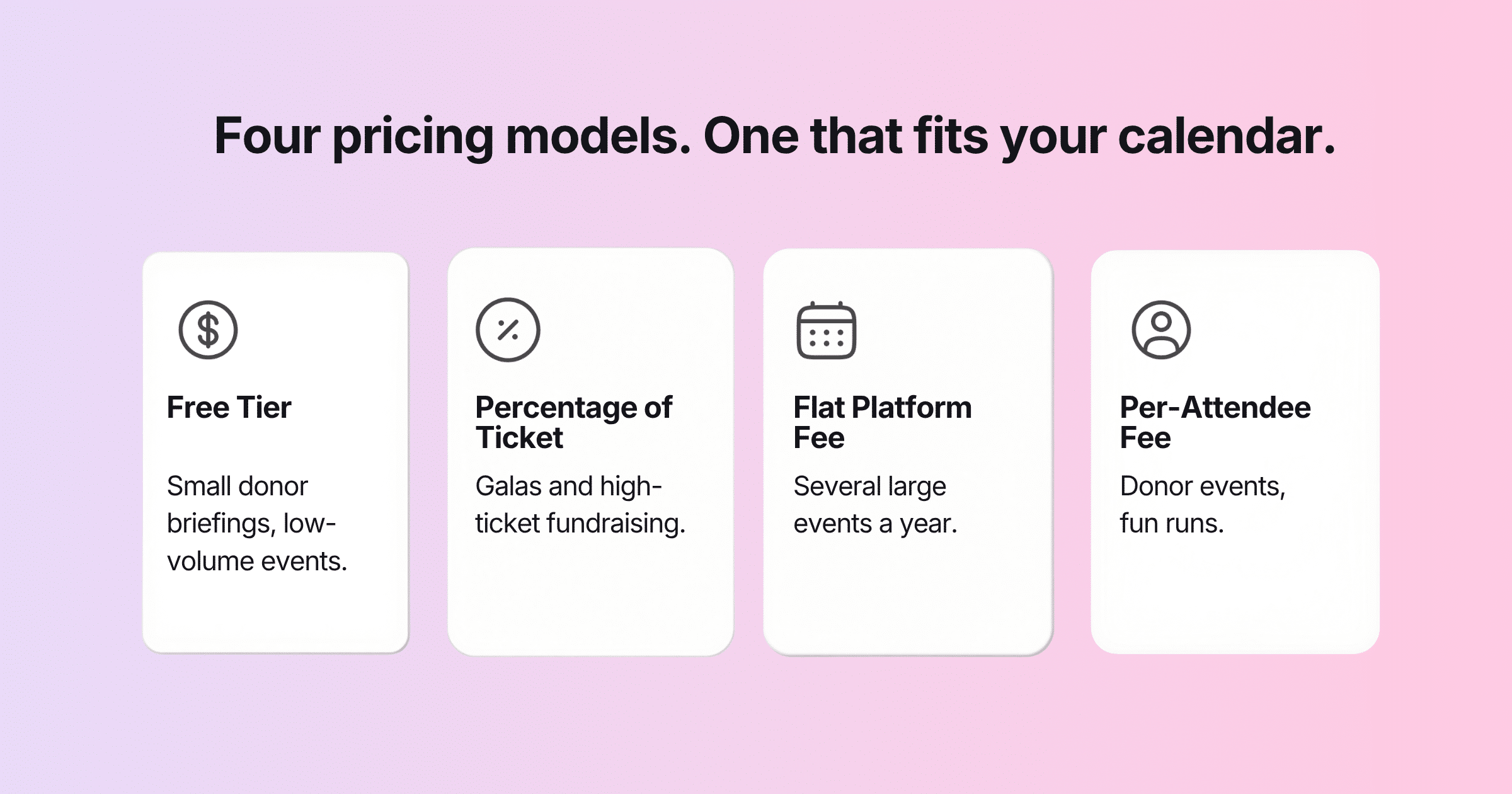
Whichever row fits, choose your platform based on your own calendar of events, not a vendor’s example numbers.
Fundraising Event Registration in Practice
It helps to walk through how these requirements actually show up across the events nonprofit teams run most often, since nonprofit event registration software covers a wider range of formats than a single conference ticket page.
Galas and Formal Fundraising Dinners
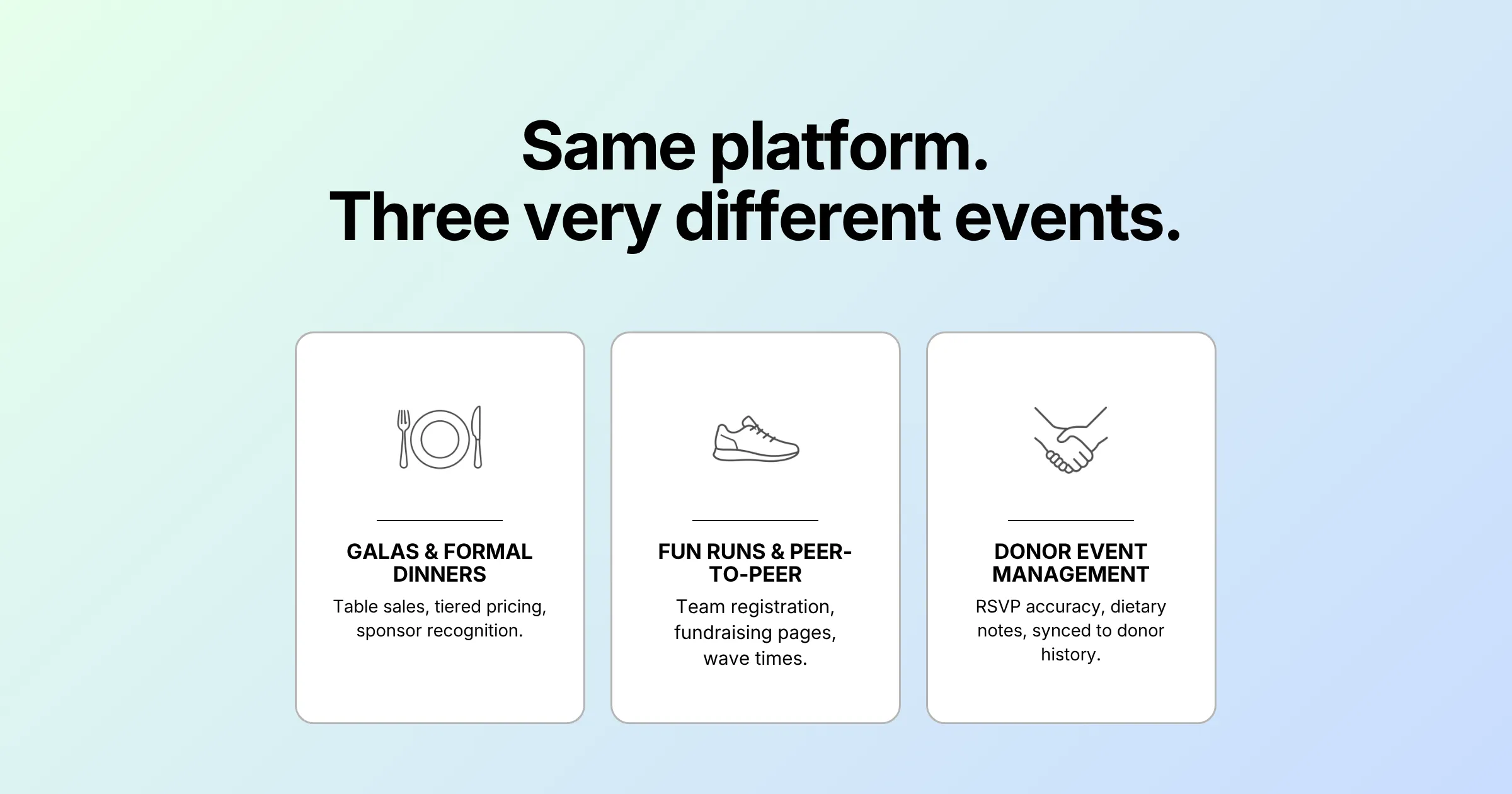
Galas are where table sales, tiered ticket pricing, sponsor recognition, and donation add-ons all collide in one checkout flow. A donor buying a table of ten for $5,000 needs to name their guests over the following weeks, and your team needs a live view of who’s confirmed as the event approaches. Receipting also gets complex here, since a single table purchase can include both a tax-deductible sponsorship portion and a non-deductible fair-market-value portion for the meal.
Fun Runs and Peer-to-Peer Campaigns
A run or walk usually needs team registration, individual fundraising pages tied to the main event, and t-shirt size or wave time collection at signup. The registration tool needs to hand off cleanly into peer-to-peer fundraising tracking, or your team ends up managing two disconnected systems and reconciling them by hand. Fundraising event registration for this format lives or dies on how well the pieces connect.
Donor Event Management: Appreciation and Cultivation Events
Donor event management often means free or invitation-only registration, but the stakes around data accuracy are just as high, arguably higher, because these lists feed directly into your next solicitation cycle. It needs clean RSVP tracking, dietary and accessibility notes captured at registration, and an accurate attendance record that syncs back to donor history, so your team knows who actually showed up versus who just said yes.
If you are actively comparing platforms right now, it is worth looking closely at how a dedicated event registration software platform handles donation splitting, table sales, and receipt generation specifically, rather than assuming any general ticketing tool will cover it out of the box.
A Practical Checklist Before You Sign Event Registration Software for Nonprofits
Before you commit budget or staff time to any platform, run through this list with your actual next event in mind, not a hypothetical one. It applies just as much to a single annual gala as it does to a full calendar of fundraising event registration and donor event management activity.
- Can it split a combined ticket and donation payment automatically? If not, your finance team is doing that by hand.
- Does it generate compliant tax receipts without manual editing? Ask to see a sample receipt, not just a feature description.
- Can a non-technical staff member build and launch an event page in under an hour? Test this yourself during a trial.
- How does pricing change at your actual expected attendee count and ticket price? Run the numbers for your smallest and largest events, not just an average.
- Does it support table and group sales with individual guest tracking? This matters for galas even more than for conferences.
- Is payment processing PCI compliant and handled within the platform? You shouldn’t have to manage this yourself.
- Can reports be exported or shared in a format your board and grant officers can use directly? A raw registrant list is not a report.
- Does it offer role-based access for volunteers versus staff? Door volunteers shouldn’t need to see full payment records.
Pro Tip:
Before you sign a contract, run one real transaction through the platform’s free trial the way a donor would: ticket purchase, donation add-on, and receipt. Then check whether the receipt correctly separates the deductible and non-deductible amounts. That single test reveals more about a platform’s fit than any features page will.
Frequently Asked Questions
What is event registration software for nonprofits?
Event registration software for nonprofits is registration and ticketing software built around fundraising-specific needs: combined ticket-and-donation payments, tax-deductible receipting, table and group sales, and pricing that scales sensibly for organizations with limited budgets. It differs from general corporate event tools mainly in how it handles money, not just agendas.
Is there truly free event registration for nonprofits?
Yes, free event registration for nonprofits exists, but it usually comes with a limit. Free tiers typically cap attendee numbers or registrations per event, or they recover the cost through a per-ticket processing fee instead of a flat charge. It can be a genuinely good fit for small donor briefings, but it’s worth modeling the true cost at your actual event size before relying on it for a large gala.
How much does nonprofit event registration software cost?
Costs vary by pricing model rather than a single number. Expect either a percentage of each ticket sold, a flat monthly or annual platform fee, a per-attendee charge, or a capped free tier. Which one is cheapest depends on your event size, ticket price, and how many events you run per year, so model more than one option against your own numbers rather than comparing sticker prices alone.
What features matter most for donor event management?
Clean RSVP and attendance tracking, dietary and accessibility data capture at registration, and a reliable sync back to donor records matter most for donor event management. Accuracy of who actually attended tends to matter more than ticket revenue here, since these lists feed directly into future cultivation and solicitation work.
Do nonprofits need a separate tool for fundraising event registration and donation tracking?
Not necessarily, but the two systems need to talk to each other if they are separate. A fundraising event registration platform that can’t hand off cleanly to your donor database or CRM creates manual reconciliation work after every event, exactly the burden most nonprofit teams are trying to avoid by adopting dedicated software.
Does event registration software for nonprofits handle both galas and donor event management?
Yes, if it’s built correctly. The best event registration software for nonprofits treats a five-hundred-guest gala and a small donor event management gathering as different configurations of the same tool, not two separate products, so your team isn’t relearning a new system every time the event format changes.
Can a small nonprofit with no IT staff realistically manage this software?
Yes, provided you choose a platform built for that reality. Nonprofit event registration software aimed at smaller organizations should let a non-technical staff member or volunteer coordinator build an event page, set up a donation add-on, and launch registration without a developer, ideally within an hour during a trial.
Conclusion: Choosing Registration Software That Fits How Nonprofits Actually Work
There’s no single best platform, because there’s no single nonprofit event. A donor briefing for thirty people has different needs than a five-hundred-guest gala, and the right event registration software for nonprofits depends on which one you run most often and how tight your team’s technical bandwidth actually is. That’s as true when you’re weighing a free tier for a small donor event management gathering as it is when you’re weighing a flat-fee platform for a five-hundred-guest gala.
What shouldn’t change across that variation is the standard you hold any platform to. It should split ticket and donation payments cleanly, generate receipts your finance team can trust without editing, let a non-technical staffer set up an event without help, and hand your board a report that doesn’t need rebuilding in a spreadsheet. Get those four things right and the rest tends to sort itself out.
If you are ready to see how a platform built for donation-plus-ticket sales, table registration, and clean reporting actually works, request a demo and walk through it with your own next event in mind.