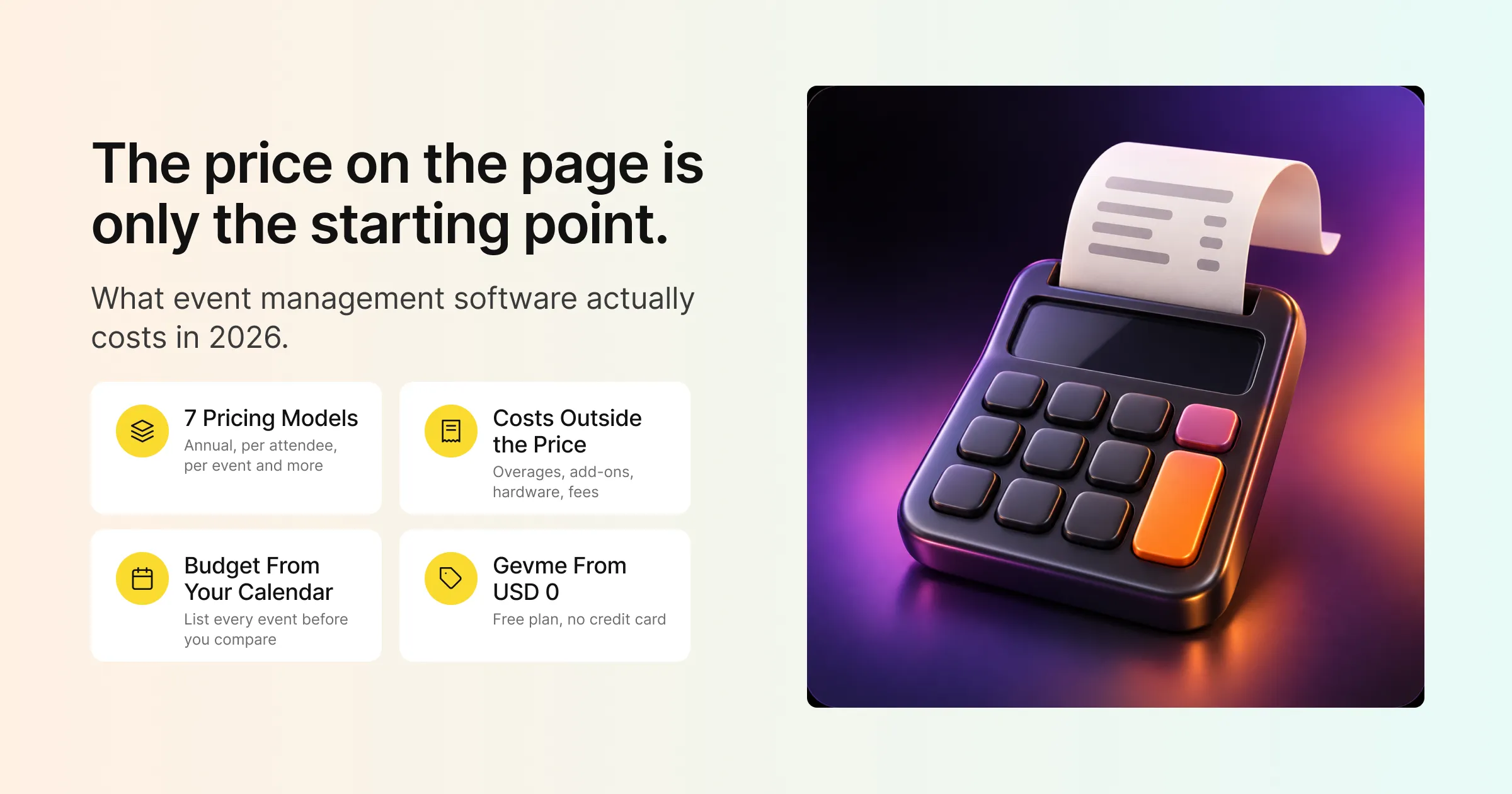
Ask five event platforms what they cost and you will get five kinds of answer. One quotes a price per year. One charges per attendee. Another wants a call before it names a number. Another is free until you sell a ticket. Comparing them side by side can feel like comparing a phone contract with a taxi fare.
Event management software pricing is the way a platform charges for the tools you use to plan, run and measure events: registration and ticketing, event websites, virtual and hybrid venues, onsite check-in, engagement and reporting. The price you see on a pricing page is the starting point. What you actually pay depends on which modules you need, how many attendees you expect, and which extras your events call for.
This guide covers the common pricing models, the costs that sit outside the headline price, how to build a realistic budget, the questions to ask any vendor, and exactly how Gevme’s pricing works across its Omnichannel, Registration and Onsite tabs.
Key Takeaways
- Most event management software is sold as an annual subscription, with the price shaped by the modules you need and the number of attendees you expect.
- Look past the headline price to attendee overages, paid add-ons, payment processing fees, onsite hardware and services.
- Build your budget from your event calendar: list every event, its format and its expected attendance before you compare plans.
- Match modules to events, because a team running webinars needs a different mix from a team running a trade show with kiosks.
- Gevme prices in US dollars across three tabs: Omnichannel (from free, then Starter from USD 1,050 per year and Pro from USD 2,400 per year), Registration (Starter from USD 1,050 per year, Pro from USD 2,400 per year) and Onsite hardware.
- Extra attendees on Gevme Starter and Pro plans start from USD 2.10 each.
- Test the platform before you commit, using a free plan or a demo built around your own event.
How Event Management Software Is Usually Priced
Most platforms use one of the models below, or a mix of them. Knowing which one you are looking at makes quotes much easier to compare.
Annual Subscription
The most common model. You pay once a year for access to a plan, which includes a set of features and usually an attendee allowance. Annual subscriptions suit teams that run events throughout the year, because the cost stays the same whether you run four events or fourteen within your allowance.
Per Attendee or Per Registration
Some platforms charge for each person who registers. This scales with your events, which is fair for occasional organisers, but it makes budgeting harder when attendance is uncertain. Many subscription plans also use a per-attendee charge for anyone above the plan’s allowance.
Per Event
A fixed price for each event. This works for teams running one or two large events a year, and gets expensive quickly as your calendar grows.
Per User or Seat
Some platforms charge for each team member who logs in. Check how many people on your team need access, including agency partners and temporary staff, before comparing seat-based prices.
Modular Pricing
Here you pay for the parts you use: registration, event website, virtual venue, mobile app, onsite. This keeps costs close to what you need, and means you can add a module when an event calls for it.
Freemium and Ticket-Fee Models
Some platforms offer a free plan with limited features. Others are free for organisers and charge a fee on each paid ticket, often passed on to attendees at checkout. Both can work well, as long as you understand exactly where the free part ends.
Quote-Based Enterprise Pricing
For large organisations, pricing is often agreed case by case, covering things like dedicated support, custom integrations, advanced security and multiple teams.
Pricing Models at a Glance
| Pricing model | How you pay | Works well for | Watch for |
|---|---|---|---|
| Annual subscription (Gevme Starter and Pro) | A yearly fee for a plan with set features | Teams running events through the year | Attendee allowance and overage rates |
| Per attendee | A charge for each registration | Occasional events with predictable numbers | Budget swings when attendance changes |
| Per event | A fixed fee per event | One or two large events a year | Cost rises with every added event |
| Per user or seat | A fee per team member | Small, stable teams | Extra seats for agencies or temp staff |
| Modular | A fee for each module you add | Teams with mixed event formats | Knowing which modules each event needs |
| Freemium or ticket fees | Free core features; fees on paid tickets | Small or free community events | Where free features stop; fees seen by attendees |
| Quote-based enterprise | A custom agreement | Large organisations with complex needs | Scope of what is included |
What Drives the Price Up or Down
Within any model, a handful of factors decide where your quote lands.
Attendee Numbers
More attendees usually means a higher tier or overage charges. Estimate conservatively and check what happens if you go over.
Number and Type of Events
A single annual conference needs different tools from a monthly webinar series plus a trade show. The more varied your calendar, the more a flexible plan matters.
Formats: In-Person, Virtual or Hybrid
In-person events lean on registration, check-in and badges. Virtual events need a virtual venue, streaming and engagement tools. Hybrid events need both, joined up.
Features and Modules
Business matchmaking, a branded mobile app, native live streaming and advanced analytics typically sit in higher tiers. Basic registration and an event website sit lower.
Support and Services
Priority support, a dedicated account manager, onsite crew and custom integrations add value for larger events and usually add cost.
Security and Compliance Needs
Government agencies and large corporates may need enterprise-level security features, compliance reports or multiple organisations under one account, which usually sit in enterprise plans.
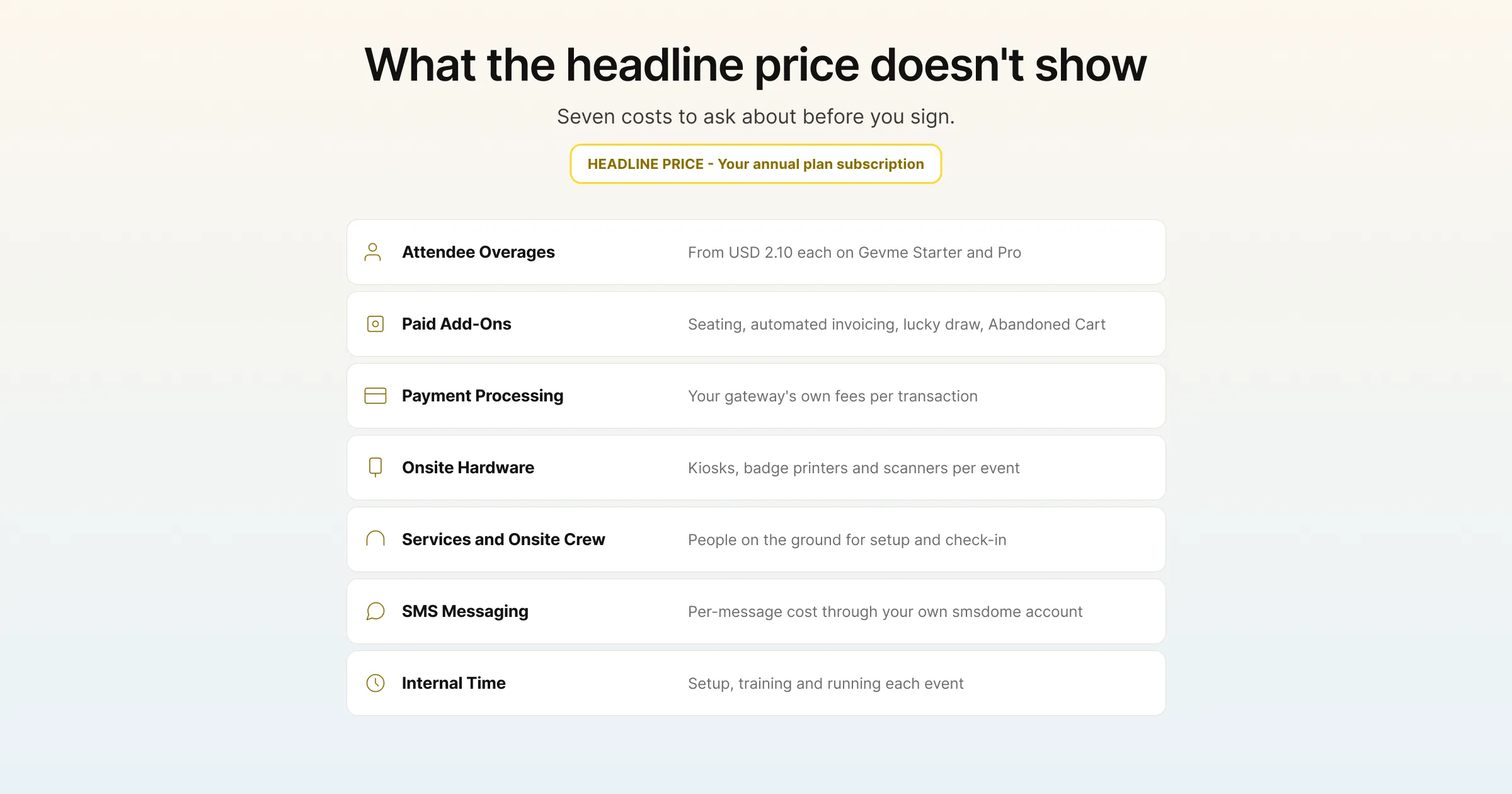
Costs That Sit Outside the Headline Price
These are the items most likely to surprise you after you sign. Ask about each one before you commit.
Attendee Overages
If your plan includes a set number of attendees, find out the per-attendee rate above that number. On Gevme Starter and Pro plans, extra attendees start from USD 2.10 each.
Paid Add-Ons
Many platforms sell specialised features separately. On Gevme, paid add-ons include email whitelisting, an events listing microsite, the web builder, a lucky draw (which needs Pro), seating management, automated invoicing and the Abandoned Cart feature, set up through your account manager.
Payment Processing Fees
If you sell tickets, payment gateways charge their own processing fees on each transaction, separate from your software subscription. Gevme Registration works with more than 20 payment gateways, so you can use one your finance team already has an agreement with. Gevme Pay, the built-in option, carries admin charges, with details available from sales@gevme.com.
Onsite Hardware
Kiosks, badge printers, scanners and laptops for check-in are often booked separately for each event. On Gevme, onsite hardware sits on its own Onsite tab.
Services and Onsite Crew
Some events need people on the ground to set up hardware and support check-in. Gevme offers onsite crew support for events that want it.
SMS and Other Messaging
SMS confirmations usually carry their own per-message cost. In Gevme, SMS confirmations with ticket QR codes go through the organiser’s own smsdome account.
Internal Time
Setup, training and running each event all take staff time. A platform your team can learn quickly, with good self-help resources, keeps this cost down. Gevme Academy and the product knowledge bases cover setup step by step.
Gevme Pricing in 2026
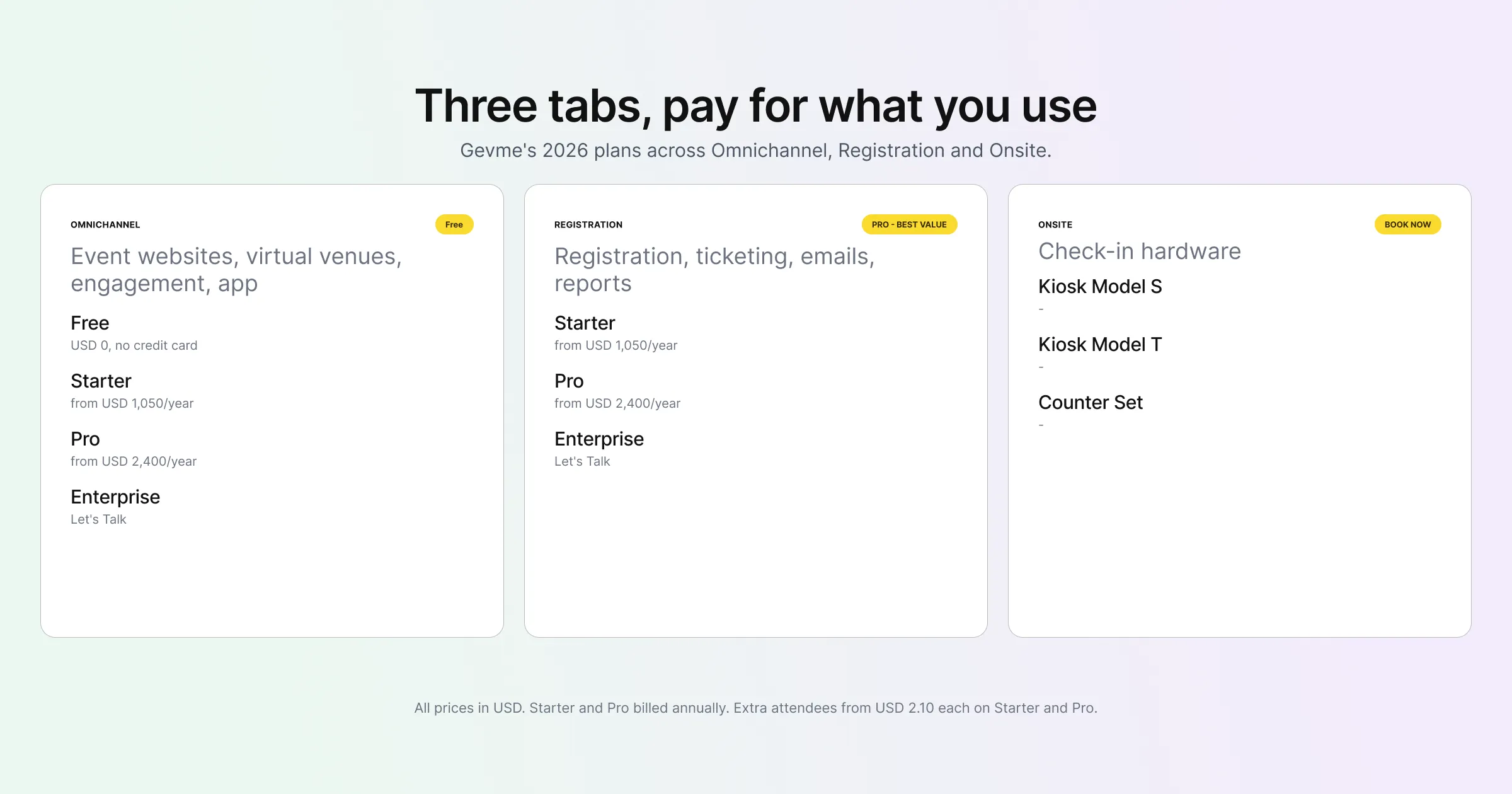
Gevme’s pricing page is built around one idea: pay for what you need only, and try for free before paying. All prices are in US dollars, and plans sit across three tabs.
Omnichannel: Event Websites, Virtual Venues, Engagement and the App
Gevme Omnichannel covers your event website, virtual and hybrid venues, livestreaming, engagement tools, business matchmaking, exhibitors and sponsors, and the mobile app.
| Plan | Price | What it includes |
|---|---|---|
| Free | USD 0, no credit card required | Website Builder, Virtual Venue Editor, Content Management, 50+ Themes and Experiences |
| Starter | From USD 1,050 per year, billed annually | Everything in Free, plus Private Pages, Event Mobile App, Advanced Engagement Features, Unlimited Media Hosting |
| Pro | From USD 2,400 per year, billed annually | Everything in Starter, plus Custom Themes, Business Matchmaking, Advanced Event Analytics, Native Live Streaming |
| Enterprise | Let’s Talk | Everything in Pro, plus Dedicated Premium Support, White Label Event Mobile App, Enterprise Level Security, Custom Integrations |
Registration: Registration, Ticketing, Emails and Reports
Gevme Registration covers registration forms, ticketing, payments, promo codes, email campaigns, attendee data, surveys and reports. There is no free plan on this tab.
| Plan | Price | What it includes |
|---|---|---|
| Starter | From USD 1,050 per year, billed annually | Custom registration forms, unlimited emails, smart attendee lists, event reports, Google Analytics integration |
| Pro (Best Value) | From USD 2,400 per year, billed annually | Everything in Starter, plus custom landing pages, email templates, payment gateway integration, Google Tag Manager, priority support |
| Enterprise | Let’s Talk | Everything in Pro, plus multiple organisations, advanced security features, compliance reports, custom integrations engine |
Onsite: Check-In Hardware
The Onsite tab covers hardware you book for event day through a “Book Now” button, with no fixed prices listed:
- Kiosk Model S: a standing kiosk made from eco-friendly paperboard, with a badge printer.
- Kiosk Model T: a portable tabletop kiosk with an optional wireless sticker printer.
- Counter Set: laptops, printers and scanners for a staffed check-in counter.
The onsite check-in page shows how each setup works on event day.
How the Tabs Fit Together
Each tab is priced on its own, so you plan for the tabs your events use. A team that only needs a public event website can start on Omnichannel Free. Teams selling tickets need Registration. A conference with a website, ticketing, an app and kiosk check-in draws on all three. New confirmed registrations sync from Gevme Registration into Omnichannel in real time, so the tabs work as one system even though they are priced separately.
Building a Realistic Budget
A budget built from your actual events is far more useful than a single number from a pricing page. Here is a simple way to build one.
Step 1: List Your Events for the Year
Write down every event with its format (in-person, virtual or hybrid), expected attendance, and whether tickets are paid. Include the small ones, such as webinars and roadshows, because they add up.
Step 2: Map Each Event to the Modules It Needs
For each event, note whether it needs registration and ticketing, an event website or virtual venue, a mobile app, matchmaking, livestreaming and onsite check-in. The pattern across your year tells you which tabs and tiers you need.
Step 3: Pick the Tier That Covers Your Busiest Event
Your most demanding event usually decides the tier. If one conference needs business matchmaking and native live streaming, that points to Omnichannel Pro, even if smaller events would fit on Starter.
Step 4: Add Attendee Overages
Compare your total expected attendees with your plan’s allowance, and budget for any overage at the per-attendee rate.
Step 5: Add Event-Specific Costs
Include onsite hardware, add-ons you need for particular events, payment processing fees on ticket sales, SMS costs and any onsite crew.
Step 6: Add a Contingency
Attendance rarely lands exactly where you forecast. A contingency covers extra attendees, a late add-on or an extra kiosk when registrations spike.
A Budget Checklist
| Budget line | What drives it | Where it sits in Gevme |
|---|---|---|
| Platform subscription | Modules and tier you need | Omnichannel and Registration tabs, billed annually |
| Attendee overage | Attendees above your plan allowance | From USD 2.10 per attendee on Starter and Pro |
| Paid add-ons | Specialised features for specific events | Seating management, automated invoicing, lucky draw, email whitelisting, and others |
| Onsite hardware | Check-in setup and attendee numbers | Onsite tab: Kiosk Model S, Kiosk Model T, Counter Set |
| Payment processing | Ticket revenue and payment method | Your gateway’s own fees; admin charges on Gevme Pay |
| Messaging | SMS confirmations | Your own smsdome account |
| Support and services | Event size and complexity | Priority support on Registration Pro; dedicated support on Enterprise; onsite crew on request |
Questions to Ask Any Vendor About Pricing
Whichever platforms you compare, these questions bring the full cost into view:
- Is the price annual or monthly, and is it billed upfront?
- How many attendees and events does the plan include?
- What is the rate for attendees above the allowance?
- Which features are paid add-ons, and what do they cost?
- Are payment processing fees charged by you, by the gateway, or both?
- Is onsite hardware included, rented per event, or bought separately?
- What support is included, and during which hours?
- Can I move up a tier partway through the year if my needs change?
- Is there a free plan or a way to test the platform with my own event before I pay?
How to Get the Most From Your Budget
A few habits help you spend well once you have chosen a platform.
Start Free Where You Can
If you are still deciding, build your event website and virtual venue on the Omnichannel Free plan first. You can share it with stakeholders and settle the design before you commit budget.
Reuse Your Setup
Cloning events and saving templates cuts setup time on recurring events, which is where most internal cost goes.
Buy for Your Real Calendar
It is tempting to pick the top tier for features you might use one day. Pick the tier that covers the events you are actually running this year, and move up when a new event needs more.
Track What You Get Back
Registration reports, cross-event reports and survey data show what each event delivered. If leadership wants to see return on investment, ImpactAIQ, part of the Gevme ecosystem, helps turn event impact evidence into ROI, sponsorship value and legacy outcomes.
A Few Terms Worth Knowing
- Attendee overage: the charge for each attendee above the number included in your plan.
- Payment gateway: the service that processes card payments and moves the money to your account, usually with its own transaction fee.
- Add-on: a feature sold separately from the main plan.
- White label: a product branded with your own name and logo in place of the vendor’s.
Pro Tip:
Before you compare any quotes, write down your three biggest events of the coming year with their expected attendance and the features each one needs. Send that same short brief to every vendor you are considering and ask them to price it in full, including overages, add-ons, hardware and support. You will get quotes you can compare line by line, and you will quickly see which platform fits the way you actually run events.
Frequently Asked Questions
Event management software ranges from free plans with limited features to annual subscriptions and custom enterprise agreements, depending on the modules you need and your attendee numbers. Gevme’s paid plans start from USD 1,050 per year on Starter and USD 2,400 per year on Pro, billed annually, on both the Omnichannel and Registration tabs.
Gevme’s Omnichannel Free plan includes the Website Builder, Virtual Venue Editor, Content Management, and 50+ Themes and Experiences, with no credit card required. Registration and ticketing start on the Registration Starter plan.
Gevme plans are annual subscriptions, and attendees above your plan’s allowance on Starter and Pro are charged from USD 2.10 each.
Budget for attendee overages, paid add-ons, payment gateway processing fees, onsite hardware, SMS messaging and any onsite crew or custom integrations your events need.
Onsite hardware sits on Gevme’s separate Onsite tab, where you book Kiosk Model S, Kiosk Model T or a Counter Set for your event through the “Book Now” button.
You need the tabs your events use. Registration covers registration, ticketing, payments and emails, and Omnichannel covers event websites, virtual venues, engagement, matchmaking and the mobile app. Many conferences use both, with new confirmed registrations syncing into Omnichannel in real time.
A first event with paid tickets usually starts on Registration Starter, adding Omnichannel Free or Starter for the event website. Move to Pro when you need payment gateway integration, business matchmaking, native live streaming or advanced analytics.
Conclusion: Price Your Events, Then Pick the Plan
Event management software pricing makes more sense once you start from your own events. List what you are running this year, map each event to the modules it needs, pick the tier that covers your busiest event, and add overages, add-ons, hardware and processing fees before you compare totals. The platform that fits your calendar is the one that gives you the best value.
Gevme keeps its plans in US dollars across three clear tabs, so you can pay for the parts your events use and start free while you decide. To see what your event calendar would look like on Gevme, check the pricing page or request a demo and walk through it with the team.