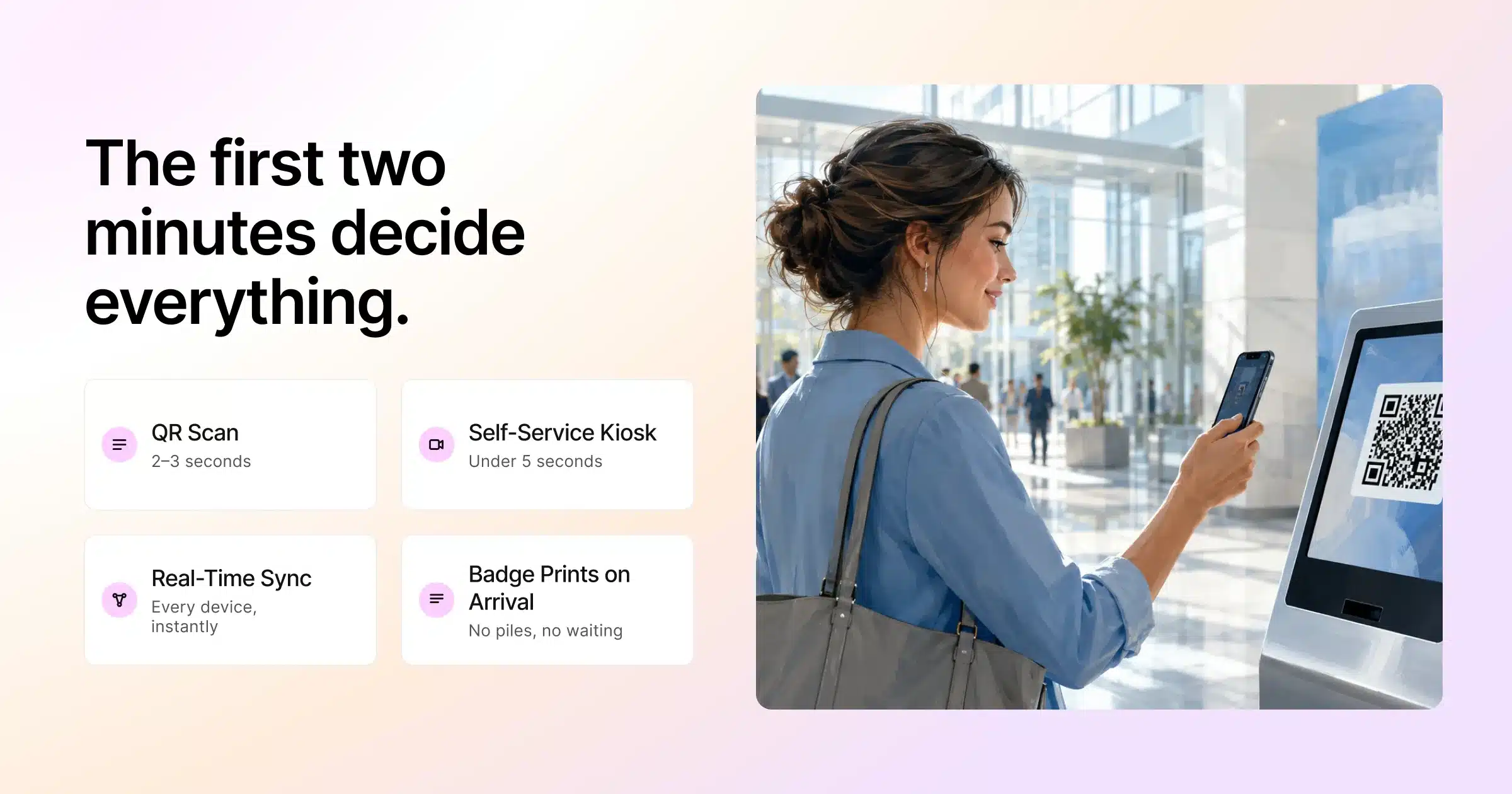
The first thing an attendee judges about your event is not your keynote. It is the line.
They have travelled, parked, found the venue, and now they are standing in a queue holding a phone, wondering if they registered under the right email. Those first two minutes set the tone for everything that follows. A fast, calm event check-in tells them the whole event is well run. A slow, confused one plants a doubt before they have even walked in.
This is why event check-in has quietly become one of the highest-leverage parts of on-site operations. It is not just a door you pass through. It is the moment your event data meets the real world, where the registration record you captured weeks ago has to match the person standing in front of you, instantly.
This guide explains how modern event check-in software works, the features that actually matter, and why connected check-in shapes far more than the queue.
Key Takeaways
- Event check-in is the first thing attendees judge, and the first two minutes set the tone for the whole event.
- Modern event check-in software supports QR scans, name search, self-service kiosks, and facial recognition, usually in combination.
- The features that matter most are real-time syncing, offline mode, on-site badge printing, and access control.
- Their value comes from working off one live attendee record, not sitting in separate silos.
- Check-in is a data moment: it produces show-up rate, verified attendance, and no-show intelligence.
- Smooth check-in is prepared, not improvised. Test on the venue network and plan lanes by attendee type.
What Event Check-In Software Actually Is
Event check-in software is the tool that replaces the paper guest list with a live, digital record of who has arrived. Instead of a volunteer scanning a printed sheet for a name, staff scan a QR code or search a name on a tablet, and the attendee is checked in within a few seconds.
Underneath that simple action, a good event check-in system is doing several things at once. It confirms the attendee is registered, updates the live attendance record across every device, triggers a badge to print, and logs the arrival so your team can see real-time numbers as the room fills.
The difference between basic and modern event check-in is not speed alone. It is whether the check-in connects to everything else, or sits in its own silo.
The Main Ways Attendees Check In
Modern event check-in software usually supports several methods, and the right mix depends on your audience and venue.
| Check-In Method | How It Works | Best For | Typical Speed |
|---|---|---|---|
| QR code scan | Attendee shows a QR code, staff scan it with a tablet | Most events, fast throughput | 2 to 3 seconds |
| Name search | Staff type the attendee name on a device | Walk-ins and forgotten codes | 5 to 10 seconds |
| Self-service kiosk | Attendee scans their own code at an unattended station | Large events, reducing queues | Under 5 seconds |
| Facial recognition | Attendee is matched to their registered photo | High-security or VIP flows | 1 to 2 seconds |
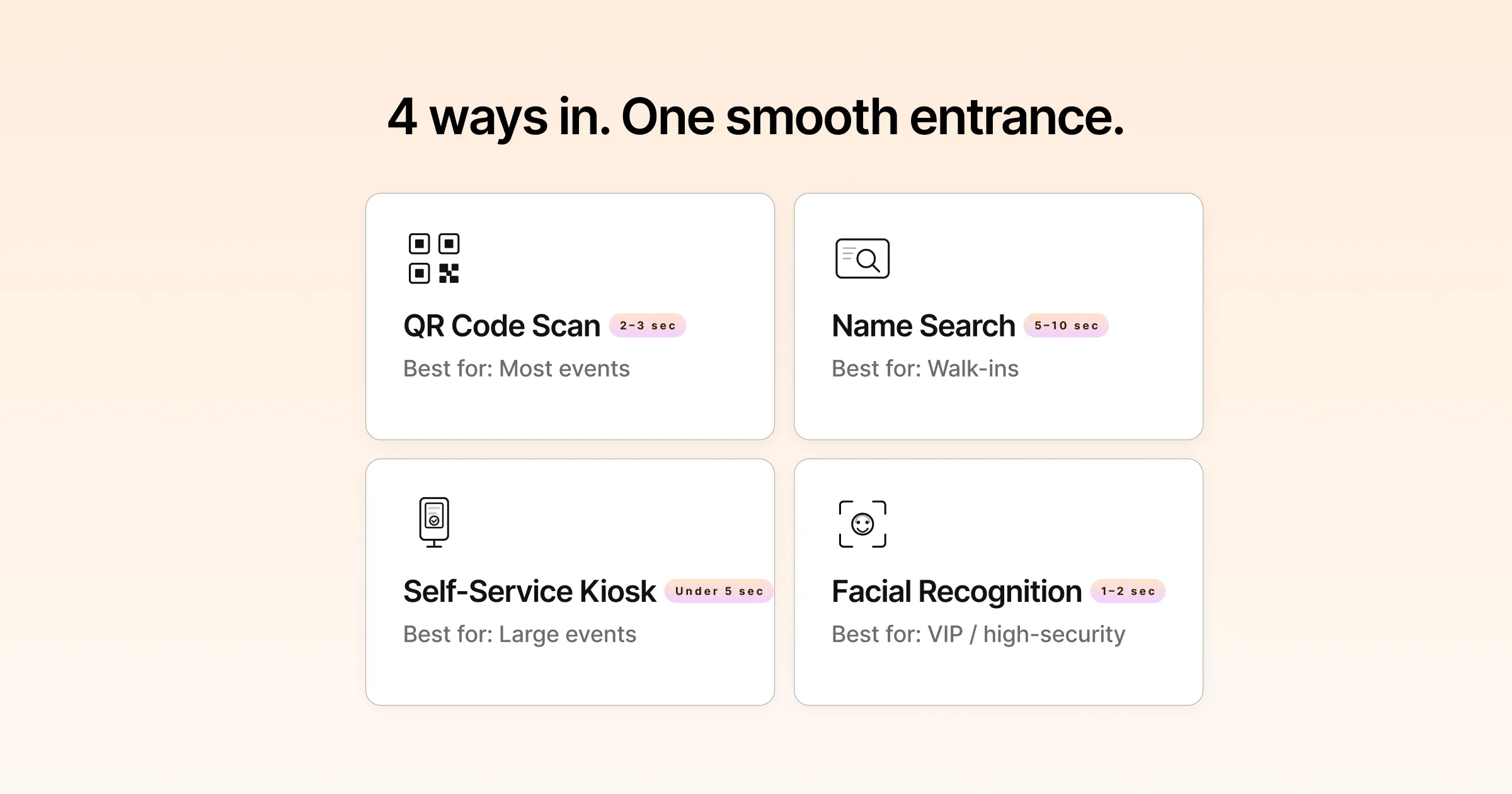
Most well-run events do not pick one. They combine assisted check-in for people who need help with self-service kiosks that let confident attendees move through on their own, which keeps queues short without leaving anyone stranded.
The Event Check-In Features That Actually Matter
Feature lists all look similar on a website. In practice, a handful of capabilities separate check-in that helps from check-in that causes problems on the day.
Real-Time Syncing Across Every Device
At a busy entrance you will have several devices checking people in at once. If those devices do not share one live record, you get double check-ins, a badge printed twice, and numbers no one trusts. Real-time syncing means the moment someone is checked in on one tablet, every other device knows immediately.
Offline Mode That Survives Bad Venue WiFi
Venue internet fails at the worst possible time, usually right as the doors open and a crowd arrives. A reliable event check-in system keeps working offline, storing each check-in locally and syncing automatically once the connection returns. Without this, one dropped signal turns your entrance into a bottleneck.
On-Site Badge Printing on Arrival
The strongest check-in experience prints a badge the moment someone checks in. No pre-printed piles sorted by surname, no missing badges for late registrants. The attendee scans, the badge prints, and they walk in wearing it. Connecting badge printing directly to check-in removes one of the most common on-site failure points.
Access Control That Enforces the Rules
At events with tiers, such as VIPs, general delegates, press, and exhibitors, check-in is also where access rules should be enforced. The system, not a staff member’s memory, should know who is allowed into which zone. This only works when check-in draws on the current attendee record rather than a list exported last week.
The Feature That Ties Them Together
Each capability above is useful on its own, but their real value comes from working off one live attendee record. When check-in, badge printing, and access control all read the same data, an upgrade made in registration this morning is reflected at the door this afternoon. That connection is the difference between tools that happen to sit near each other and a true on-site event management system.
Planning a large on-site event? See how Gevme’s event check-in software connects scanning, badge printing, and access control on one live record.
Why Check-In Is Really an Event Data Moment
It is tempting to think of check-in as an operational task that ends once the room is full. It does not. Check-in is where your event starts producing its most reliable data.
Registration tells you who intended to come. Check-in tells you who actually did. That gap, the show-up rate, is one of the most honest numbers you have, and you only get it if check-in is captured cleanly. From there, connected check-in feeds a chain of insight: verified attendance for sponsors, session-level arrival patterns, and a clear picture of no-shows you can win back next time.
What Clean Check-In Data Unlocks
- Verified attendance. Real numbers for sponsors and stakeholders, not estimates.
- Live capacity awareness. You can see a room filling and act before it overflows.
- No-show intelligence. A clear list of who registered but did not attend, ready for follow-up.
- Lead prioritisation. Attendees who checked into multiple sessions signal higher engagement.
None of this is possible if check-in data lives in a device that never talks to the rest of your event. This is the same principle that runs through Gevme’s event registration software: the record you capture at the start should power every decision that follows.
How to Run a Smooth Event Check-In: A Practical Checklist
The teams with the calmest entrances are not lucky. They prepare check-in the same way they prepare the main stage.
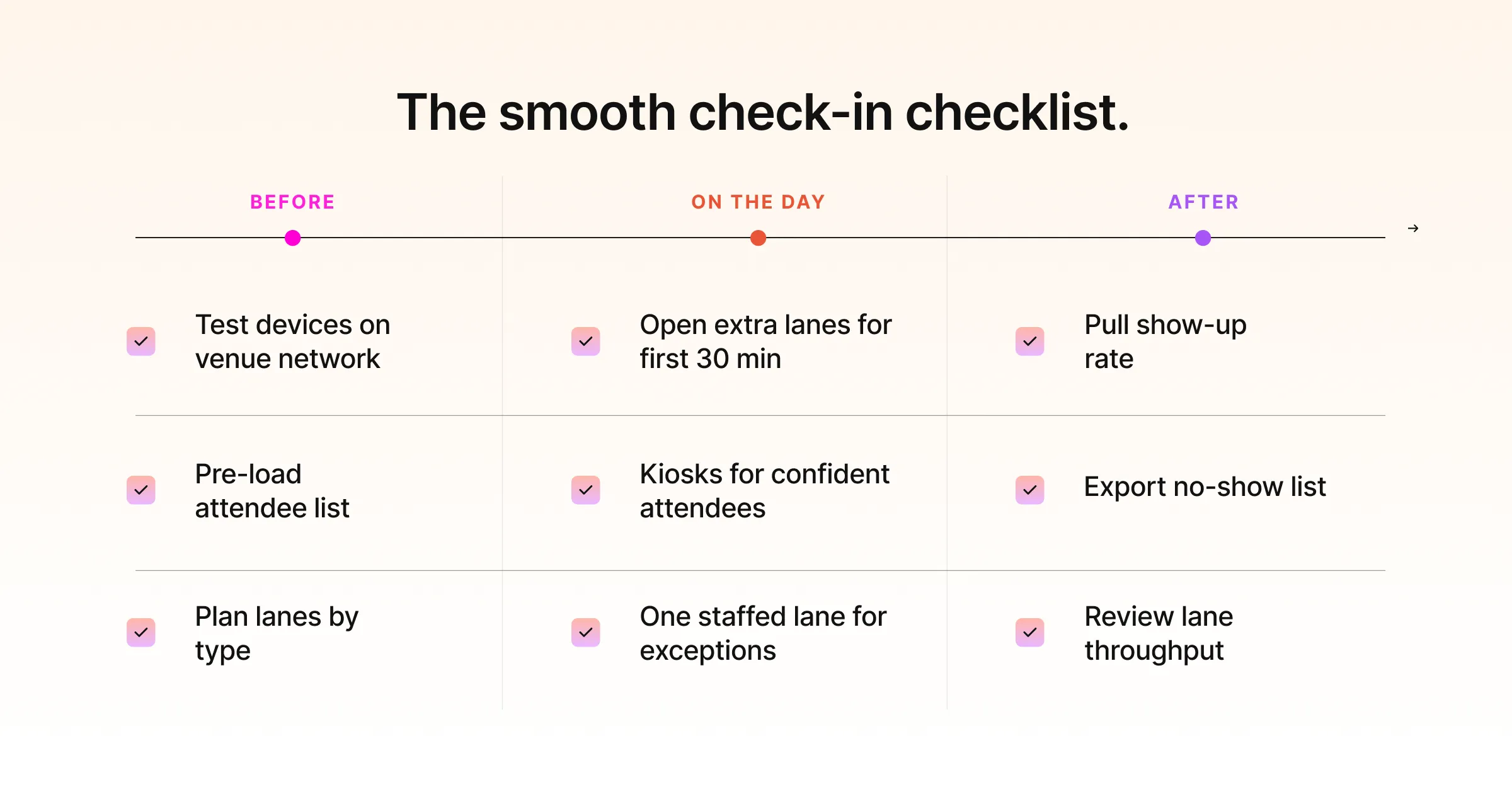
Before the Event
- Test your check-in devices on the actual venue network, and confirm offline mode works.
- Pre-load the full attendee list and confirm badge templates print correctly.
- Plan lanes by attendee type so VIPs and press do not queue behind general admission.
On the Day
- Open more lanes than you think you need for the first 30 minutes, when arrivals cluster.
- Place self-service kiosks where confident attendees can bypass staffed lanes.
- Keep one staffed lane for exceptions: name changes, walk-ins, and lost codes.
After the Event
- Pull the show-up rate and compare it to registration to measure real turnout.
- Export the no-show list for re-engagement before the next edition.
- Review lane throughput to plan staffing for next time.
Pro Tip:
Open more check-in lanes than you think you need for the first 30 minutes only. Arrivals almost always cluster at the start, so the queue that forms in those opening minutes is the one attendees remember. Once the rush clears, you can pull staff off the extra lanes and redeploy them inside, but you cannot un-form a first impression made at a slow door.
Frequently Asked Questions
What is the event check-in process?
Event check-in process uses a digital tool that replaces the paper guest list with a live record of who has arrived. Staff scan a QR code or search a name on a tablet, and the attendee is checked in within seconds. Behind that action, the software confirms registration, updates attendance across every device in real time, can trigger a badge to print, and logs the arrival so organisers see live numbers as the room fills.
How does event check-in work at a large event?
At a large event, check-in usually combines several methods. Most attendees scan a QR code at a staffed lane or a self-service kiosk, which takes a few seconds each. Walk-ins and people who lost their code are handled by name search at a staffed lane. Every device shares one live record so numbers stay accurate, and offline mode keeps things moving if the venue network drops. The goal is to keep queues short while capturing clean arrival data.
Does event check-in software work without internet?
Good event check-in software works offline. It stores each check-in locally on the device and syncs automatically once the connection returns. This matters because venue internet often fails right as the doors open and a crowd arrives. Without offline mode, a single dropped signal can turn the entrance into a bottleneck, so it is worth confirming this capability before the event.
Can check-in software print badges on arrival?
Yes. The strongest setups print a badge the moment an attendee checks in, rather than relying on pre-printed piles sorted by surname. The attendee scans, the badge prints, and they walk in wearing it. On-site badge printing on arrival removes the common problems of missing badges for late registrants and misfiled name cards, and it works best when badge printing is connected directly to the check-in record.
How does check-in improve event data?
Registration tells you who intended to attend. Check-in tells you who actually did, which gives you the show-up rate, one of the most reliable numbers you have. Clean check-in data also produces verified attendance for sponsors, live capacity awareness, a clear no-show list for follow-up, and signals about which attendees were most engaged. None of this is possible if check-in sits in a device that never connects to the rest of your event.
What is the difference between check-in software and a check-in app?
In practice the terms overlap. A check-in app usually refers to the tool running on a phone or tablet that staff use to scan and search attendees. Check-in software is the broader system behind it, including real-time syncing, badge printing, access control, and reporting. The important question is not the label but whether the tool connects to your registration and on-site data, so the whole event reads from one record.
Conclusion: Check-In Is Small, and It Decides a Lot
Check-in lasts seconds and shapes hours. It is the first impression, the moment your data meets reality, and the foundation for everything your team measures afterward. Treat it as an afterthought and it becomes the thing attendees remember for the wrong reasons. Treat it as part of a connected on-site system and it does its job quietly, which is exactly what good check-in should do.
The teams that get this right are not adding more staff to the door. They are giving that door better software, connected to the rest of the event, so the first two minutes work as well as the main stage.
Want check-in that connects to your whole event? Explore Gevme’s on-site registration services, or request a demo to see fast, connected check-in in action.