Have you ever been handed a brief that says “let’s make this one virtual” with zero further explanation? This guide is for you. Maybe you’re a marketing coordinator who has run in-person conferences for years and is now being asked to move a launch online. Maybe you’re new to events entirely, and keep hearing webinar, virtual expo and hybrid event tossed around like they mean the same thing. They don’t. Either way, the gap between “I’ve attended a few webinars” and “I can plan and run one confidently” is bigger than most people expect.
Virtual events are not a pandemic-era leftover. They’ve settled into a permanent, sensible slot in most event calendars. Product launches reach a global audience on day one. Training sessions serve distributed teams. Investor updates, association conferences that include members who can’t travel, and trade shows with an online component alongside the physical one all use the format. The reasons teams choose virtual now are practical: lower travel cost, a wider possible audience, and content that can be recorded once and reused for months.
Here’s the plan for this guide. First, what a virtual event actually is, and the main types you’ll run into. Then the formats those types come in, and how the technology works behind the scenes. Finally, a handful of terms worth knowing, plus a framework for picking the right format and platform without just guessing.
Key Takeaways
- A virtual event is any organized gathering where attendees participate entirely online, using a browser or app instead of walking into a physical venue.
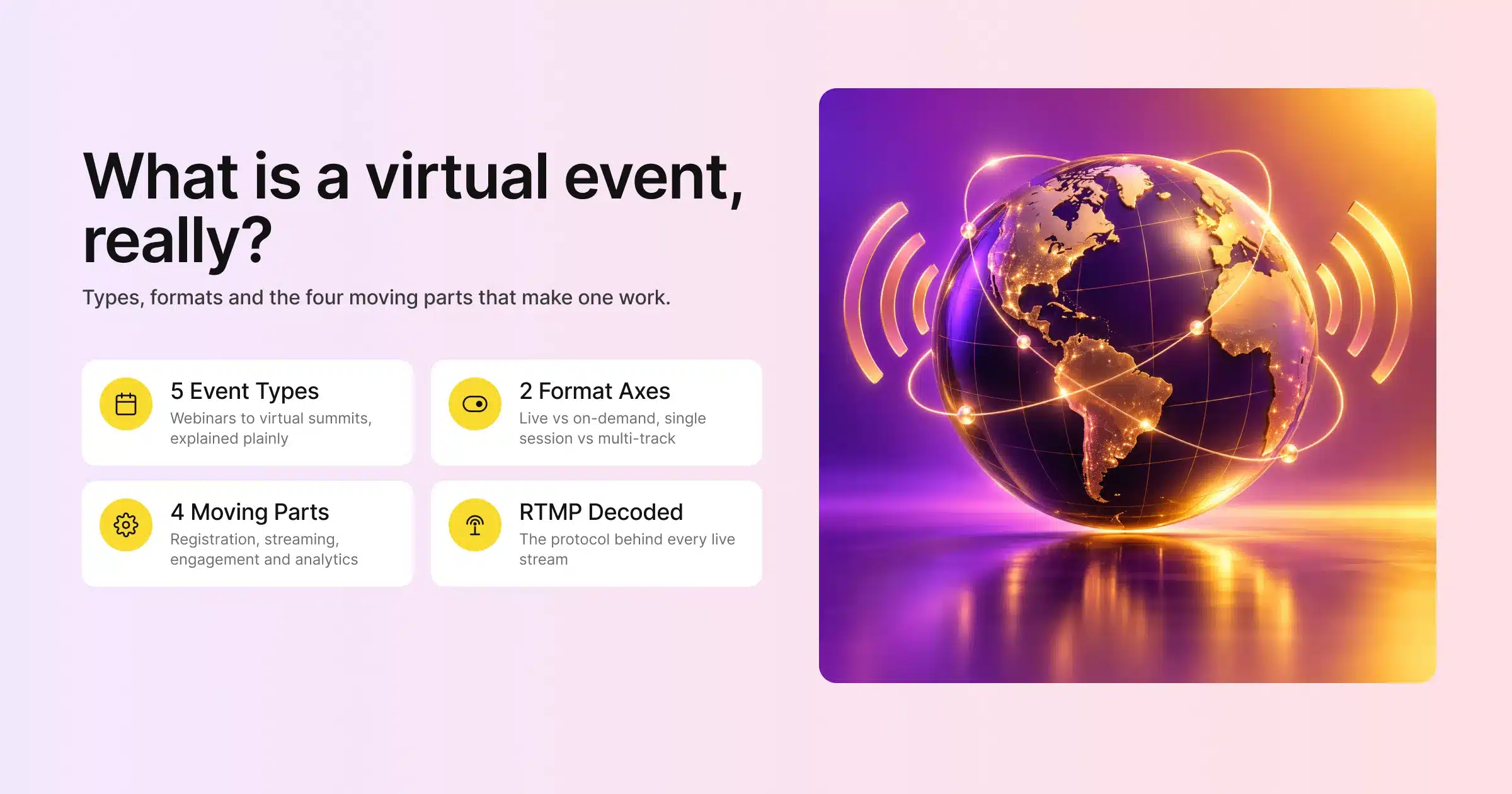
- The main types are webinars, virtual conferences, virtual trade shows or expos, hybrid events, and virtual summits or networking events. Each suits a different goal and audience size.
- Formats break down along two lines. First, live versus on-demand, or a pre-recorded “simulive” hybrid of the two. Second, single-session versus multi-track with breakout rooms.
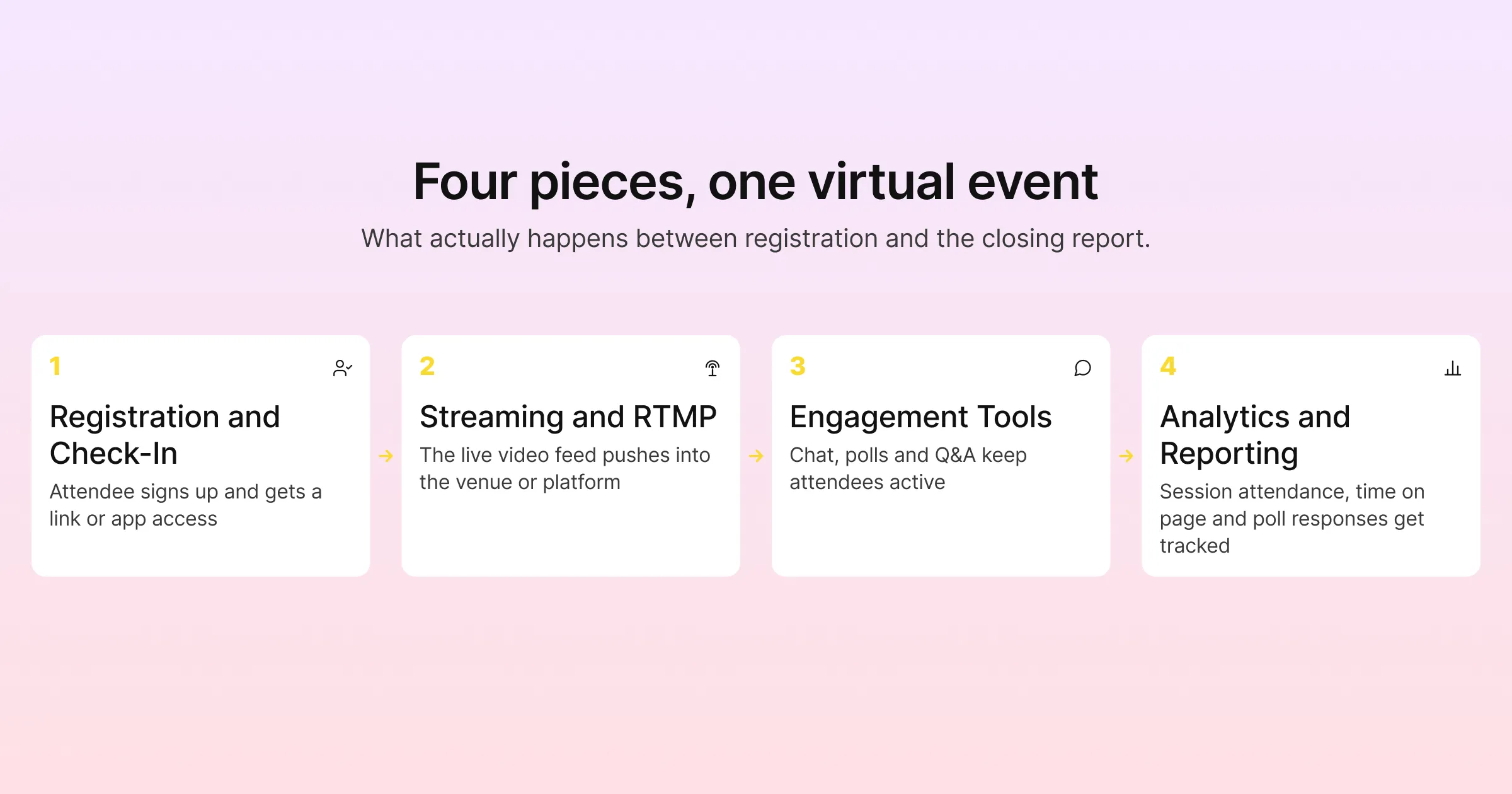
- Under the hood, every virtual event runs on four connected pieces: registration and check-in, video streaming, engagement tools like chat and polls, and analytics that track who did what.
- RTMP is the streaming protocol that pushes your live video feed into a virtual venue, a social platform, or both at once. It’s worth understanding even if you never touch it directly.
- Picking the right platform matters more than picking the right format. The platform decides how easy setup is, how attendees experience the event, and what data you get afterward.
- Gevme’s virtual venue platform runs on the same registration and attendee data as its onsite check-in tools. That matters if you ever plan to run a hybrid version of the same event.
What a Virtual Event Actually Is
The Short Version
A virtual event is any event where the audience joins from wherever they happen to be. They use a computer, tablet or phone, instead of travelling to a shared physical location. That’s really the whole definition. It can be a 45-minute webinar with one presenter and one slide deck. It can also be a three-day, multi-track conference with a keynote hall, breakout sessions, exhibitor booths, and a networking lounge, all rebuilt as web pages instead of physical rooms.
The confusion usually comes from scale rather than concept. People assume “virtual event” means something small and low-effort, like a Zoom call with a few dozen people. In practice, virtual events range from that small call all the way up to very large conferences. Those run with tens of thousands of registrants, sponsor pavilions, and a full content library that stays live for months.
Why Teams Run Them
Ask organizers why they chose a virtual or hybrid format over something purely in-person, and you’ll hear the same three answers on repeat.
- Reach. A physical venue caps attendance at whatever the room holds. A virtual event caps attendance at whatever your platform and everyone’s internet connection can handle, which for most tools is a much higher number. A regional product update can become a global one without booking a single flight.
- Cost per attendee. Venue rental, catering, printed signage and travel reimbursement shrink or disappear. The budget shifts toward production quality and platform fees instead, and for a lot of organizations that trade works out in their favor.
- Content that keeps working. Record a session once and it can sit in an on-demand library, generating registrations, leads or training completions for months. A physical keynote is over the moment the audience leaves the room.
None of this means virtual events are automatically easier to run than in-person ones. They’re different work. There’s less logistics around catering and floor plans, and more attention to internet reliability, on-screen engagement, and making sure a remote audience doesn’t tune out at minute twelve.
The Main Types of Virtual Events
Not every virtual event is a “webinar.” That word gets used as a catch-all. The format you actually need depends on your goal, your audience size, and how interactive you want the thing to be.
Webinars
A webinar is the simplest and most common type. One or a few presenters run a single session, usually 30 to 90 minutes, delivered to an audience that mostly watches and occasionally interacts through chat, Q&A or a poll. Webinars are the workhorse format for product demos, lead generation content, internal training and thought-leadership talks. They need the least setup of any virtual event type: a registration page, a streaming tool, and a way to collect questions.
Virtual Conferences
A virtual conference scales the webinar concept up into something closer to a real conference. Multiple sessions run across a day or several days, often with parallel tracks, a keynote stage, and sometimes breakout rooms for smaller discussions. Where a webinar has one agenda item, a virtual conference has a full schedule attendees pick and choose from, the way they’d browse a printed program at an in-person event. This is where a proper virtual venue, rather than a single video call link, starts to matter. Attendees need a way to navigate between sessions without getting lost.
Virtual Trade Shows and Expos
A virtual trade show or expo recreates the exhibition hall experience online. It includes sponsor and exhibitor booths, downloadable resources, live chat with vendor representatives, and sometimes matchmaking tools that connect attendees with exhibitors based on shared interests. This type exists specifically to support the commercial side of events: lead capture, sponsor visibility, exhibitor ROI. So the platform needs booth-building tools and lead retrieval built in from the start. Gevme’s exhibitor and sponsor tools target exactly this use case. They give exhibitors a virtual booth with chat, resource downloads and lead capture, rather than a static logo on a sponsor page.
Hybrid Events
A hybrid event runs an in-person component and a virtual component at the same time, connected in some form. That might be shared content, shared registration, or a live stream of the physical stage into the virtual venue. Hybrid is genuinely harder to run than a purely virtual or purely in-person event, because you’re managing two audiences with different needs at once. The in-room crowd wants a great physical experience. The remote crowd wants to feel like more than an afterthought watching a static camera feed. Gevme’s hybrid events use case page covers how shared attendee data between the onsite and virtual sides keeps registration, badging and session access consistent regardless of how someone attends.
Virtual Summits and Networking Events
A virtual summit usually centers on a specific theme or industry. It brings together multiple speakers under one umbrella, and puts more weight on networking and community than a standard conference does. This type leans hardest on engagement tools: matchmaking, virtual networking lounges, structured roundtables and attendee directories. The whole point is connection between attendees rather than content consumption alone. Summits and dedicated networking events are also where video-heavy platforms like Zoom and Webex tend to feel thinner. Their strength is video delivery, not a persistent virtual space attendees can wander through.
Common Virtual Event Formats
Type answers “what kind of event is this.” Format answers “how is the content delivered.” The two combine, so a virtual conference can be live, on-demand, or a mix of both.
Live, On-Demand, and Simulive
Live means exactly what it sounds like: the presenter is speaking in real time, and attendees watch and interact as it happens. This is the highest-effort format, because there’s no room for a technical redo. However, it also creates the most genuine engagement, since attendees know their questions can get answered on the spot.
On-demand means someone recorded the content earlier, and attendees watch it whenever they choose, often as part of a content library that stays open after the live event ends. As a result, on-demand turns a single event into months of ongoing value, because a well-produced session keeps generating views long after the original date.
Simulive sits between the two. The team pre-records a session for quality control, then plays it back at a scheduled time as if it were live. Often the actual presenter monitors chat and jumps in for a live Q&A at the end. Zoom describes this exact pattern on its own Zoom Webinars product page. There, presenters can “pre-record webinars to run as live events, then jump in at the end for Q&A.” Similarly, Webex Events offers a comparable simulive option for organizers who want live-feeling delivery without live-event risk, according to the feature list on Webex’s events page.
Single-Session vs Multi-Track
A single-session format has one agenda item running at a time, which is standard for webinars and smaller summits. By contrast, a multi-track format runs several sessions in parallel, letting attendees choose which room, physical or virtual, they want to be in. Multi-track requires a platform that can handle simultaneous streams and guide attendees between them. That is a meaningfully bigger technical lift than a single webinar link.
Keynote Plus Breakout
Many virtual conferences and summits use a keynote-plus-breakout structure: a main stage session everyone attends together, followed by smaller breakout rooms for focused discussion or workshops. This format mirrors how physical conferences work: general session first, then a split into interest groups. Furthermore, it works well virtually as long as the platform makes moving between the main stage and breakout rooms simple rather than something attendees have to be walked through.
How Virtual Events Actually Work Under the Hood
This is the part that trips people up, mainly because so much of it happens invisibly. Still, none of it is especially complicated once you see it laid out. Four systems work together: registration, streaming, engagement tools, and analytics.
Registration and Check-In
Every virtual event starts with a registration page where attendees provide their details and, if needed, pay for a ticket. That registration record then becomes the attendee’s identity for the rest of the event. It lets them log in to the virtual venue, access the right sessions, and show up correctly in post-event reports. For events with a physical component, the same registration data should ideally also drive onsite check-in and badge printing. Otherwise, staff enter an attendee’s information twice into two disconnected systems. This is one of the areas where Gevme’s event registration software and onsite check-in tools share one attendee database rather than operating as separate products bolted together after the fact.
Streaming and RTMP
The video part of a virtual event usually runs on RTMP, short for Real-Time Messaging Protocol. In plain terms, RTMP is the delivery pipe for a live video feed. It carries that feed from a camera or streaming software to a virtual venue, YouTube, LinkedIn Live, or several destinations at once. Zoom’s webinar platform, for example, supports “simultaneous streaming to multiple social channels via RTMP,” according to its own Zoom Webinars page, and scales up to 100,000 attendees on its larger plans. Similarly, Gevme’s virtual venue platform uses native RTMP streaming as part of its Pro tier. Organizers can therefore pull in a professional production feed, rather than relying only on a basic embedded video call.
Engagement Tools
Chat, live Q&A, polls, reactions and virtual networking lounges exist for one reason: to keep a remote audience from disengaging. Watching a static video feed for an hour with no way to interact is a passive experience, plain and simple, and passive audiences drop off. Therefore, good engagement tooling gives attendees small, frequent reasons to participate, answering a poll, asking a question, reacting to a slide, which keeps attention anchored to the session. On the networking side, virtual booths and matchmaking tools serve the same purpose for trade shows and summits. They replace the hallway conversation and the expo floor browsing that happens naturally in person.
Analytics and Reporting
Because everything in a virtual event happens through a screen, it also happens through a log. Who registered, who showed up, which sessions they attended, how long they stayed, which polls they answered, which booth they visited. All of it is trackable. In-person events can only approximate that with badge scans. Consequently, this is one of the biggest practical advantages of virtual and hybrid formats, because the reporting goes far deeper than headcount and a feedback survey. ON24 frames this as “analytics at the attendee, event and channel level” on its own platform page. That is a fair description of what good virtual event analytics should deliver, whatever platform provides it.
A Few Terms Worth Knowing
- RTMP: Real-Time Messaging Protocol, the technical pipe that carries live video from a camera or streaming software into a virtual venue or a platform like YouTube or LinkedIn Live.
- Virtual booth: A dedicated page or space within a virtual venue. An exhibitor or sponsor can share resources, chat with attendees, and capture leads there, so it works as the online equivalent of a trade show booth.
- On-demand: Recorded content that attendees can watch after the live session ends, usually stored in a content library attached to the event.
- Engagement analytics: Data tracking what attendees did during an event, session attendance, time on page, poll responses, booth visits, as opposed to just how many people registered.
Choosing the Right Format and Platform for Your Event
Start with the goal before you think about the technology. A lead-generation webinar and a member-facing annual conference need very different setups. Both still qualify as “virtual events.”
A Five-Step Framework for Choosing
A simple framework:
- Define the primary goal. Lead generation, community building, training, or commercial exhibitor revenue each point toward a different type, webinar, summit, training session, or trade show.
- Estimate audience size and interactivity needs. A few hundred attendees watching passively is a different build than a few thousand attendees who need to browse booths and network with each other.
- Decide on live, on-demand, or both. If the content has lasting value, plan for an on-demand library from the start rather than treating recording as an afterthought.
- Check whether this event might ever go hybrid. If there’s any chance of adding a physical component later, pick a platform that shares registration data between virtual and onsite systems. Avoid one built only for pure virtual delivery.
- Match the platform to the type of event. A pure video-conferencing tool is fine for a webinar but thin for a multi-day virtual conference with booths and breakouts, where a dedicated virtual venue platform is a better fit.
How Five Common Platforms Compare
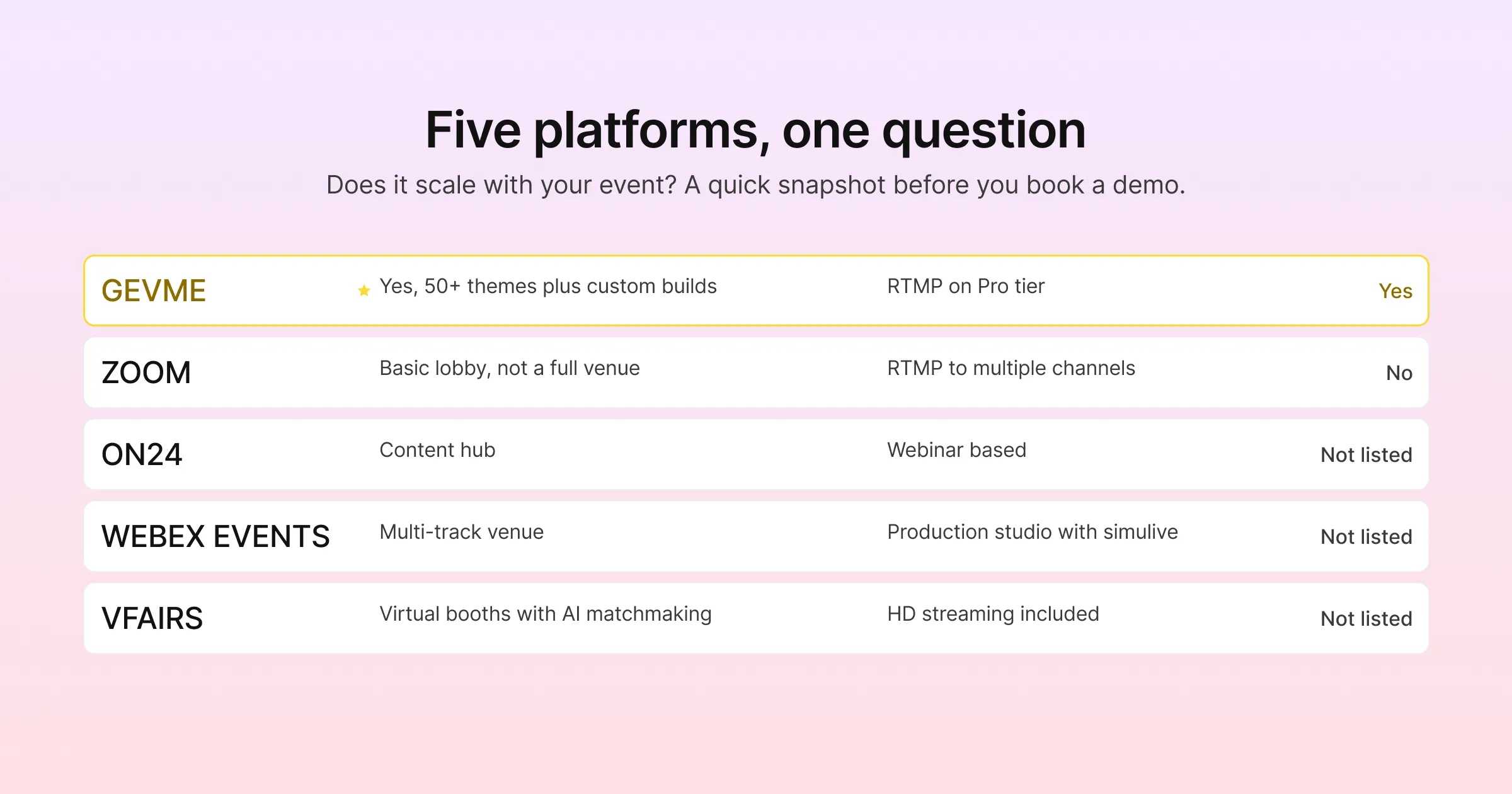
Here’s a brief snapshot of five platforms teams often consider. They are compared on the features covered in this guide:
| Platform | Virtual venue / booths | Native streaming | Free tier | Pricing model |
|---|---|---|---|---|
| Gevme | Yes, 50+ venue themes plus custom builds | RTMP streaming on Pro tier | Yes, free tier available | Starter and Pro published from USD $1,050 to $2,400 per year, per its pricing page, Enterprise on request |
| Zoom | Basic virtual event lobby rather than a full venue | RTMP streaming, including to multiple channels at once | Not the focus of the webinars page, per Zoom’s webinar page | Three tiers (Webinars, Webinars Plus, Events); specific pricing available on request |
| ON24 | Content hub and virtual event experiences | Webinar-based delivery rather than RTMP-first | Not listed on their site | Quote based, no published numbers, per ON24’s platform page |
| Webex Events | Multi-track virtual venue with networking | Production studio with simulive support | Not listed on their site | Sold through Webex Suite Enterprise Agreements, per Webex’s events page |
| vFairs | Virtual booths and AI-powered matchmaking | HD streaming included | No free tier | Quote based, custom packages, per vFairs’ pricing page |
A table like this is only ever a starting point. Feature sets change, and the right call depends more on your specific event than on any generic ranking. Therefore, request a demo of anything on your shortlist before committing, especially if there’s a real chance your event goes hybrid down the line.
Pro Tip
Before you evaluate a single platform, write down what “success” looks like for this specific event in numbers rather than adjectives. “More engagement” is hard to measure. “60 percent of registrants attend at least one session” or “200 booth visits from qualified leads” is a number you can track. Once you know the number you’re chasing, the format and platform decisions get a lot easier. You can ask directly whether a given tool’s analytics report on the metric that matters to you, instead of judging platforms on how impressive the demo looks.
Frequently Asked Questions
A webinar is one type of virtual event among several, and using it as a stand-in for the whole category is where most of the confusion starts. Virtual events also include virtual conferences, trade shows, summits and hybrid formats, each with a different structure and set of tools behind it.
A virtual event happens entirely online. A hybrid event runs a physical, in-person component alongside a virtual one at the same time, usually connected through shared content, shared registration, or a live stream of the physical stage.
For a basic webinar, a decent webcam, microphone and stable internet connection are usually enough. For larger virtual conferences with professional production quality, teams often use dedicated streaming software or hardware that pushes video into the platform via RTMP. They also add a person to manage the technical side during the live session.
Attendees register through an event registration page and receive access details by email. On the day of the event, they log in through a browser or app. They land in the virtual venue, webinar room, or conference platform depending on the setup.
RTMP, Real-Time Messaging Protocol, is the technical method that sends a live video feed into a platform or venue. Most organizers never touch RTMP settings directly; the platform or a technical producer handles it. It’s useful to know the term exists mainly so you understand why “streaming setup” sometimes shows up as a separate task from general event planning.
Yes. Virtual trade shows and expos build dedicated booth pages into the virtual venue. There, exhibitors post resources, chat with visitors, and capture lead information. The purpose matches a physical booth, but attendees reach it through a browser instead of a hallway.
This varies widely by platform and event complexity. A simple webinar can be scheduled in minutes on most tools. A full virtual conference with a custom-themed venue, multiple tracks and exhibitor booths takes longer. However, template-driven platforms with pre-built venue themes cut this down considerably, compared to building a custom venue from scratch.
Conclusion: Picking a Format Should Follow Your Goal
Virtual events have earned a permanent place in the event calendar. They solve real problems: reach, cost, and content that keeps working long after the live date. The type and format you choose, webinar, conference, expo, summit or hybrid, should follow from your goal and audience, not from whatever tool your team already happens to use. Understanding how registration, streaming, engagement and analytics fit together takes most of the guesswork out of that choice.
If your next event might need a proper virtual venue rather than a single video call link, Gevme’s virtual event builder gives you 50+ themes to start from, native RTMP streaming, and business matchmaking on its higher tiers. All of it runs on the same attendee data as Gevme’s onsite registration and check-in tools, through its ecosystem approach to event management. That shared data matters most the moment a purely virtual event decides to add a physical room, because nothing needs to be rebuilt from scratch. See how it fits your event by requesting a demo.