A monthly breakfast briefing, a six-part training programme, a summer concert season, a week of city-wide business events. Each of these is really one experience split across several dates, and your most loyal attendees want to commit to all of it in one go. Making them buy six separate tickets, fill in six forms and receive six sets of emails is a quick way to lose some of them by event three.
A series pass is a single ticket that gives one person access to several events. The buyer pays once, registers once, and then attends any or all of the events the pass covers. For organisers, a series pass brings revenue forward, fills seats at the quieter events in the run, and turns one-time attendees into regulars. It also creates a few new questions about pricing, check-in, cancellations and reporting, which are much easier to answer before the first pass is sold.
This guide covers when a series pass makes sense, the decisions to make before you sell one, how to price it, three ways to set it up in Gevme Registration, how check-in and reporting work, and the mistakes that cause the most trouble.
Key Takeaways
- A series pass lets one buyer pay once for several events, which brings revenue forward and lifts attendance across the whole run.
- Decide what the pass covers, whether it can be shared, and what happens if one event in the series changes date, before you put it on sale.
- Price the pass at a clear discount against buying each event separately, and show that saving on the registration page.
- If the series runs as one programme, sell it as one event with sessions or days; if each event runs on its own, link separate events with hidden pass-holder tickets.
- Give every pass holder their own QR e-ticket for each event, so check-in counts are accurate at every date.
- Use Gevme’s Global Reports to see unique attendees and unique events across the series, and compare pass holders with single-event buyers.
- Write the pass rules on the registration page and in the confirmation email, including refunds, transfers and missed events.
When a Series Pass Makes Sense
A series pass works best when the same audience is likely to come back. Typical examples:
- Learning programmes: a certificate course with six modules, a masterclass series or a monthly members’ workshop.
- Recurring business events: quarterly industry briefings, breakfast talks or networking evenings.
- Festivals and city weeks: a week of linked events across several venues, where visitors want to dip in and out.
- Conference programmes: a main conference plus pre-event workshops and a closing dinner sold as one bundle.
- Seasons: a run of concerts, screenings or sports fixtures.
It works less well when each event targets a different audience, or when events are far apart and attendees are unlikely to commit to all of them in advance. In those cases, single tickets with a returning-attendee discount often suit buyers better.
The Decisions to Make Before You Sell a Pass
What Does the Pass Cover?
List every event, session or day the pass includes. Be specific about anything excluded, such as a gala dinner, a premium workshop or a printed certificate. If you plan to add events to the series later, say whether pass holders get them automatically.
Full Pass, Flexible Pass or Both?
A full pass covers every event in the series. A flexible pass, sometimes called a bundle or a pick-and-choose pass, covers a set number of events from a longer list, such as any three of six. Full passes are simpler to run. Flexible passes sell to people who know they can’t make every date.
Is the Pass Personal or Shareable?
Decide whether one named person must attend every event, or whether a company can send different colleagues to different dates. A personal pass is easier to track and fairer to single-ticket buyers. A shareable company pass sells well to corporate teams, but you will need a clear process for changing the attendee name before each event.
What Happens If an Event Changes?
Write down what pass holders receive if one event is cancelled, postponed or moved online. Options include a partial refund for that event, a credit toward the next series, or access to a recording. Deciding now saves a difficult email later.
Refunds and Missed Events
Most series passes are non-refundable once the first event has taken place, and missed events are not refunded. Whatever you decide, say it clearly before purchase.
| Decision | Common choice | Why it works |
|---|---|---|
| What the pass covers | Every event in the published series, extras listed separately | Buyers know exactly what they are paying for |
| Pass type | Full pass, with single tickets still on sale | Simple to run, while single buyers still have a choice |
| Personal or shareable | Personal by default, company passes on request | Accurate attendance data, with flexibility for corporate buyers |
| Event cancelled or moved | Credit or partial refund for that event only | Fair to pass holders without unwinding the whole pass |
| Refunds | Refundable until the first event, non-refundable after | Protects the discount you gave for committing early |
| Missed events | No refund, recording access where available | Keeps the pass simple to administer |
How to Price a Series Pass
Start with the total cost of buying every event separately. The pass price should sit clearly below that, so the saving is obvious at a glance. Many organisers land on a discount between 15% and 30% for a full pass, but the right number depends on your margins and how likely people are to attend every date.
Think about what the pass is for. If the goal is to fill the quieter events in the middle of a series, a bigger discount makes sense, because each extra attendee at those events has value. If the series already sells out, a smaller discount still rewards commitment without giving away revenue you would earn anyway.
Show the maths on the registration page. “Six sessions for USD 450, saving USD 150 against single tickets” is easier to act on than a price alone. If you also sell early bird pricing, make the early bird pass the best deal of all, so the people who commit first get the strongest reason to do it.
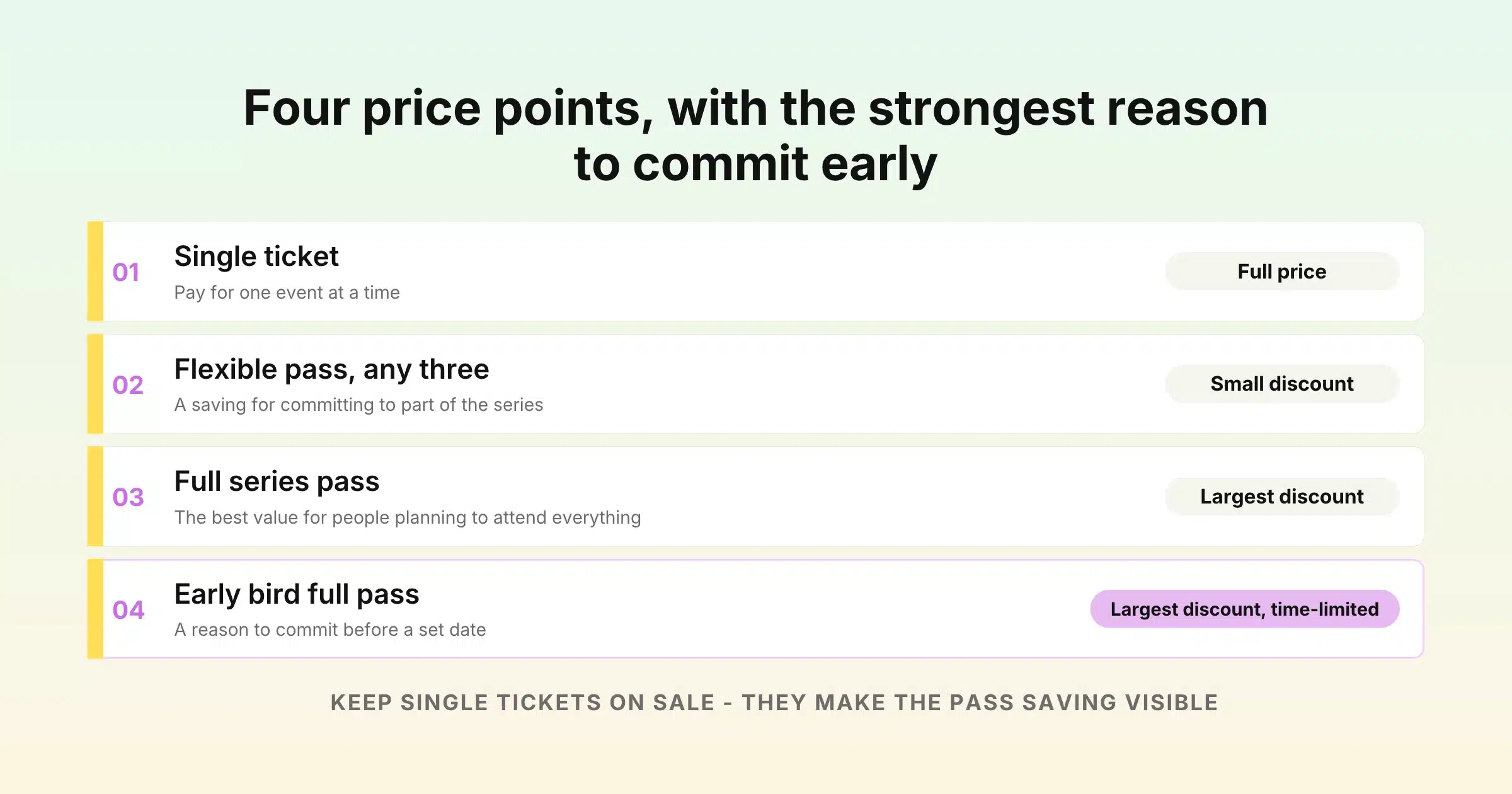
| Option | Price per event | What the buyer sees |
|---|---|---|
| Single ticket | Full price | Pay for one event at a time |
| Flexible pass (any three) | Small discount | A saving for committing to part of the series |
| Full series pass | Largest discount | The best value for people planning to attend everything |
| Early bird full pass | Largest discount, time-limited | A reason to commit before a set date |
Keep single tickets on sale alongside the pass. They let new people try one event, and they make the pass discount visible by comparison.
Three Ways to Set Up a Series Pass in Gevme Registration
How you build a series pass depends on how the series runs. If it is really one programme with several days or sessions, run it as one event. If each event in the series has its own date, page and audience, run separate events and link them for pass holders.
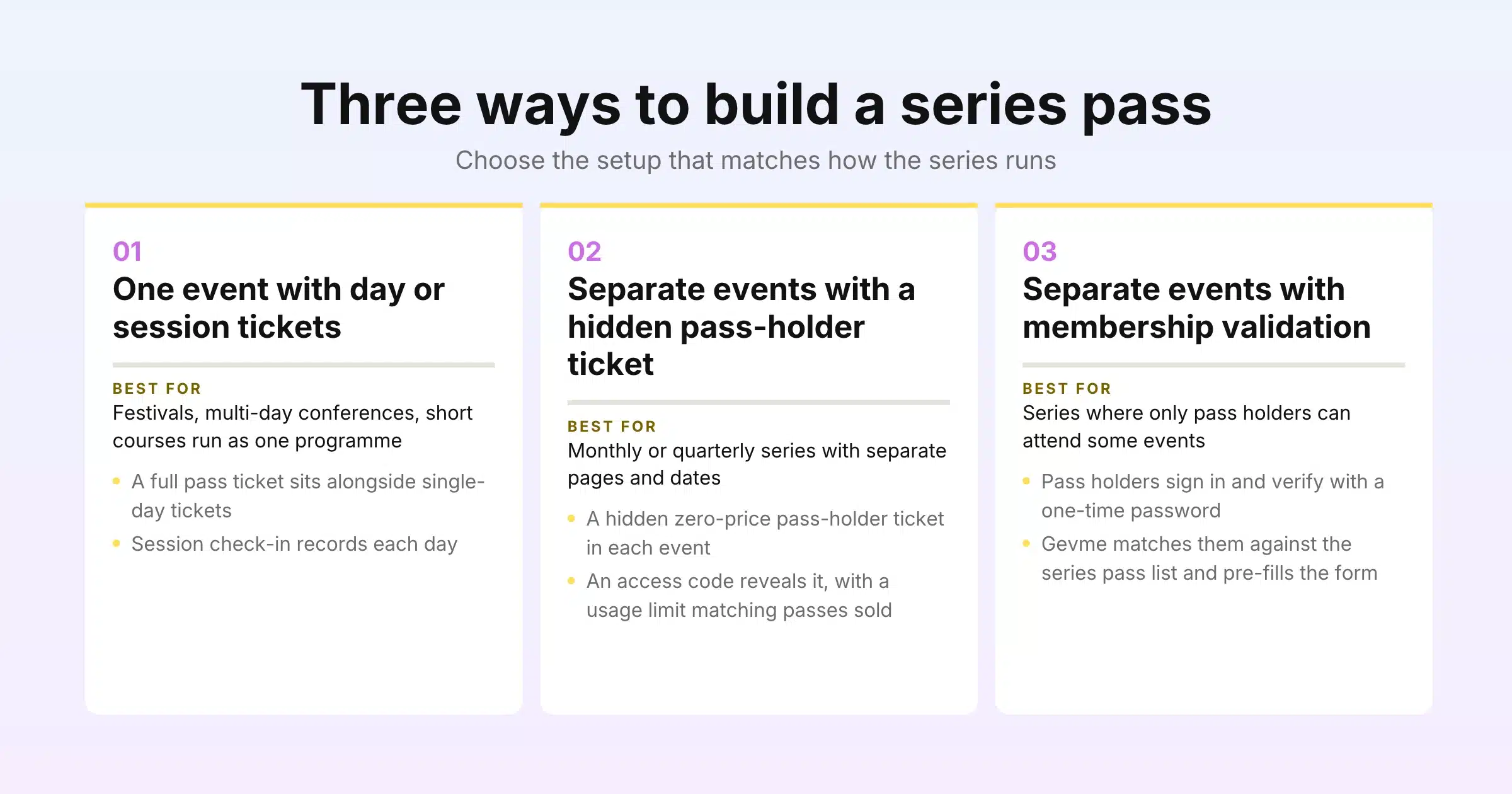
| Setup | Best for | How pass holders get in |
|---|---|---|
| One event with day or session tickets | Festivals, multi-day conferences, short courses run as one programme | A full pass ticket alongside single-day tickets, with session check-in |
| Separate events with a hidden pass-holder ticket | Monthly or quarterly series with separate pages and dates | An access code that opens a hidden pass-holder ticket in each event |
| Separate events with membership validation | Series where only pass holders can attend some events | Pass holders sign in, are matched against the series pass list, and get a pre-filled form |
Setup 1: One Event With Day or Session Tickets
Create one event for the whole programme. Add a ticket for each day or session, and a full pass ticket that covers everything. Each ticket has its own price, quantity, sales start and end dates, and visibility setting, so you can close single-day tickets once a day sells out while the full pass stays on sale.
To track who attends each part, add a multiple-choice field to the registration form, such as “Which days will you attend?”, and turn it into sessions in the Onsite settings. For each session, choose whether to allow all attendees or to restrict check-in to people who registered for that session. On the day, staff pick the session from the check-in screen, scan the attendee’s QR code, and Gevme records the check-in time for that session. The session check-in guide walks through the setup.
Set an overall event capacity to match your venue, and give each day or workshop its own ticket quantity. Event capacity overrides individual ticket quantities, so the whole programme never oversells even when the per-day limits add up to more.
This setup keeps everything in one place: one registration page, one attendee list and one set of reports. It suits series that share a venue, a brand and a single run of dates.
Setup 2: Separate Events With a Hidden Pass-Holder Ticket
When each event in the series has its own date, page and promotion, run them as separate events and sell the pass on its own. A common pattern is:
- Create a series pass event. This is where buyers purchase the pass. Its registration page lists every event the pass covers and the saving against single tickets.
- Build the first event, then clone it. Set up the first event in the series with its public tickets and forms, then clone it or save it as a template for the rest. Every event starts with the same structure, fields and emails.
- Add a hidden pass-holder ticket to each event. Create a ticket called “Series Pass Holder” at zero price and set its visibility to hidden. Hidden tickets do not show on the public page.
- Create an access code in each event. Access codes reveal hidden tickets. Set a usage limit that matches the number of passes sold, and a start and end date that match the registration window.
- Send the codes to pass holders. Email pass holders before each event with the access code and a link to register. They choose the pass-holder ticket, fill in a short form, and receive their own QR e-ticket for that event.
Pass holders then appear in each event’s attendee list alongside single-ticket buyers, with their own ticket type, so you can count them separately in reports and at check-in.
For extra control, Gevme’s registration rules can check a registrant against another event. A rule can use the unique field from the series pass event, usually email, to decide who can or cannot register, with a custom message for anyone who doesn’t qualify. This works well for events in the series that are open only to pass holders.
Setup 3: Separate Events With Membership Validation
Gevme’s membership validation add-on suits series where you want pass holders to register in seconds and keep everyone else out of pass-only events. In each event, you set the membership list source to “another event”, choose the series pass event, and select its attendee list. You then map which fields carry over.
When a pass holder opens the registration page, they sign in with their email, mobile number or Google account and verify with a one-time password (OTP). Gevme matches them against the series pass list and opens a registration form pre-filled with their details. You decide whether people who are not on the list can still register through public tickets, or whether the event is closed to everyone except pass holders. You can also customise the welcome message and the message non-members see.
Membership validation is an add-on, set up by the Gevme team through cs.reg@gevme.com or your account manager. Once it is on, you find it under Event Settings, Membership.
Promoting the Series
A series pass sells best when people can see the whole run at once.
- Show the full schedule. List every date, topic and speaker on the pass page. Gevme’s event website builder has Agenda and Speakers blocks for exactly this, and each event can link to its own registration page.
- Embed a calendar. Gevme Registration’s calendar widget can sit on your own website and show all your upcoming events in one place, so visitors browse the series and register from your site.
- Use partner codes. Partner-linked promo codes track how many passes each partner or sponsor sells.
- Remind single-ticket buyers. After the first event, email single-ticket buyers with an offer to upgrade to the rest of the series at the pass rate for the remaining events.
- Track sources. Gevme stores UTM and source values with each order, so you can see which campaigns sell passes and which sell single tickets.
Check-In and Attendance Across the Series
Every pass holder should hold a separate QR e-ticket for each event, so check-in works at every date. With Setup 1, one e-ticket covers the programme and session check-in records each day. With Setups 2 and 3, each event issues its own e-ticket when the pass holder registers.
At the door, staff use Gevme onsite check-in on a laptop, a phone or a self-service kiosk. Each check-in is time-stamped, and the Participation report shows the checked-in count. Badge printing rules can be set per ticket type, so pass holders can receive a different badge design and feel recognised at every event.
A series pass also makes the mobile experience more useful. The Gevme mobile event app gives attendees the agenda, speakers, maps and push notifications, which helps when the series moves between venues.
Tech Week Singapore 2024 ran seven parallel events for more than 26,000 attendees on Gevme, with 30 kiosks and more than 150 mobile devices handling check-in across the programme.
Reporting on a Series
A series has two kinds of numbers: how each event performed, and how the series performed as a whole.
For each event, the standard reports show tickets, orders, transactions and attendees. Filter by ticket type to compare pass holders with single-ticket buyers, and add an aggregation to count each group.
For the series, Gevme’s Global Reports look across every event in your organisation. Global Attendees shows registered attendees, checked-in attendees, unique attendees and unique events, which tells you how many different people the series reached and how many events they came to. Global Orders and Global Transactions total revenue and refunds across the programme.
To compare segments across events, create the fields you care about, such as company or job level, as Predefined Fields with the same name in each event. They then appear together in Global Reports.
Three numbers are especially useful for a series:
| Measure | How to work it out | What it tells you |
|---|---|---|
| Pass take-up | Passes sold divided by total unique buyers | How attractive the pass is next to single tickets |
| Pass holder attendance | Pass holder check-ins divided by pass holder registrations, per event | Whether pass holders keep coming as the series goes on |
| Upgrade rate | Single-ticket buyers who later bought a pass | Whether your upgrade offers are working |
Common Mistakes and How to Avoid Them
| Mistake | What goes wrong | Fix |
|---|---|---|
| Pass holders not registered for each event | Check-in staff can’t find them, and attendance numbers are wrong | Give pass holders a ticket in every event, through a hidden ticket or membership validation |
| Vague pass rules | Disputes about refunds, missed events and sharing | Publish what the pass covers, refunds, transfers and missed-event rules before purchase |
| Discount too small | Buyers stick to single tickets | Show the saving clearly and make the early bird pass the best deal |
| No capacity held for pass holders | Pass holders find a popular event full | Hold places for pass holders in each event’s ticket quantities |
| Each event built differently | Reports don’t line up across the series | Clone the first event or save it as a template, and use Predefined Fields |
| Date changes handled one by one | Hours of manual work after a postponement | Agree the policy in advance, and move orders in bulk with Gevme’s order transfer add-on |
Handling Changes Mid-Series
Plans change. If one event moves to a new date, Gevme’s order transfer add-on can move existing orders from the original event to the new one, mapping each ticket to the matching ticket type and sending updated tickets. The original order is cancelled with a tracking note.
If a pass holder can’t attend one date and your pass allows substitutes, an organiser with the Manage Attendees permission can transfer that event’s ticket to a colleague from the attendee grid. Gevme creates a new ticket for the replacement and logs the change.
If an event is cancelled, record any partial refund against the pass holder’s order in the series pass event, so revenue reports stay accurate.
A Few Terms Worth Knowing
- Series pass: one ticket that gives access to several events in a run.
- Flexible pass: a pass that covers a set number of events chosen from a longer list.
- Hidden ticket: a ticket that does not appear on the public registration page and is revealed by an access code.
- Access code: a code that reveals hidden tickets during registration.
Pro Tip
Before you launch the pass, map one pass holder’s full journey on paper: the purchase, the confirmation email, the reminder before each event, the registration for each date, the check-in and the follow-up. Then run it as a test with a colleague’s email address in Gevme. Any step where the pass holder has to stop and ask “what do I do now?” is a step to fix before real buyers reach it.
Frequently Asked Questions
A series pass is a single ticket that gives one person access to several events in a series. The buyer pays once and can attend every event the pass covers, usually at a lower total price than buying each event separately.
A series pass should cost clearly less than buying every event separately. Many organisers offer a discount of between 15% and 30% for a full pass, with a larger early bird discount for people who commit first.
Yes. You can run the series as one event with day or session tickets and a full pass ticket, or link separate events by giving pass holders a hidden pass-holder ticket in each event, revealed by an access code. Membership validation can also match pass holders against the series pass list.
Each pass holder receives a QR e-ticket for each event, or one e-ticket with session check-in if the series runs as one event. Staff scan the QR code at the door, and Gevme records the check-in time for that event or session.
That depends on your audience. Personal passes give cleaner attendance data, while shareable company passes suit corporate teams. If you allow transfers, organisers can transfer a ticket to a new attendee from Gevme’s attendee grid.
Use Gevme’s Global Reports. Global Attendees shows registered attendees, checked-in attendees, unique attendees and unique events across your organisation, so you can see how many people the series reached and how many events they attended.
That depends on the policy you publish before sale. Common options are a partial refund for that event, a credit toward the next series, or access to a recording. State the option on the registration page and in the confirmation email.
Conclusion: One Purchase, Many Visits
A series pass rewards your most committed attendees and gives you earlier revenue and steadier attendance across the run. Decide what the pass covers, price it with a clear saving, write the rules down, and make sure every pass holder holds a ticket for every event they attend. Then measure how pass holders behave across the series and adjust the offer next time.
Gevme Registration gives you every piece you need: day and session tickets for single programmes, hidden tickets and access codes for linked events, membership validation for pass-only events, session and event check-in, and Global Reports that show attendance across your whole series. To see how a series pass would work for your events, request a demo and the Gevme team will show you the setup.