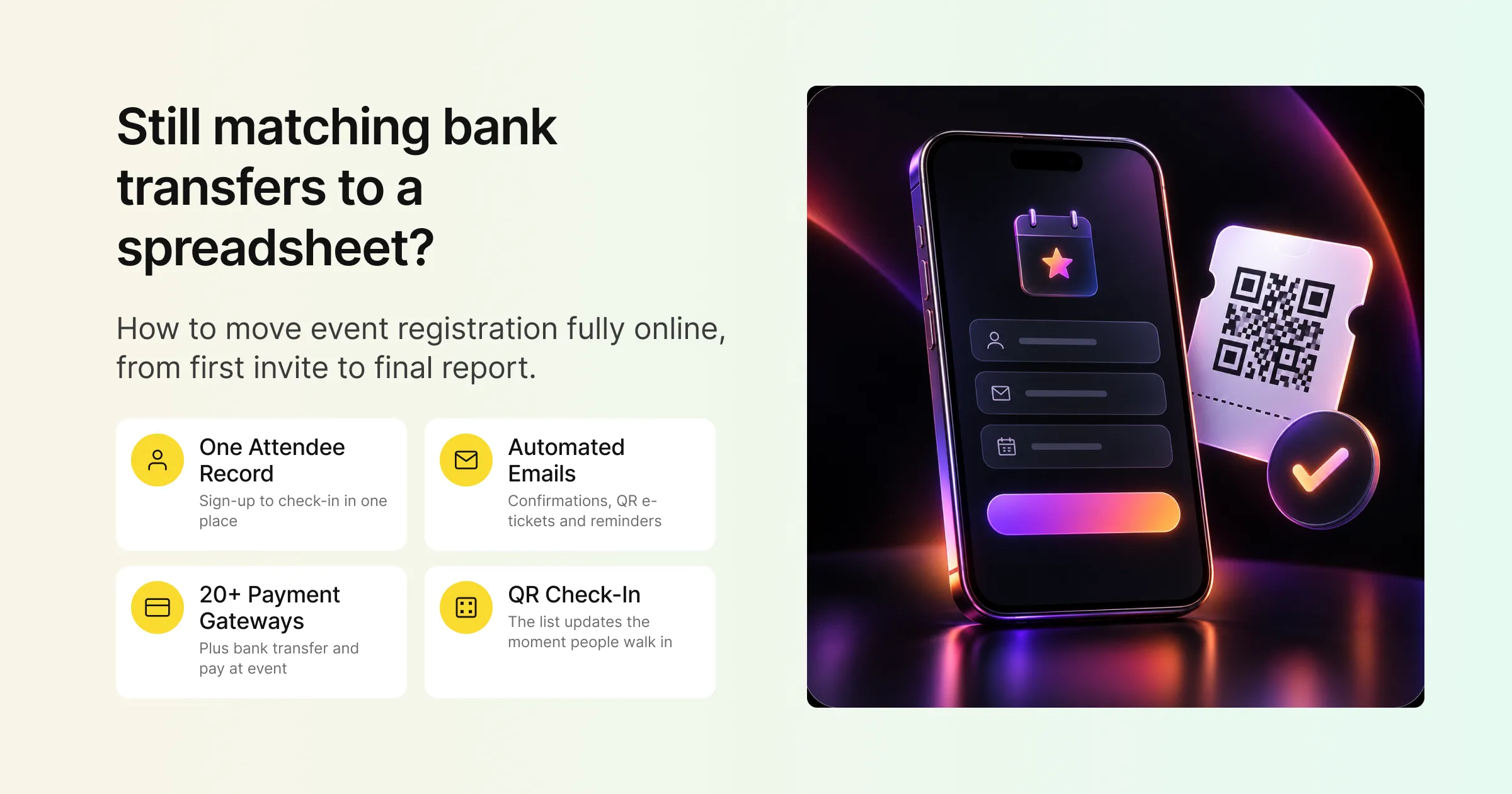
Plenty of events still run registration on a patchwork. A form tool collects sign-ups, a spreadsheet holds the master list, payments arrive by bank transfer and get matched by hand, and someone prints the list the night before so the front desk can tick off names. It works, until a speaker’s assistant registers twice, a payment goes missing, or 300 people arrive in the same 20 minutes.
Online event registration software replaces that patchwork with one system. Attendees register and pay on a web page, get a confirmation email with a QR code, receive reminders automatically, and check in by scanning that code at the door. Every step writes to the same attendee record, so the list you report on afterwards is the same list people registered on.
This guide covers what “fully digital” registration actually means, the parts of the registration journey you can move online, how Gevme Registration handles each one, a step-by-step plan for making the switch, and the mistakes that trip teams up along the way.
Key Takeaways
- Fully digital registration means every step, from invitation to check-in and reporting, runs in one system with one attendee record.
- Start with the form: collect only what you will use, block duplicate sign-ups with unique fields, and use conditional questions to keep it short.
- Offer the payment methods your attendees already use, including offline ones such as bank transfer, and record them in the same system as card payments.
- Automate confirmations and reminders so every attendee gets a QR code ticket without anyone sending emails by hand.
- Move check-in to QR scanning so the attendee list updates the moment people walk in.
- Run your first digital event as a pilot, keep the setup as a template, and reuse it for every event after.
- Pick software that covers registration, payments, emails, check-in and reports together, so data never needs copying between tools.
What Fully Digital Registration Actually Means
Most teams already have some part of registration online. The sign-up form is usually the first piece to go digital. The harder parts are everything around it: approving attendees, taking payments, sending the right email to the right person, and turning a list into a smooth check-in.
Fully digital registration means all of those steps live in one web based event registration software platform, with no step that depends on someone exporting a file, editing it and importing it somewhere else. In practice, that gives you three things.
One Attendee Record From Sign-Up to Check-In
Each attendee has a single record that holds their form answers, ticket, payment status, emails received and check-in time. When someone changes their job title or a colleague takes their place, you update one record and every downstream step uses the new details.
Automation Where People Used to Step In
Confirmation emails, receipts, reminders and waiting list offers go out on rules you set once. Staff time moves from copying and pasting to the decisions that need a person, such as approving a VIP or answering a question.
Live Numbers at Any Moment
Because every registration, payment and check-in lands in the same system, your dashboard shows the real position at any moment: who has registered, who has paid, who has arrived. You stop waiting for someone to reconcile three spreadsheets before you know where you stand.
The Registration Journey, Step by Step
It helps to think of registration as a journey with six stages. Here is what each stage looks like when it runs online, and how Gevme Registration handles it.
1. Inviting and Promoting
Registration starts before anyone fills in a form. For invitation-only events, Gevme lets you build an invitee list, then send invitations with a registration button. When an invitee registers through that button, their invitee and attendee records are linked, so you can see at a glance who has responded.
For public events, you can publish a registration landing page, embed a tickets widget or registration button on your own website, or add a text link to newsletters and social posts. Promo URLs and UTM values are stored with each order, so you can see which campaign brought each registration in.
2. Registering
The form is where most drop-offs happen, so it is worth getting right. Gevme offers three registration types:
- Registration Form: a simple form for one attendee at a time, often used for free events.
- Tickets: multiple ticket categories and prices, group bookings and paid or free tickets.
- RSVP: a yes or no response for invitation-only events.
The form builder supports compulsory, read-only and unique-value fields. A unique email field, for example, stops the same person registering twice. Conditional questions only appear when they are relevant, and you can show different fields for different ticket types. Returning attendees and invitees see their details pre-filled, and in Singapore, Singpass Myinfo can fill in verified personal details automatically.
For events that need more control, you can add session selection, registration rules that allow or block sign-ups based on form answers or contact lists, membership validation by email, mobile or Google, and manual approval for free events.
3. Paying
If your event charges a fee, the payment step needs to feel as easy as the form. Gevme Registration supports card payments through more than 20 gateways, including Stripe, Adyen and PayPal, and regional options such as eNETS, OCBC and Xfers. Gevme Pay is a built-in payment option if you would like to skip setting up your own gateway. The payment options page explains each option in more detail.
Offline methods matter too, especially for corporate and government attendees. You can accept direct debit, bank transfer, cheque or payment at the event, then record the payment by moving the order to Completed Payment once it arrives. Unpaid orders automatically get an acknowledgement email 15 minutes after registration, so attendees know their order has been received.
4. Confirming and Reminding
The moment someone registers, they should know it worked. Gevme sends an automated confirmation email to the buyer and to each ticket holder, with a PDF e-ticket carrying a unique QR code. Invoices and receipts can be attached to the same email.
After that, email campaigns handle the reminders. You can send campaigns to lists or specific addresses, schedule them for a set time or relative to the event date, or trigger them after another campaign. A drag-and-drop email builder, saved templates and personalisation tags keep each email relevant. Email statistics show opens, clicks, bounces and the registrations each campaign brought in.
5. Checking In
Digital registration pays off most at the door. Because every attendee already has a QR code, check-in becomes a scan. Gevme’s onsite check-in runs through web check-in in a browser, phone check-in with Rocket Mode for fast scanning, self-service kiosks that keep working offline, or a staffed counter set. Attendees can also be found by name, email, company or registration ID, or checked in by facial recognition or ID scanning.
Badges print on demand as people check in, typically in 5 to 10 seconds per attendee, and walk-ins can register and pay at the counter. Every scan updates the attendee record straight away.
6. Reporting and Following Up
After the event, the same system holds the full picture. Registration reports cover tickets, orders, attendees and surveys, with CSV export and reports across multiple events. Gevme Survey lets you send a post-event survey with a “Take Survey” button in a campaign email, and the survey report exports in full.
The Journey at a Glance
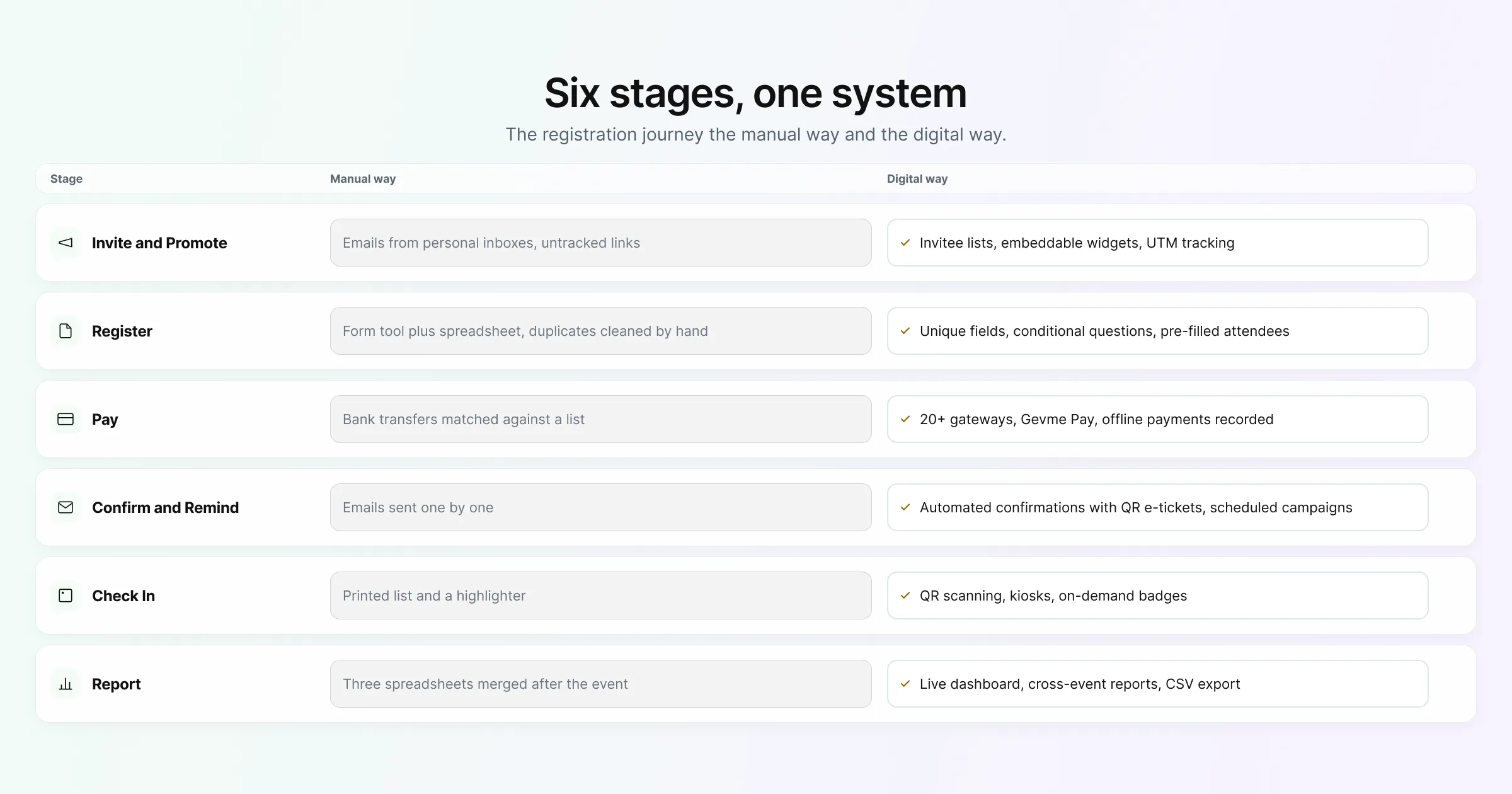
| Stage | The manual way | The digital way in Gevme Registration |
|---|---|---|
| Invite and promote | Emails from personal inboxes, links shared without tracking | Invitee lists, invitation button, embeddable widgets, promo URLs and UTM tracking |
| Register | Form tool plus a spreadsheet, duplicates cleaned by hand | Form builder with unique fields, conditional questions, pre-filled returning attendees |
| Pay | Bank transfers matched manually against a list | 20+ gateways, Gevme Pay, offline payments recorded on the order |
| Confirm and remind | Confirmation emails sent one by one | Automated confirmations with QR e-tickets; scheduled campaigns |
| Check in | Printed list and a highlighter | QR scanning, kiosks, face or ID scanning, on-demand badges |
| Report | Three spreadsheets merged after the event | Live dashboard, event reports, cross-event reports, CSV export |
How to Move Your Registration Fully Online
Switching everything at once can feel like a lot. A phased plan keeps the risk low and gives your team time to learn.
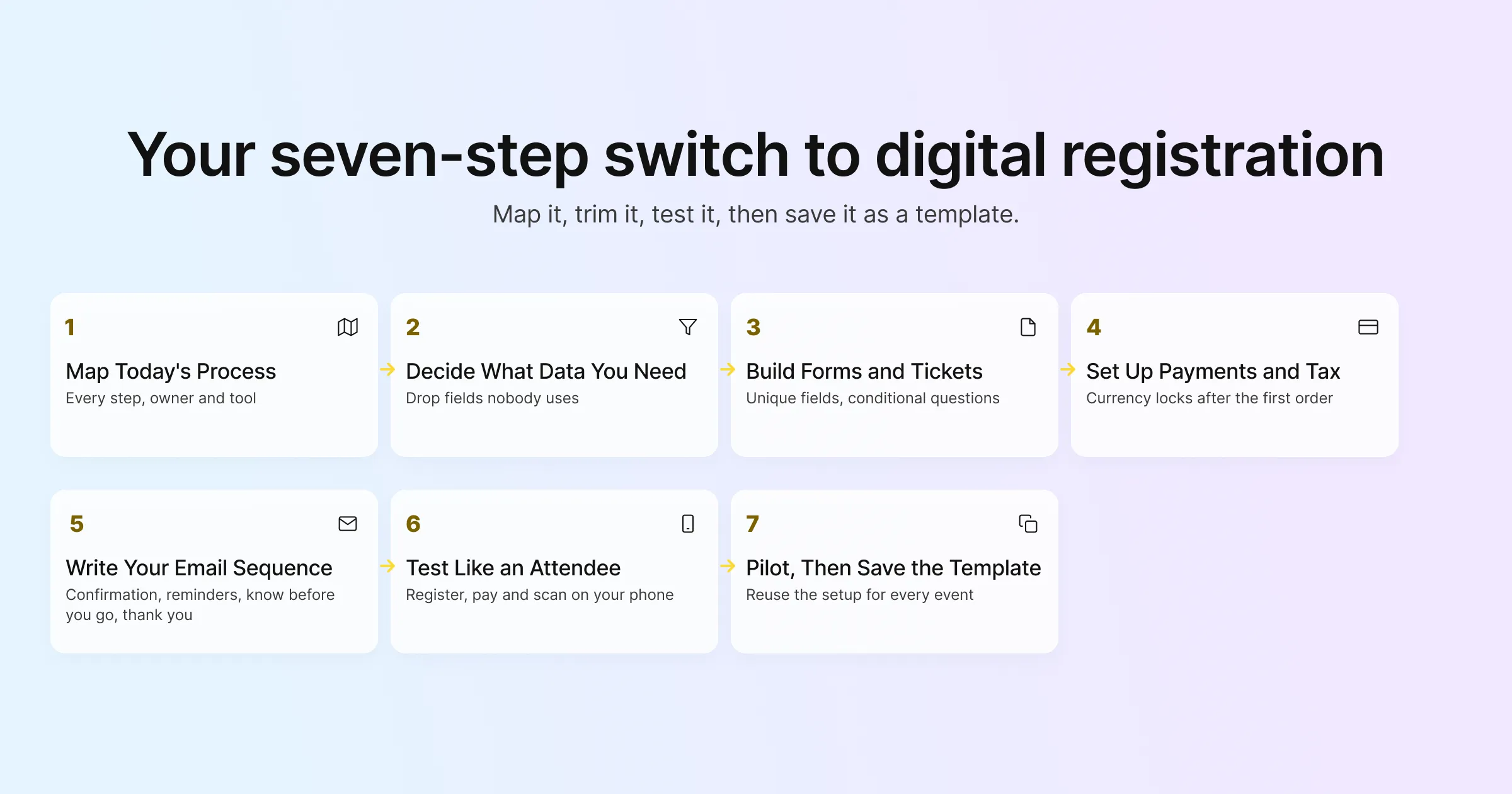
Step 1: Map How Registration Works Today
List every step your team does now, who does it, and which tool they use. Include the awkward parts, such as matching bank transfers or building the name badge file. This map shows you which steps cost the most time and which are the riskiest to leave manual.
Step 2: Decide What Data You Actually Need
Old registration forms tend to grow over the years. Go through each field and ask who uses it and when. If nobody can answer, drop it. Shorter forms get more completions, and every field you keep is personal data you need to look after under laws such as the PDPA or GDPR.
Step 3: Build Your Forms and Ticket Types
Set up the registration type, then the form. Use unique-value fields to block duplicates, conditional questions to hide irrelevant fields, and separate fields per ticket type where speakers, sponsors and delegates need different information. Gevme supports five form types (Attendee, Buyer, Contact, Invitee and Admin), so internal-only fields can stay on the Admin form where attendees never see them. The forms and form builder guide walks through each setting.
Step 4: Set Up Payments and Tax
Connect your payment gateway or turn on Gevme Pay, add offline methods if your attendees need them, and set taxes as inclusive or exclusive. Decide on the currency before you open registration, because it locks after the first order.
Step 5: Write Your Email Sequence
Draft the confirmation email first, then two or three reminders, a “know before you go” email with venue and check-in details, and a post-event thank you with a survey. Schedule them relative to the event date so the sequence still works if the date moves.
Step 6: Test Like an Attendee
Register yourself on a phone, pay with a test card, open the confirmation email and scan your own QR code at a test check-in station. Then do it again as a group buyer registering three colleagues. Most problems show up in the first ten minutes of testing.
Step 7: Run a Pilot, Then Save the Template
Move one event fully online first, ideally a mid-sized one where the stakes are real but manageable. Afterwards, fix what you learned, then clone the event or save it as a template. Every future event starts from a setup you already know works.
Features That Make Online Registration Work
Not every event needs every feature. These are the ones worth checking when you compare online event registration software, grouped by what they do for you.
Features That Protect Your Data Quality
- Unique-value fields that block duplicate registrations
- Read-only fields for details you have already verified
- Pre-filled fields for returning attendees and invitees
- Membership validation for member-only pricing or access
Admin-Saving Features
- Group registration, where one buyer registers and pays for several attendees, each with their own form
- A waiting list that emails people a link to register when you release places, with an optional expiry time
- Clone events and templates for recurring programmes
- Automatic archiving of past events
Features That Help You Grow Registrations
- Embeddable tickets widgets, registration buttons and a calendar widget for your own website
- Promo codes and partner-linked codes that track registrations per partner
- Google Analytics, Google Tag Manager and UTM tracking on every order
- The Abandoned Cart add-on, which captures buyers once they enter their name and email and sends up to 5 reminder emails with a link to finish
Attendee Communication Features
- Confirmation emails with PDF e-tickets and QR codes
- Gevme Wallet, where attendees can find their tickets later
- SMS confirmations with a ticket QR code, sent through the organiser’s own smsdome account
- English and Simplified Chinese event languages
Features That Keep Data Safe
Moving registration online means you hold more personal data in one place, so security becomes part of the buying decision. Gevme’s trust centre lists ISO 27001, ISO 27017, ISO 27018 and SOC 2 Type 2 certification, plus GDPR, PDPA and CCPA compliance. Data is encrypted with AES-256 at rest and TLS in transit, admins can enforce two-factor authentication for their team, and personal data can be anonymised once you no longer need it.
Common Mistakes When Moving Registration Online
A few mistakes come up again and again. Knowing them in advance saves a stressful event week.
Copying the Paper Form Field for Field
A paper form often asks for things nobody uses anymore. Moving it online unchanged keeps all that friction. Start from what you need, and let conditional questions carry the rest.
Forgetting the People Who Pay Offline
Corporate and government attendees often need an invoice before they can pay. If your online flow only accepts cards, those registrations stall. Offer bank transfer or invoice payment, and record it in the same system so your paid and unpaid lists stay accurate.
Leaving Check-In Until the Last Week
Check-in is where a digital setup is tested in front of your guests. Decide early whether you will use kiosks, a counter or phone scanning, and include it in your testing.
Keeping a Shadow Spreadsheet
Some teams move registration online but keep updating a spreadsheet “just in case”. Within a week, the two lists disagree. Once you switch, make the registration platform the only list and export from it when you need a file.
Not Planning the Email Sequence
An automated confirmation is only the start. Without scheduled reminders and a pre-event email, attendees forget, no-show rates climb, and your team ends up answering the same questions by email.
What Online Event Registration Software Costs
Most online registration software is sold as an annual subscription, with the price shaped by the features you need and the number of attendees you expect. Gevme Registration is listed on the pricing page in US dollars:
| Plan | Price | What it adds |
|---|---|---|
| Starter | From USD 1,050 per year, billed annually | Custom registration forms, unlimited emails, smart attendee lists, event reports, Google Analytics integration |
| Pro | From USD 2,400 per year, billed annually | Adds custom landing pages, email templates, payment gateway integration, Google Tag Manager, priority support |
| Enterprise | Let’s Talk | Adds multiple organisations, advanced security features, compliance reports, custom integrations engine |
Extra attendees on Starter and Pro start from USD 2.10 each. If your events also need an event website, virtual venue or mobile app, those sit on the Gevme Omnichannel tab, and new confirmed registrations sync into Omnichannel in real time.
Where Gevme Registration Has Made the Difference
Two published stories show fully digital registration at scale:
- NRF 2025 Retail’s Big Show Asia Pacific handled registration for 9,500 attendees with multi-tier ticketing, add-ons and a CRM integration. Read the NRF story.
- NUS Postgraduate Fair 2024 ran a hybrid event for 1,077 attendees with QR check-in and two livestreamed tracks. Read the NUS story.
A Few Terms Worth Knowing
- Unique-value field: a form field that only accepts an answer once per event, used to stop duplicate registrations.
- Conditional question: a form question that only appears when an earlier answer makes it relevant.
- UTM values: tags added to a link that tell you which campaign or channel a visitor came from.
- E-ticket: a digital ticket, usually a PDF with a QR code, that attendees show or scan at check-in.
Pro Tip:
Before you launch, add one hidden test: register as an attendee, choose bank transfer, and do nothing for a day. Check that the acknowledgement email arrived, that your team can see the unpaid order, and that moving it to Completed Payment sends the right confirmation. Offline payments are the part of a digital flow most teams test last, and they are where corporate registrations most often get stuck.
Frequently Asked Questions
Online event registration software is a web based platform that lets attendees sign up, pay and receive their ticket for an event online, while organisers manage forms, payments, emails, check-in and reports in one place.
Start by mapping your current process and trimming your form to the fields you use, then build the form, payments and email sequence in your registration platform. Test it as an attendee, run one pilot event, and save that setup as a template for future events.
Yes, most online registration software supports offline payments. In Gevme Registration, attendees can choose bank transfer, direct debit, cheque or pay at the event, and your team records the payment by moving the order to Completed Payment.
Online registration stops duplicates with unique-value fields. In Gevme, marking a field such as email as unique means the same answer cannot be used to register twice for the event.
Yes. Gevme supports group registration, where one buyer registers and pays for several attendees, and each attendee fills in their own form so every record is complete.
Yes. Gevme offers an RSVP registration type and invitee lists. Invitees register through their invitation button, which links their invitee and attendee records, and events can also be set as private, invitation only or password protected.
Online event registration software is usually priced as an annual subscription. Gevme Registration starts from USD 1,050 per year on Starter and USD 2,400 per year on Pro, both billed annually, with Enterprise quoted on request.
Conclusion: One System, From First Click to Final Report
Moving registration fully digital comes down to joining every step together. When invitations, forms, payments, emails, check-in and reports share one attendee record, you spend less time reconciling lists and more time on the event itself. Map your current process, trim the form, plan for offline payments, test like an attendee, and run one pilot before you switch everything.
Gevme Registration was built by the industry, for the industry, to cover that whole journey in one place, and it connects to Gevme Omnichannel when your event also needs a website, virtual venue or mobile app. To see how your current registration process would look in Gevme, request a demo.