If you’ve searched for “event project management software,” you’ve probably noticed the results are a mixed bag. Some point you toward general task-and-timeline tools like monday.com or Asana. That happens since the phrase technically overlaps with general project management too. Those tools can be useful for internal to-do lists. But they’re not built to run an event: no registration, no check-in, no way to handle attendee data. This guide is about the software that is: platforms built specifically to plan and run an event from start to finish.
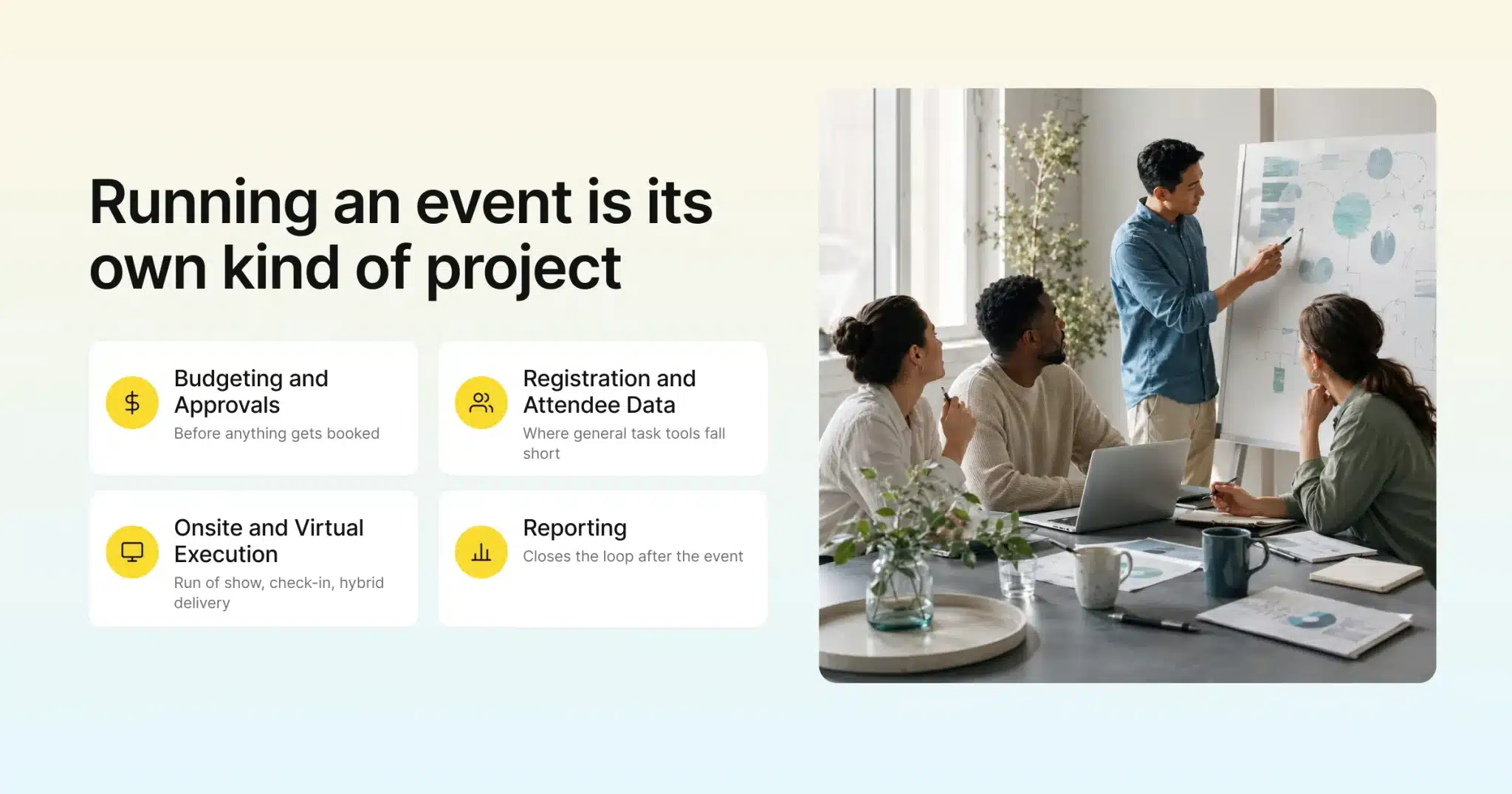
Running an event is its own kind of project, with its own specific demands. There’s budgeting and vendor sourcing before anything else happens, and there’s registration and ticketing once the event is public. A run-of-show has to hold together in real time, too. That could be a stage manager cueing speakers or a check-in desk scanning badges. And increasingly, there’s a virtual or hybrid layer running alongside all of it. Event project management software is built around that entire arc. It’s not just a task list that happens to mention an event.
This guide covers what to actually look for in event project management software. That includes an honest look at the platforms event teams compare most, real pricing where vendors publish it, a side-by-side comparison table, and a framework for matching a platform to the kind of events you run.
Key Takeaways
- Event project management software is built around the specific demands of running an event. That means budgeting, vendor sourcing, registration, onsite execution, and virtual or hybrid delivery, not just general task tracking.
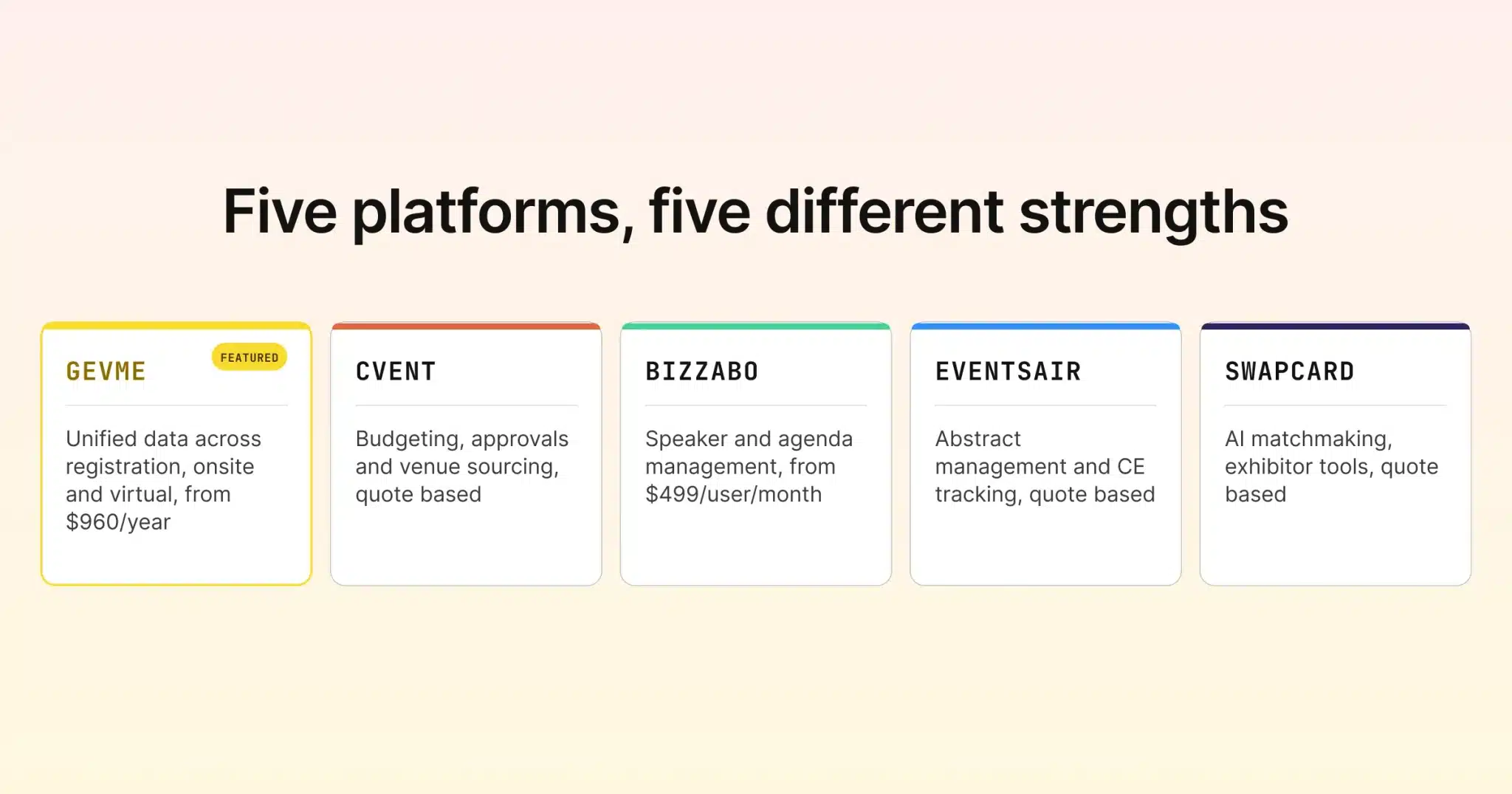
- The platforms event teams actually compare include Gevme, Cvent, Bizzabo, EventsAIR, and Swapcard. Each brings a different strength depending on event type and size.
- Cvent leans hardest into budgeting, approvals, and venue sourcing, useful for large programs with multiple stakeholders signing off on spend.
- EventsAIR has a strong track record with associations and scientific or medical conferences, particularly for abstract management and continuing-education tracking.
- Pricing varies widely. Gevme’s registration and virtual products start at $960/year per product line, Bizzabo starts around $17,999/year, and Cvent, EventsAIR, and Swapcard are all quote-based.
- The right platform depends on your event type and format mix more than any single feature list. An association conference, a sales kickoff, and a hybrid trade show don’t need the same tool.
What to Look for in Event Project Management Software
A platform built for event project management should hold up across the full lifecycle, not just one stage of it.
- Budgeting and approvals. Larger events usually involve multiple stakeholders signing off on spend, venue deposits, catering, AV, sponsorship costs. Look for built-in budget tracking and approval chains rather than managing that in a spreadsheet on the side.
- Vendor and venue sourcing. For in-person and hybrid events, sourcing and comparing venues, catering, and other vendors is its own workflow. Some platforms build this in directly; others assume you’re bringing that decision to the table already made.
- Task coordination across teams. Even a dedicated event platform needs some way to assign responsibilities and track deadlines across marketing, production, and operations. This is usually lighter-weight than a standalone task board, though, focused on event milestones rather than granular daily tasks.
- Registration and attendee data. This is where general project tools fall away entirely. Event software needs to handle registration forms, ticketing, and attendee records. Ideally, that data stays connected to everything else happening around the event.
Execution, Reporting, and Scale
- Onsite and virtual execution. Run-of-show tools, check-in and badging, and virtual or hybrid session delivery all need to work off the same data as registration. It shouldn’t be a separate export that goes stale the moment the event starts.
- Reporting. Post-event reporting, attendance, engagement, budget actuals versus plan, closes the loop. It’s often what determines whether the next event gets a bigger budget or a smaller one.
- Multi-event and team management. If you’re running more than one event a year, or several teams are running events in parallel, check how a platform handles templates, reusable registration forms, and visibility across events. That beats rebuilding the same setup from scratch every time.
None of these need to live in a separate tool. The strongest event project management software handles all of it in one connected system. A change to your registration form doesn’t require updating three other places, and a budget approval doesn’t sit disconnected from the vendor it was approved for.
Common Planning Workflows to Test During a Demo
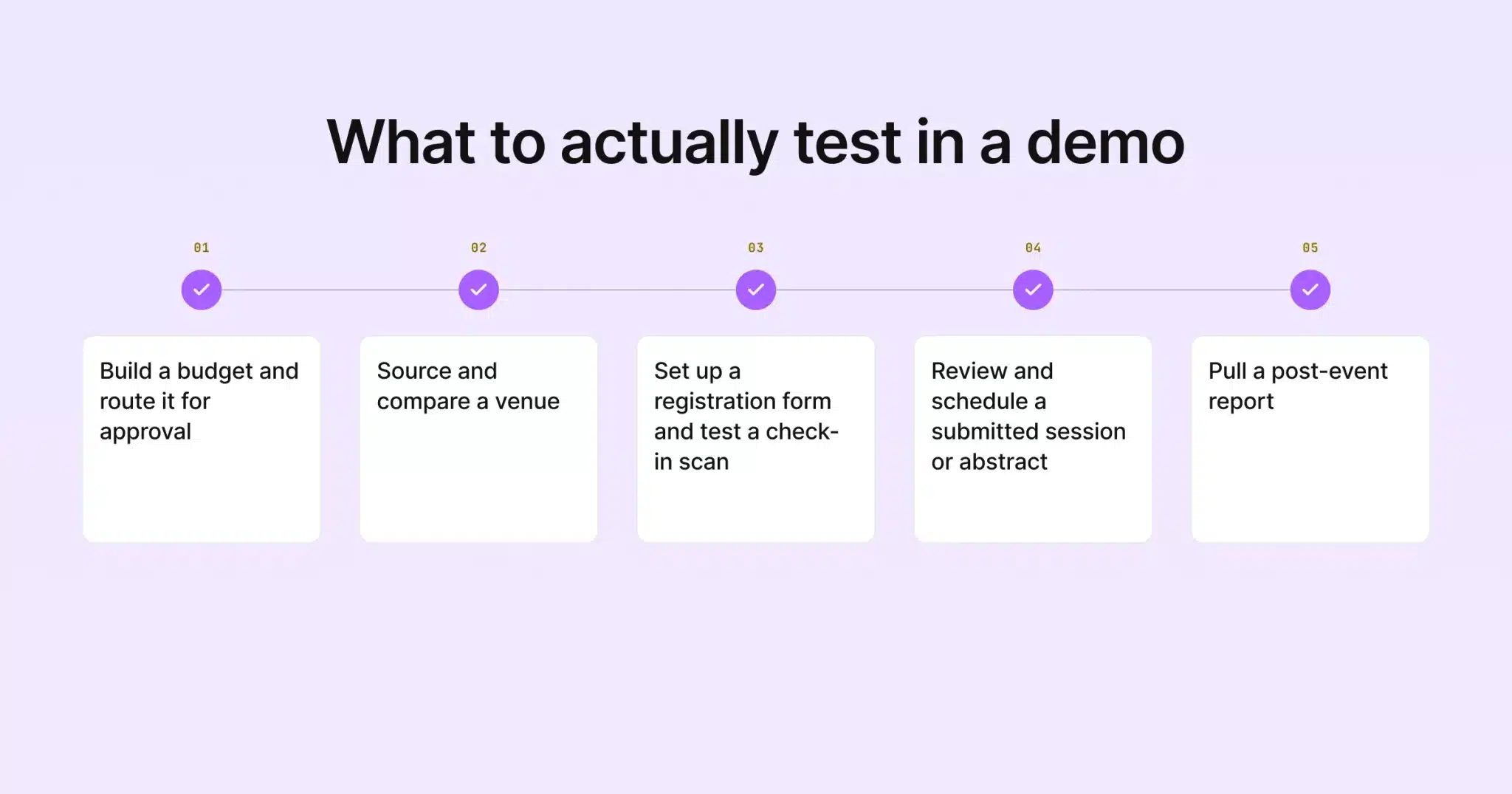
Feature lists tend to look similar across vendors on paper. What actually separates these platforms shows up once you try to run a real workflow through them. A few worth testing directly:
- Building a budget and routing it for approval. Ask to see how a cost line gets created, attached to a vendor or category, and routed to an approver. Ask what happens once it’s approved, too. This is where Cvent’s depth tends to show most clearly.
- Sourcing and comparing a venue. If in-person or hybrid delivery matters to you, ask how the platform handles comparing venue options. It shouldn’t just handle booking one you’ve already chosen.
- Setting up a registration form and testing a check-in scan. This is the core of the attendee-facing side, and seeing it end to end matters. That’s everything from the form a registrant fills out to the scan that checks them in at the door.
- Reviewing and scheduling a submitted session or abstract. For association and conference organizers, this workflow alone can be the deciding factor. It’s a genuinely specialized need that not every platform handles well. And it’s easy to overlook until you’re mid-cycle with a backlog of submissions to review.
- Pulling a post-event report. Ask what a report actually looks like the day after the event, not just what fields are theoretically available.
The Platforms Event Teams Actually Compare
Gevme
Gevme is built around three connected pillars: registration, on-site check-in and badging, and a virtual venue. All three share the same attendee data instead of living in separate systems. That data unification is the real planning advantage. Instead of a task list that references an event, planners get one live source of truth that tracks who registered, who checked in, and what they engaged with, across every format. For the execution side of event planning, keeping registration, on-site, and virtual data in sync in real time solves a coordination problem. That’s one a generic task list simply can’t touch.
Pricing for the Registration Platform and Virtual Venue Platform starts at $960/year for Starter and $2,160/year for Pro on each, per Gevme’s pricing page, checked mid-August 2026. A free tier is available on the virtual side, plus custom Enterprise quotes on both. Gevme’s broader event ecosystem also covers AI content tools and post-event impact measurement, useful for the reporting stage once an event wraps.
Cvent
Cvent covers the widest span of the planning lifecycle in this comparison. That includes registration, venue and vendor sourcing, event diagramming, and budgeting and approval workflows, alongside onsite check-in and support for hybrid and virtual formats. The budgeting and approvals piece in particular is a genuine planning strength. It’s built for larger programs where several stakeholders need to sign off on spend before anything gets booked. Cvent doesn’t publish pricing on its site. Per Cvent’s own site, checked mid-August 2026, visitors are directed to request a demo or contact sales for a quote.
Bizzabo
Bizzabo’s Event Experience OS is priced at $499 per user/month billed annually, with a 3-user minimum. That works out to a starting point of roughly $17,999/year, per Bizzabo’s pricing page, checked mid-August 2026. On the planning side, Bizzabo is strong on speaker and agenda management, sponsor and exhibitor coordination. It’s also strong at building out a full event program before doors open. Its Klik SmartBadge hardware and premium add-ons, advanced onsite features, CRM integrations, and custom-branded apps, are priced separately on a quote basis.
EventsAIR
EventsAIR structures pricing around three tiers: Single (one event), Multi (three or more events), and Enterprise (custom event volume). All three bundle unlimited registrations and 24/7 support. Per EventsAIR’s pricing page, checked mid-August 2026, none of the three tiers list a specific dollar figure publicly. Each requires a “get pricing” request. EventsAIR has a strong reputation specifically with associations and scientific or medical conferences. Its continuing-education tracking and abstract management features cover a planning workflow most general platforms don’t touch at all: reviewing, scheduling, and managing submitted research papers or presentations.
Swapcard
Swapcard prices annually based on attendee volume rather than a flat per-seat rate. Per Swapcard’s pricing page, checked mid-August 2026, its Event Features plans scale from Starter (up to 200 attendees/year) to Professional (up to 1,000 attendees/year) to Enterprise (unlimited). Separate add-on tiers cover exhibitor services and support levels. Swapcard’s planning strength is on the networking and matchmaking side. That’s useful for trade shows and conferences where connecting attendees, sponsors, and exhibitors is as much a planning goal as the sessions themselves. No flat dollar figures are published; pricing requires a live demo request.
A Few Terms Worth Knowing
BEO (Banquet Event Order) is a venue’s internal document detailing room setup, catering, and timing for an event. It’s typically managed through venue-side software rather than an event platform.
Attendee-facing means any feature the person attending the event interacts with directly, like a registration form, a ticket, or a check-in scan. That’s as opposed to internal-only planning tools.
Run of show: the minute-by-minute schedule for an event day, covering sessions, speakers, and transitions.
Abstract management is the process of collecting, reviewing, and scheduling submitted research papers or presentations. It’s a common requirement for academic and medical conferences.
Quote-based pricing is a pricing model where the vendor doesn’t publish a flat rate. Instead, cost is calculated based on your specific event size, format, or feature needs after a sales conversation.
Event Project Management Software Compared, 2026
| Platform | Best For | Planning Features | Starting Price |
|---|---|---|---|
| Gevme | Unified data across registration, onsite, and virtual | Shared attendee data across all formats, real-time reporting | $960/year per product line (Starter) |
| Cvent | Large enterprise programs needing budgeting/approvals | Budgeting, approvals, event diagramming, venue sourcing | Quote based, no published numbers |
| Bizzabo | Mid-to-large conferences wanting an all-in-one OS | Speaker/agenda management, sponsor and exhibitor tools | $499/user/month (3-user minimum) |
| EventsAIR | Associations and scientific/medical conferences | Abstract management, CE tracking, multi-event workflows | Quote based, no published numbers |
| Swapcard | Networking-heavy conferences and trade shows | AI matchmaking, exhibitor and sponsor management | Quote based, no published numbers |
Sources: figures above come from each platform’s own pricing or product pages, checked mid-August 2026: Gevme, Cvent, Bizzabo, EventsAIR, Swapcard. Vendor pricing pages change, so it’s worth confirming directly before you budget against any figure here.
How to Choose the Right Event Project Management Software
Start with your event type, since that narrows this list faster than any feature comparison. Running association meetings, scientific conferences, or anything involving abstract submissions and continuing-education credits points toward EventsAIR. That workflow is a core strength there, rather than an add-on. Large enterprise programs with multiple departments and a formal budget sign-off process point toward Cvent. It has real depth in budgeting, approvals, and venue sourcing. A networking-heavy trade show or expo points toward Swapcard’s matchmaking tools, since connecting attendees and exhibitors matters as much as the agenda. A mid-to-large conference wanting a single all-in-one system for speakers, sponsors, and agenda management points toward Bizzabo. And events that span onsite, virtual, and hybrid formats point toward Gevme, where keeping registration, check-in, and session data connected in real time matters most.
Event frequency matters too. A team running one flagship event a year has different needs than one running a continuous calendar of conferences. Higher-frequency programs tend to get more value from a platform’s reusable templates, saved workflows, and multi-event pricing tiers. Several of the platforms above, including EventsAIR and Cvent, structure pricing specifically around running more than one event.
Budget and Format Fit
Budget should be framed around your actual event volume and attendee count, not a flat monthly seat price the way general software is often priced. Most of the platforms here scale cost with event size or attendee volume. That means getting an accurate number typically requires describing your real event calendar to a sales team, rather than picking a tier off a public price list.
Format mix is worth mapping out too. An organization running purely in-person events has a different shortlist than one that’s fully virtual. Most teams today sit somewhere in between: some events entirely onsite, some hybrid, occasionally a fully virtual webinar series. A platform that treats virtual and hybrid delivery as a true equal to in-person, rather than a bolted-on feature, tends to hold up better as your format mix shifts year to year. Switching platforms mid-cycle is disruptive enough that most teams would rather get this call right the first time.
Pro Tip: Map Your Planning Workflow Before You Demo
Before taking a single sales call, write out your actual planning workflow: who approves budget, how vendors get sourced, what your registration process looks like today, and what breaks most often on event day. Walking into a demo with that list turns a generic feature tour into a direct comparison against your real bottlenecks. It’s usually the fastest way to tell whether a platform’s “planning features” actually solve your problem or just sound good in a sales deck.
Frequently Asked Questions
Event project management software is built around the specific mechanics of running an event: registration, vendor and venue sourcing, budgeting tied to event costs, onsite check-in, and virtual or hybrid delivery. General project management software tracks tasks and timelines but has no concept of a ticket type, a check-in scan, or attendee data. So it can support the internal planning conversation, but it can’t run the event itself.
At minimum, look for budgeting and approval workflows, vendor or venue sourcing support, registration and ticketing, and some form of task coordination across your team. If your events include onsite or virtual components, add check-in and badging, and virtual or hybrid session delivery to that list. Add reporting once the event wraps, too.
Pricing varies significantly by platform and event volume. Gevme’s registration and virtual products start at $960/year per product line. Bizzabo starts around $17,999/year for its Event Experience OS. Cvent, EventsAIR, and Swapcard are all quote-based, with the final number depending on your event size and feature needs.
Cvent is the platform in this comparison with the most built-in budgeting and approval workflow. It’s designed for larger programs with multiple stakeholders signing off on spend before anything gets booked.
Still Have Questions?
EventsAIR has the strongest track record here, with continuing-education tracking and abstract management features built specifically for that kind of program. For associations also running hybrid or virtual formats with an emphasis on unified attendee data, Gevme is worth including in that comparison too.
No, and it’s worth being upfront about that. Gevme’s planning strength is keeping registration, on-site check-in, and virtual attendee data connected in one place rather than managing budget approvals. If budgeting and multi-stakeholder sign-off is your top priority, Cvent is the stronger fit on that specific need. If unified execution data across formats is the priority, Gevme is.
This varies by platform and by how much you’re migrating from an existing process. A single event with a straightforward registration flow can often be set up in days on most of these platforms. Multi-event programs, or ones migrating years of association data, abstract submissions, or complex approval chains, typically take longer. Asking any vendor for a realistic timeline based on your specific setup, rather than a generic estimate during the sales process, tends to give a far more useful answer.
Yes, and it’s one of the more meaningful differences between platforms once you look closely. EventsAIR and Cvent both structure pricing and workflows around running multiple events, with templates and reusable setups built in. Gevme, Bizzabo, and Swapcard support running multiple events as well. It’s worth confirming during a demo, though, how much setup carries over from one event to the next versus starting fresh each time.
Conclusion: Matching the Platform to the Event
Every platform in this comparison is genuinely good at something specific. Cvent’s budgeting and approval depth suits large, multi-stakeholder programs. EventsAIR’s decades of focus on associations and scientific conferences are hard to match for that audience. Bizzabo brings a strong all-in-one experience for mid-to-large conferences, and Swapcard’s matchmaking tools stand out for networking-heavy events.
For teams running events across onsite, virtual, and hybrid formats, Gevme is built around exactly that kind of connected execution. Keeping registration, check-in, and session data connected in one place matters more than any single planning feature. If that sounds like your next event, it’s worth a look at Gevme’s platform or a demo to see how it fits your actual planning workflow.