Every event has them. Someone clicks your registration link, starts filling in the form, types their name and email, and then stops. A meeting starts, the phone rings, they want to check the date with a colleague, or they simply get distracted. They meant to come back. Most of them never do, unless you remind them.
An abandoned sign-up is a registration that someone started but did not finish. A registration reminder email, often called an abandoned cart email, is a short message sent to that person afterwards, with a link that takes them straight back to their half-finished form. Online shops have used these emails for years to recover lost sales. For event organisers, the same idea recovers registrations you have already done the hard work to attract.
This guide covers why people abandon event registration, how abandoned sign-up recovery works, how many reminders to send and when, seven abandoned cart email templates you can copy, how to write reminders people act on, how to fix the form so fewer people drop off in the first place, and how to set up automated reminders in Gevme.
Key Takeaways
- Capture abandoned sign-ups as early as possible, ideally once the person has entered their name and email.
- Send each reminder with a personalised link that reopens the form with everything they already typed, so finishing takes seconds.
- Plan two to four reminders spread over the registration period, timed by how long ago the person stopped and by key dates such as early bird deadlines.
- Keep each reminder short, friendly and focused on one action: finishing the registration.
- Use honest urgency based on real deadlines, such as ticket sales ending or limited seats, and avoid invented pressure.
- Fix the reasons people drop off, including long forms, surprise costs and unclear payment options, alongside sending reminders.
- Track how many pending sign-ups turn into completed registrations and adjust timing and wording for your next event.
Why People Abandon Event Registration
People abandon event registration for ordinary, fixable reasons. Few of them have decided against your event. Most were interrupted, unsure about one detail, or put off by something on the form.
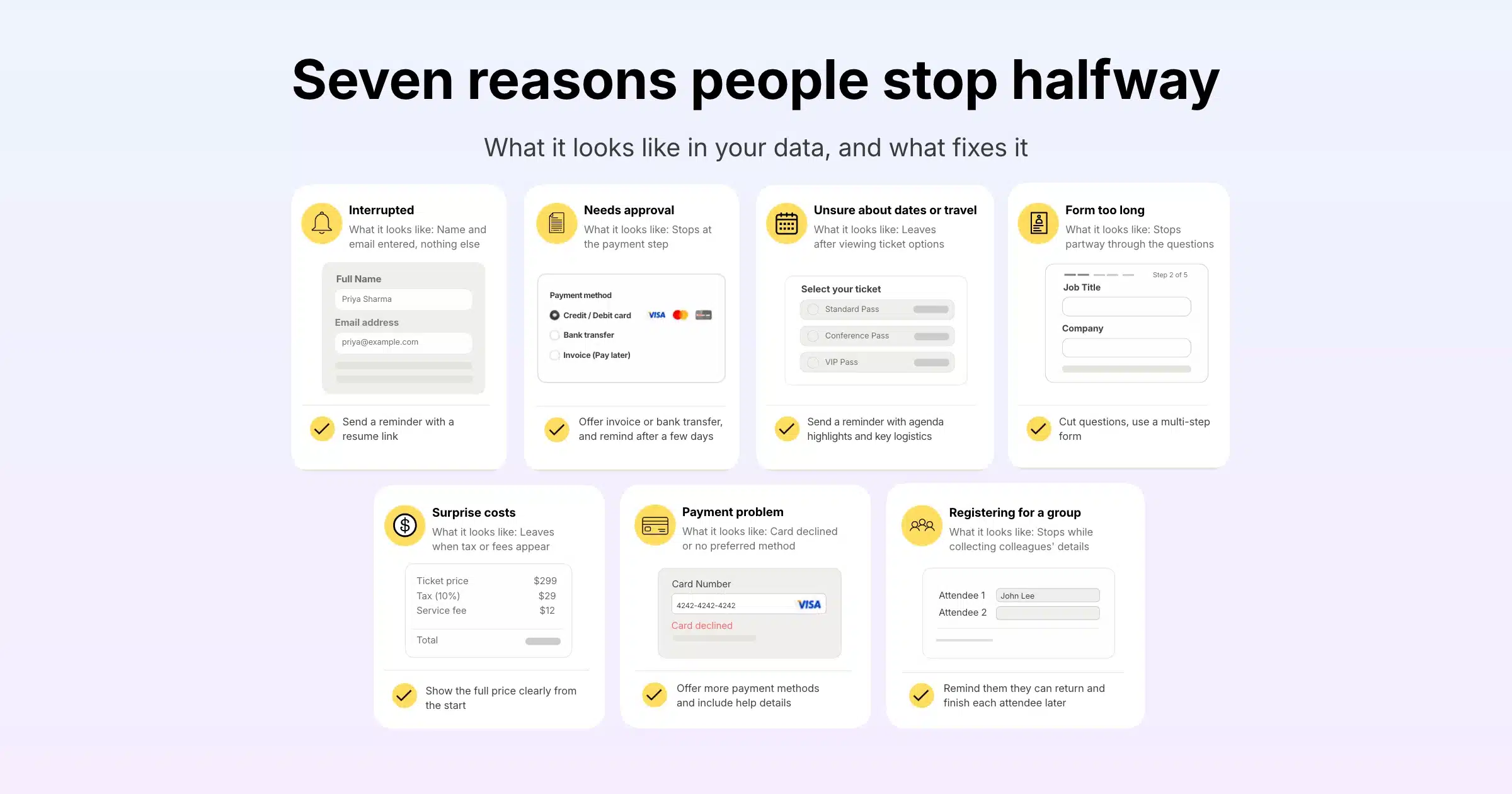
| Reason | What it looks like | How to fix it |
|---|---|---|
| Interrupted | Name and email entered, nothing else | Send a reminder with a resume link |
| Needs approval | Stops at the payment step | Offer invoice or bank transfer, and send a reminder after a few days |
| Unsure about dates or travel | Leaves after viewing ticket options | Reminder with agenda highlights and key logistics |
| Form too long | Stops partway through the questions | Cut questions, use a multi-step form |
| Surprise costs | Leaves when tax or fees appear | Show the full price clearly from the start |
| Payment problem | Card declined or no preferred method | Offer more payment methods and include help details in the reminder |
| Registering for a group | Stops while collecting colleagues’ details | Remind them they can return and complete each attendee later |
The Approval Gap
Business events such as conferences have a reason ecommerce rarely faces: many attendees need a manager’s approval or a purchase order before they can pay. They start the form to see the price, then stop to ask. A reminder a few days later, with an invoice option and a short summary they can forward, often brings them back once approval comes through.
Group Registrations
When one person registers several colleagues, they may not have every attendee’s details to hand. A reminder that lets them pick up where they stopped, with their earlier entries still in place, saves them from starting over.
How Abandoned Sign-Up Recovery Works
Abandoned sign-up recovery works by saving partial registrations, then emailing each person a personalised link back to their own form. The process has three parts.
1. Capture the Partial Registration
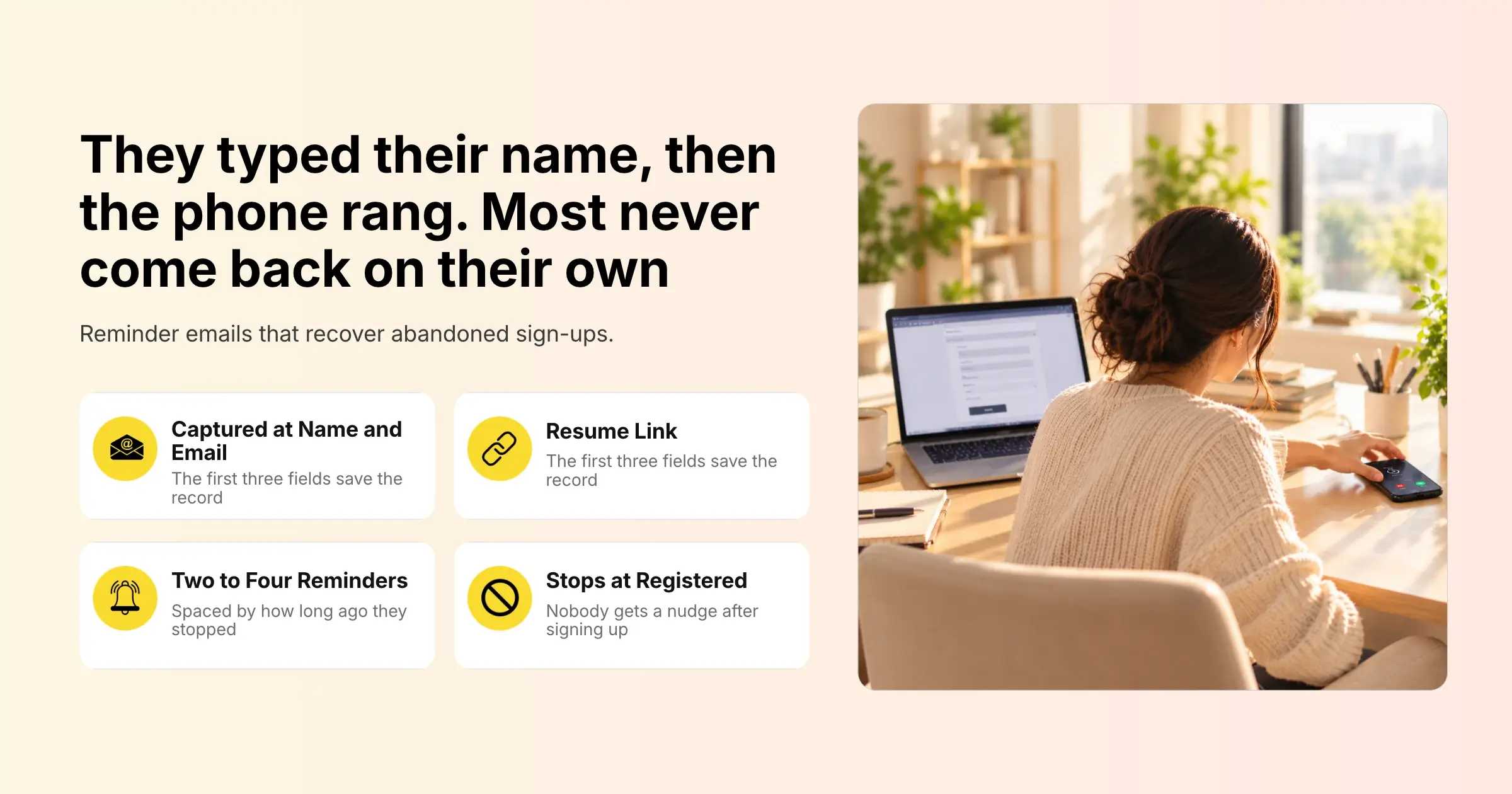
The registration system saves a record as soon as the person has entered enough information to contact them, usually their name and email. Anything else they typed is saved too. Without an email address there is no way to follow up, which is why name and email should be the first fields on your form.
2. Send Reminders With a Resume Link
Each saved record gets a personal link that reopens the registration form with the person’s previous answers already filled in. The reminder email carries that link, usually as a clear button. One click, and they are back exactly where they left off.
3. Stop When They Register
Once the person completes their registration, their record changes from pending to registered and they stop receiving reminders. Nobody should get a “you forgot to finish” email after they have already signed up.
How Many Reminders to Send and When
Most events recover the most sign-ups with two to four reminders, spaced out so each one arrives at a sensible moment. Timing works best when it is based on how long ago the person stopped, adjusted for your event’s key dates.
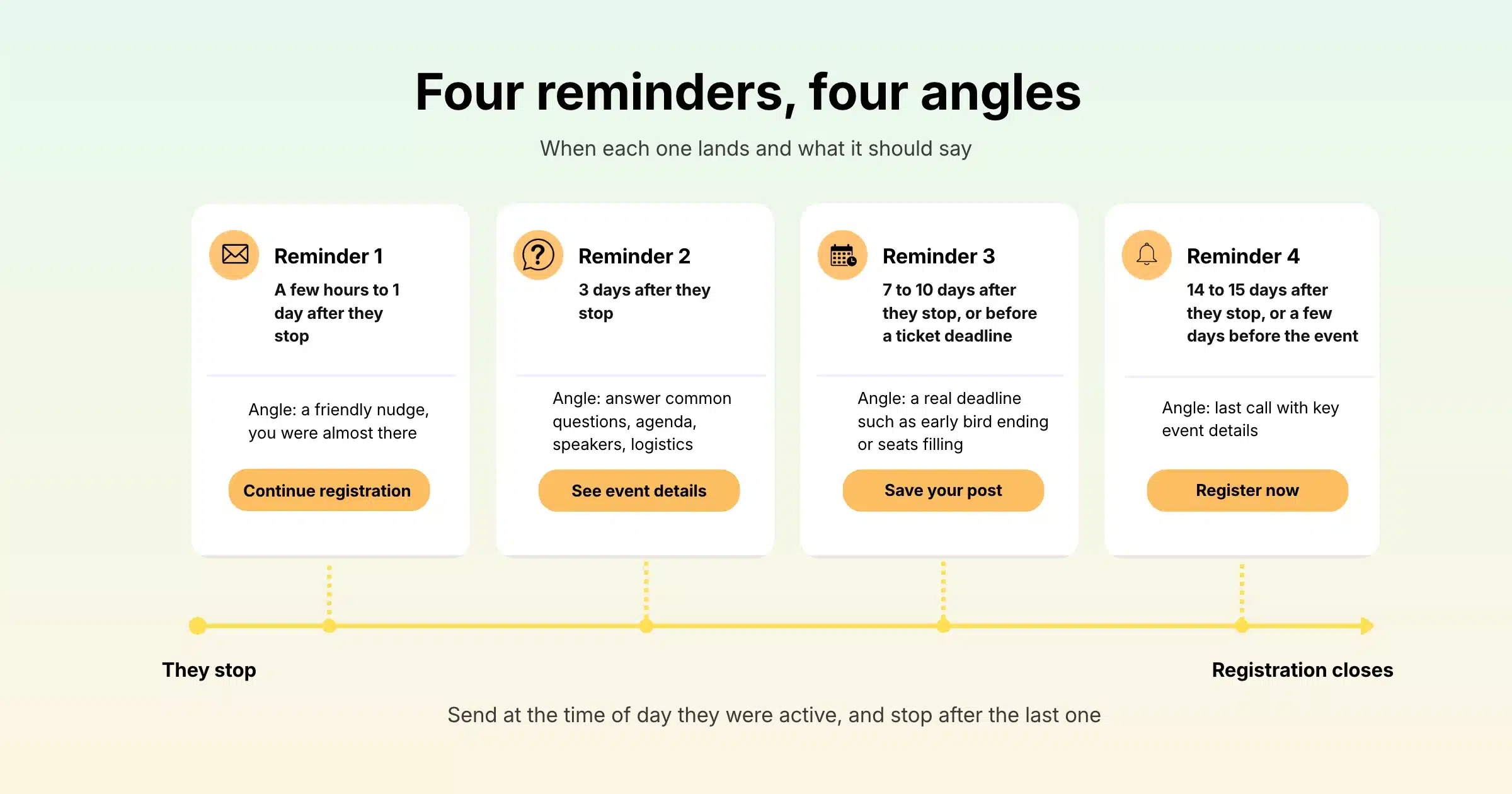
| Reminder | Suggested timing | Angle |
|---|---|---|
| Reminder 1 | A few hours to 1 day after they stop | Friendly nudge: “You were almost there” |
| Reminder 2 | 3 days after they stop | Answer common questions: agenda, speakers, logistics |
| Reminder 3 | 7 to 10 days after they stop, or before a ticket deadline | Real deadline: early bird ending, price change, seats filling |
| Reminder 4 | 14 to 15 days after they stop, or a few days before the event | Last call with key event details |
Fit the Timing to Your Event
For an event that is months away, spreading reminders over two weeks or more works well, because people have time to get approval. For an event happening next week, compress the schedule: the same day, the next day and two days before registration closes. If your early bird deadline or ticket sales end date falls inside the reminder window, time one reminder to arrive a few days before it.
Send at the Time They Were Active
People tend to deal with work email at similar times each day. If someone started registering at 10am, a reminder that arrives around 10am is more likely to land when they are at their desk and able to finish.
Know When to Stop
Four reminders is plenty for most events. After that, further emails risk annoying people and pushing them to unsubscribe from your future communications. If someone has not returned after the last reminder, let them go.
Seven Abandoned Cart Email Templates for Event Registration
Copy these templates and adjust the wording, details and links for your event. Words in square brackets are placeholders to replace with your own details or personalisation fields.
Template 1: The Friendly Nudge (Reminder 1)
Subject: [First name], your registration for [Event Name] is almost done
Hi [First name],
You started registering for [Event Name] but did not quite finish. We have saved your details, so it only takes a minute to complete.
[Button: Complete my registration]
See you on [Event Date],
[Organiser name]
Template 2: The Helpful Answers (Reminder 2)
Subject: Questions about [Event Name]? Here are the key details
Hi [First name],
If you paused your registration to check a few details, here is what you need to know:
- When: [Date and time, with time zone]
- Where: [Venue or “Online”]
- Highlights: [Two or three sessions or speakers]
- Who attends: [Short description of the audience]
Your saved registration is waiting for you.
[Button: Finish registering]
Reply to this email if anything is unclear and our team will help.
[Organiser name]
Template 3: The Approval Helper (For Business Events)
Subject: Need approval for [Event Name]? Here is a summary to share
Hi [First name],
Many of our attendees need sign-off before they register, so here is a quick summary you can forward to your manager:
- [Event Name], [Date], [Venue or format]
- Ticket price: [Price], [tax inclusive or exclusive]
- What you will gain: [One or two lines]
- Payment options: [Card, bank transfer, invoice]
When you are ready, your registration is saved and ready to finish.
[Button: Complete my registration]
[Organiser name]
Template 4: The Real Deadline (Reminder 3)
Subject: Early bird pricing for [Event Name] ends on [Date]
Hi [First name],
A quick reminder that early bird tickets for [Event Name] end on [Date]. After that, the price moves to [New price].
Your registration is saved, so you can lock in the lower price in under a minute.
[Button: Finish and save on my ticket]
[Organiser name]
Template 5: The Last Call (Final Reminder)
Subject: Last chance to register for [Event Name]
Hi [First name],
Registration for [Event Name] closes on [Date]. We would love to see you there.
Your details are still saved, and the link below takes you straight back to your form.
[Button: Complete my registration]
If your plans have changed, no need to reply. This is the last reminder we will send about this registration.
[Organiser name]
Template 6: Free Event Version
Subject: Your free place at [Event Name] is not confirmed yet
Hi [First name],
You started registering for [Event Name], but your place is not confirmed until you finish. It is free, and your details are already filled in.
[Button: Confirm my place]
[Organiser name]
Template 7: Group Registration Version
Subject: Finish registering your team for [Event Name]
Hi [First name],
You started registering a group for [Event Name]. We have saved what you entered, so you can add the remaining attendee details whenever you are ready.
[Button: Continue my group registration]
[Organiser name]
How to Write Reminders People Act On
People act on reminders that are short, personal and easy to complete. The template matters less than these basics.
Make the Subject Line Specific
Use the event name and, where you can, the person’s first name. “Your registration for [Event Name] is almost done” tells them exactly what the email is about. Vague subjects such as “Don’t miss out!” look like promotional mail and are easy to ignore.
One Button, One Action
Every reminder should have a single, clear button that leads to the saved form. Extra links to your website, social channels or other events pull attention away from the one thing you want them to do.
Use Honest Urgency
Deadlines work when they are real: early bird pricing ending, ticket sales closing, a capacity limit. Invented countdowns damage trust, and business attendees notice them. If there is no deadline, the friendly nudge and helpful answers templates do the job without pressure.
Remove the Reasons to Wait
Answer the questions that stop people: date and time with the time zone, venue or online access, price including tax, and payment options. If approval is a common blocker for your audience, make the approval template one of your reminders.
Send From a Name They Recognise
Use the organiser name or event name that appeared on the registration page, and a reply-to address your team checks. Reminders from an unfamiliar sender are more likely to be ignored or marked as spam.
Fix the Form So Fewer People Drop Off
Reminders recover sign-ups, but a better form prevents many of them from being lost at all. Look at where people stop and remove the friction.
Ask Fewer Questions
Every extra question lowers the number of people who finish. Keep the registration form to what you need for the event and for follow-up. Gevme’s form builder lets you show certain questions only to certain ticket types, and add follow-up questions that appear only when relevant, so most people see a shorter form.
Use a Multi-Step Form
Long forms feel less daunting when they are split into steps. Gevme Registration offers a step-by-step registration form, and when it is paired with the Abandoned Cart feature, even people who stop partway are captured once they have entered their name and email on the first step.
Pre-Fill What You Already Know
If you are inviting known contacts or members, pre-filled forms let them confirm their details instead of retyping them. Returning attendees and invitees see their information already in place, which shortens the form for your warmest audience.
Show the Full Price and Offer the Right Payment Methods
Surprise costs are one of the most common reasons people stop at the payment step. Show whether prices include tax, and offer the payment methods your audience uses. Gevme supports card payments through 20+ payment gateways, plus bank transfer, cheque, pay at the event and Gevme Pay. Bank transfer is especially helpful for attendees whose companies pay by invoice.
Setting Up Abandoned Sign-Up Reminders in Gevme
Gevme Registration includes an Abandoned Cart add-on that saves partial registrations and sends automated reminders with resume links. Here is how it works.
Turn On Abandoned Cart
Abandoned Cart is an add-on, so it is enabled for your account by contacting cs@gevme.com or your Gevme account manager. Once it is enabled, go to Manage, then Abandoned Cart, and switch on the toggle. From that point, Gevme starts tracking people who drop off during registration.
When a Sign-Up Is Captured
Gevme saves an abandoned cart record once the buyer completes the first three fields: first name, last name and email. Any other information they enter is stored as well, and there is one record per buyer email address.
Review Abandoned Sign-Ups in the Grid
All records appear in a grid showing each person’s status (Pending or Registered), any promotion code they used, cart age, when the record was created and last updated, their name, email and other buyer form fields, and their personal abandoned cart link. You can filter the grid, manage records and export them to CSV, which is useful if your sales team wants to follow up personally with high-value prospects.
Build Your Reminder Templates
Create your reminder emails in the Email Template section using Gevme’s drag-and-drop email builder. Personalise them with abandoned cart data fields, such as the person’s name, and add the abandoned cart link either as a hyperlink in the text or as a call-to-action button. A button is usually the clearer choice.
Schedule Up to Five Reminders
You can schedule up to five reminders, each with its own name, email template, recipient list, sender and reply-to address. The sender comes from your organiser profile, and the reply-to address is chosen from your whitelisted options. Recipients are usually the Abandoned Cart Pending list, and you can also use a smart list or a static list for more targeted reminders.
There are two scheduling options. A fixed schedule sends reminders daily or on chosen weekdays at a set time. The cart age option, which Gevme recommends, sends each reminder based on how long ago the cart was abandoned, at the same time of day the person dropped off. For example, you could send one reminder three days after abandonment and another after fifteen days. Reminders are switched on by default when you save them and can be edited or deleted at any time.
The Abandoned Cart setup guide in the Gevme Registration knowledge base walks through each setting with screenshots.
Measure What You Recover
Watch how many records move from Pending to Registered after each reminder, and compare email statistics such as opens and clicks for each template. If the first reminder brings most people back, consider sending it sooner. If the deadline reminder performs best, make sure it always goes out a few days before your early bird or sales end date. You can explore more automation options on Gevme’s event booking automation page.
Privacy and Good Practice
Abandoned sign-up reminders reach people who chose to give you their email for this event, so keep the messages tied to that registration. Do not add them to unrelated marketing lists unless they gave consent for that on the form. Include clear organiser contact details, and make sure your registration form explains how personal data is used, in line with the privacy laws that apply to your attendees, such as PDPA in Singapore or GDPR in Europe.
Gevme’s trust centre lists ISO 27001, ISO 27017, ISO 27018 and SOC 2 Type 2 certifications, along with GDPR, PDPA and CCPA compliance, and Gevme never sells attendee data.
Common Mistakes With Abandoned Sign-Up Emails
| Mistake | What happens | Fix |
|---|---|---|
| Asking for email late in the form | Drop-offs cannot be captured | Put name and email first |
| Sending reminders after people register | Annoyed attendees and lost trust | Send only to the pending list |
| No resume link | People must start again and many give up | Use the personal abandoned cart link as a button |
| Too many reminders | Unsubscribes and spam complaints | Two to four reminders, then stop |
| Fake urgency | Business attendees lose trust | Mention only real deadlines |
| Generic sender name | Low opens | Use the organiser or event name |
| Ignoring the form itself | The same drop-off keeps happening | Shorten the form and show full pricing |
A Few Terms Worth Knowing
- Abandoned cart: a registration or purchase that someone started but did not complete.
- Resume link: a personal link that reopens a form with the person’s earlier answers already filled in.
- Cart age: how long ago a person stopped their registration, used to time reminders.
- Pending list: the list of people who started registering but have not yet completed it.
Pro Tip
Before your next event goes live, start a registration yourself, stop after the first step and let the abandoned cart reminders reach your own inbox. Read each one on your phone, click the button and finish the form from the email. You will spot broken links, confusing wording and timing that feels too pushy long before an attendee does, and you will see the experience exactly as your drop-offs see it.
Frequently Asked Questions
An abandoned cart email for event registration is a reminder sent to someone who started registering but did not finish. It includes a personal link that takes them back to their saved form, so they can complete the registration without retyping their details.
Most events should send two to four abandoned registration reminders. Space them out based on how long ago the person stopped, and stop after the final reminder so you do not push people to unsubscribe.
The first reminder should go out within a few hours to one day after someone stops registering. At that point the event is still on their mind, and many people simply need a nudge to finish.
Yes, abandoned cart reminders work for free events too. People still get interrupted or forget, and a reminder that their place is not confirmed until they finish is often all it takes.
Gevme captures an abandoned registration once the buyer completes the first three fields: first name, last name and email. The record is saved with anything else they entered, and it moves from Pending to Registered when they complete the registration.
You can schedule up to five reminders in Gevme’s Abandoned Cart add-on. Each reminder can use a fixed schedule, such as daily or chosen weekdays, or the recommended cart age option, which sends it a set time after the person abandoned their registration.
Abandoned Cart is a paid add-on for Gevme Registration, enabled through cs@gevme.com or your Gevme account manager. Once it is enabled, you switch it on under Manage, then Abandoned Cart.
Conclusion: Bring Back the Registrations You Almost Had
The people who abandon your registration form were interested enough to start. A short, well-timed reminder with a link straight back to their saved form is often all they need. Capture sign-ups early, send two to four helpful reminders around real deadlines, keep each email focused on one action and keep improving the form so fewer people drop off in the first place.
Gevme’s Abandoned Cart add-on handles the work automatically, from saving partial registrations and generating personal resume links to scheduling up to five reminders by cart age, all inside the same event registration software that runs your forms, payments and attendee data. To see how many sign-ups you could recover at your next event, request a demo and our team will show you how it works.