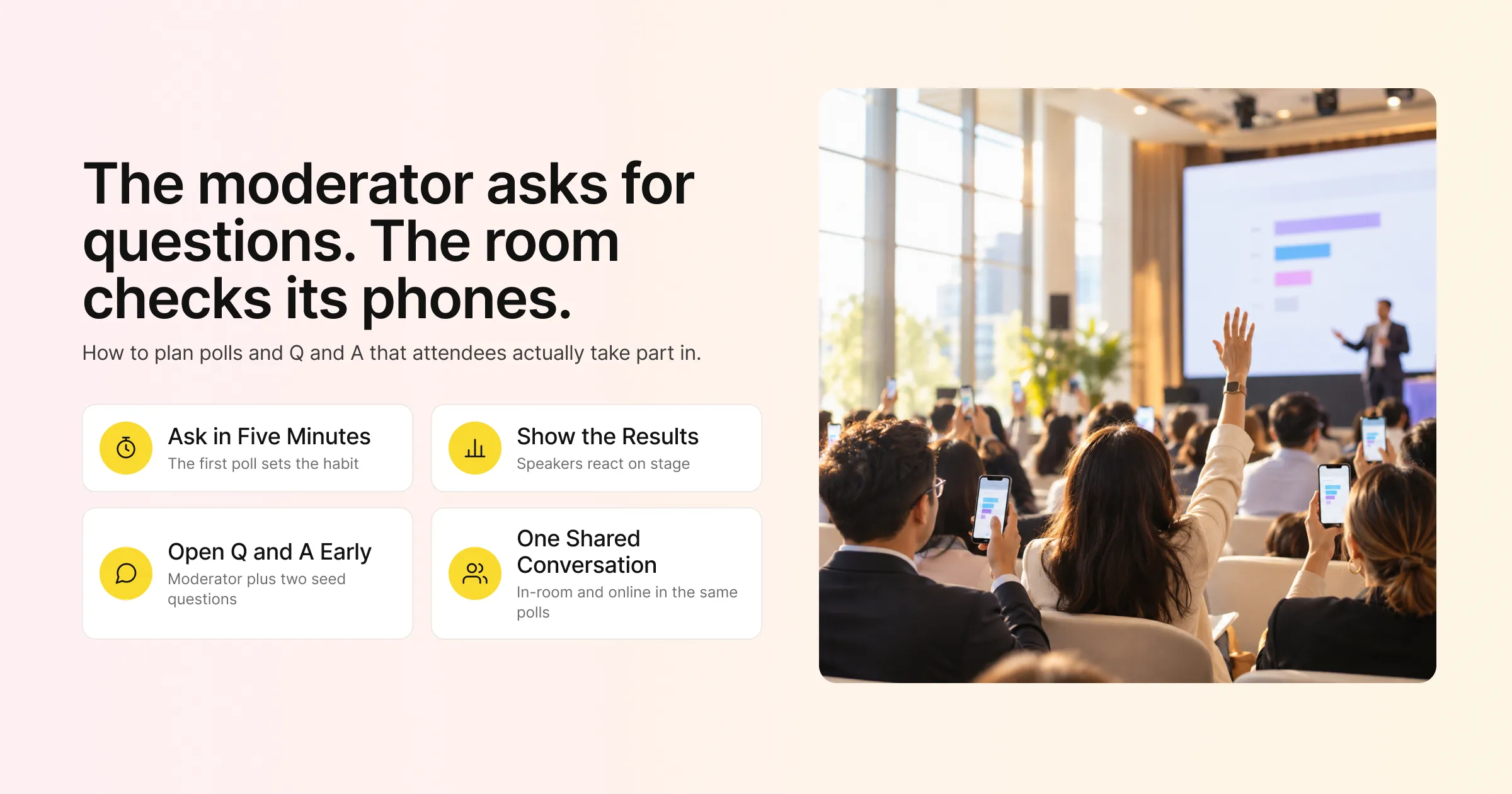
You’ve seen it happen. The moderator asks, “Any questions?”, the room goes quiet, someone checks their phone, and the session ends five minutes early. Online, it’s worse: a poll pops up, a handful of people vote, and the results slide shows three answers from a crowd of 400.
The tools aren’t the problem. Most events have polls and Q&A switched on. Participation drops because the questions are dull, the timing is wrong, nobody explains what happens next, or the person on stage treats engagement as an afterthought. Event engagement is the planned set of moments where attendees stop listening and start contributing, through polls, questions, chat and reactions, and those moments need the same planning as the agenda.
This guide covers why attendees stay silent, the types of polls that get answered, a ready-to-use poll question bank, how to run Q&A that produces good questions, timing and hosting tips for in-person, virtual and hybrid events, how to set up polls, Q&A and announcements in Gevme, and how to measure whether people took part.
Key Takeaways
Launch your first poll within the first five minutes of a session, with a question anyone can answer in two seconds, so attendees learn early that taking part is expected.
Show poll results straight after voting and have the speaker comment on them, because people stop voting when their answers disappear into a void.
Collect questions from the start of a session and keep them open throughout, instead of saving everything for the last five minutes.
Assign a moderator to choose the best audience questions for speakers, and prepare two or three seed questions in case the queue starts slowly.
In Gevme, polls can be pushed immediately, scheduled for a set date and time, or triggered a set number of minutes after a page loads, so they appear at the right moment.
For hybrid events, run one shared set of polls, Q&A and chat for both in-person and online attendees, so both groups take part in the same conversation.
Measure participation as a share of attendees in the session, and compare sessions to find which formats and speakers drive the most interaction.
Why Attendees Don’t Participate
Before fixing participation, it helps to know why people hold back. Most silence comes from a few predictable causes.
The First Ask Comes Too Late
If the first poll appears 40 minutes into a session, attendees have already settled into listening mode. Participation is a habit that forms early. Ask something in the first few minutes and people are far more likely to answer later questions.
The Question Is Hard or Pointless
“What are your thoughts on digital transformation?” takes effort to answer and feels like homework. “Which of these is your biggest challenge this year?” with four options takes two seconds. People also skip polls that seem to go nowhere, where the results are never mentioned again.
Nobody Wants to Go First
In a live Q&A, the first question is the hardest one to ask. People worry about looking uninformed in front of peers or their boss. Collecting questions in writing, through the event platform, removes much of that fear.
The Speaker Ignores the Input
If a speaker runs a poll and then carries on with their slides without mentioning the results, the audience learns that voting doesn’t matter. The next poll gets fewer votes.
It’s Hard to Find
On a virtual platform, a poll that appears in a corner while attendees are watching a video can go unnoticed. In a room, attendees may not know where to submit questions. Clear placement and a verbal prompt from the stage both help.
Types of Polls That Get Answered
Not every poll serves the same purpose. Mixing types across a session keeps attendees interested.
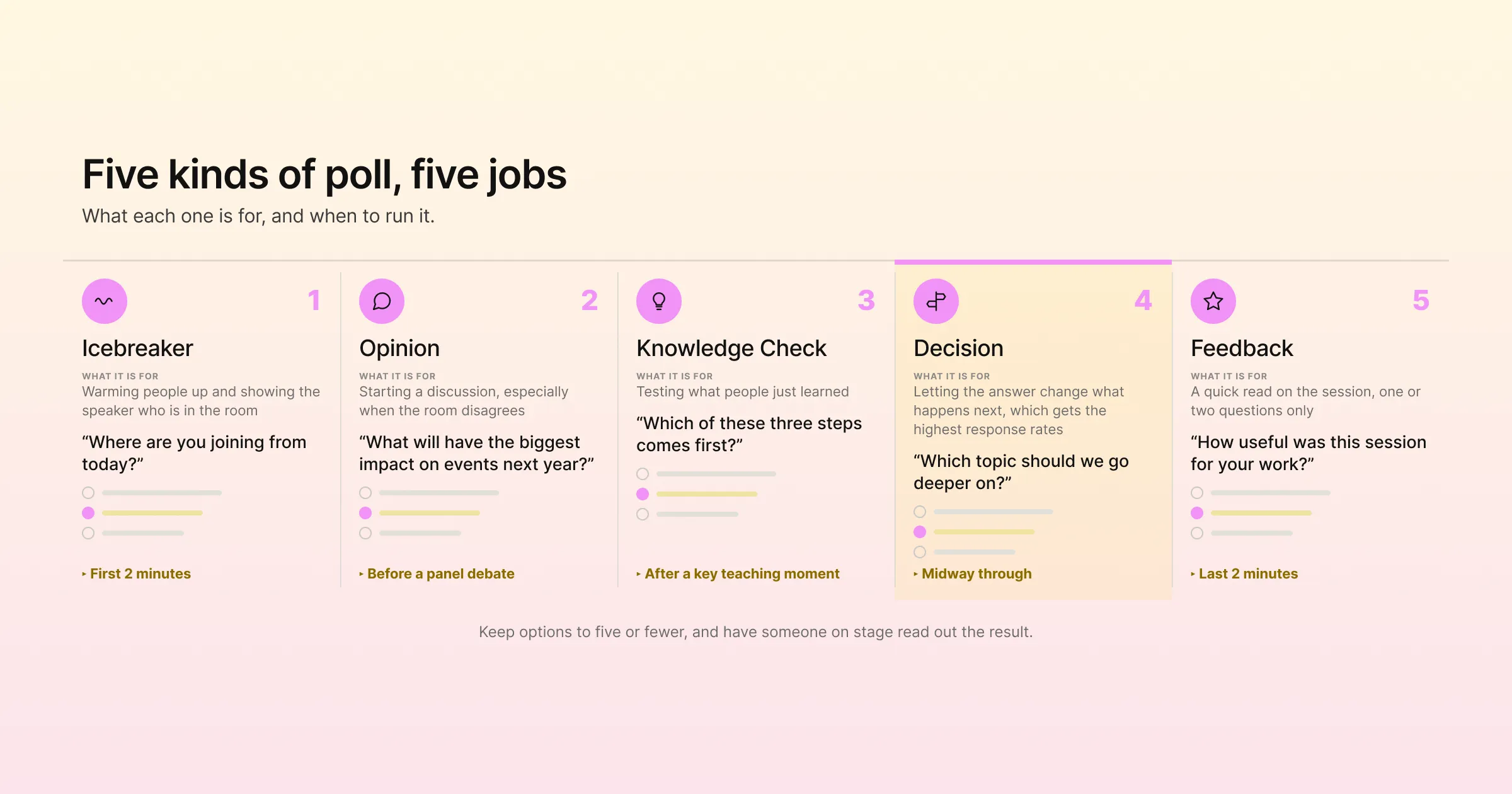
Icebreaker Polls
Light, easy questions at the start of a session, such as “Where are you joining from?” or “How many events does your team run each year?” They warm people up and show the speaker who is in the room.
Opinion Polls
Questions that ask for a view on a debate or trend, such as “Will in-person events grow, shrink or stay the same next year?” They make great discussion starters, especially when the room disagrees.
Knowledge Checks
Quick quiz questions that test what people just learned. They work well in training sessions and workshops, and a little competition keeps people alert.
Decision Polls
Questions where the answer changes what happens next, such as “Which case study should we cover in detail?” These get the highest response rates, because attendees can see their vote making a difference.
Feedback Polls
Short questions at the end of a session, such as “How useful was this session?” with a simple scale. Keep them to one or two questions. Longer feedback belongs in a post-event survey.
Event Poll Question Bank
Copy and adapt these questions for your next session.
| Poll type | Example question | Answer options | Best moment |
|---|---|---|---|
| Icebreaker | Where are you joining from today? | Singapore, rest of Southeast Asia, rest of APAC, outside APAC | First 2 minutes |
| Icebreaker | How many events does your team run each year? | 1 to 5, 6 to 20, 21 to 50, More than 50 | First 5 minutes |
| Opinion | What will have the biggest impact on events next year? | AI tools, budget pressure, sustainability rules, attendee expectations | Before a panel debate |
| Opinion | Do you agree with the speaker’s main argument? | Strongly agree, Agree, Not sure, Disagree | After the main point |
| Knowledge check | Which of these three steps comes first? | Option A, Option B, Option C | After a key teaching moment |
| Decision | Which topic should we go deeper on? | Topic 1, Topic 2, Topic 3 | Midway through |
| Decision | Which case study would you like to hear? | Case study A, Case study B | Before the case study section |
| Self-assessment | How confident are you with this today? | Very confident, Somewhat, Not yet | Start and end of a workshop |
| Feedback | How useful was this session for your work? | Very useful, Useful, Somewhat useful, Not useful | Last 2 minutes |
| Feedback | Would you like a follow-up session on this topic? | Yes, Maybe, No | Last 2 minutes |
Two rules make any of these work better. Keep options to five or fewer, so people can choose quickly. And always make sure someone on stage reads out the result.
How to Run Q&A That Produces Good Questions
Q&A is often the most valued part of a session and the most poorly run. A few habits change that.
Open Questions From the Start
Tell attendees at the beginning of the session that questions are open now, and remind them midway. People think of questions while the speaker is talking, and if they can’t submit them straight away they often forget.
Use a Moderator
A moderator reads incoming questions, groups similar ones, and picks the best for the speaker. This keeps Q&A focused and avoids off-topic or repeated questions. It also lets the speaker stay on stage without scrolling through a phone.
Seed the Queue
Prepare two or three good questions in advance with the speaker or moderator. If the queue starts slowly, the moderator can open with one. Once the first question is answered, others tend to follow.
Make Room for It
Block a fixed amount of time for Q&A in the agenda, at least 10 minutes for a 45-minute session, and protect it. When speakers run over, Q&A is usually what gets cut, and attendees notice.
Close the Loop
If there are more questions than time, say what happens to the rest. A follow-up email, a written reply on the event platform or a resource in the session page all show attendees their questions mattered.
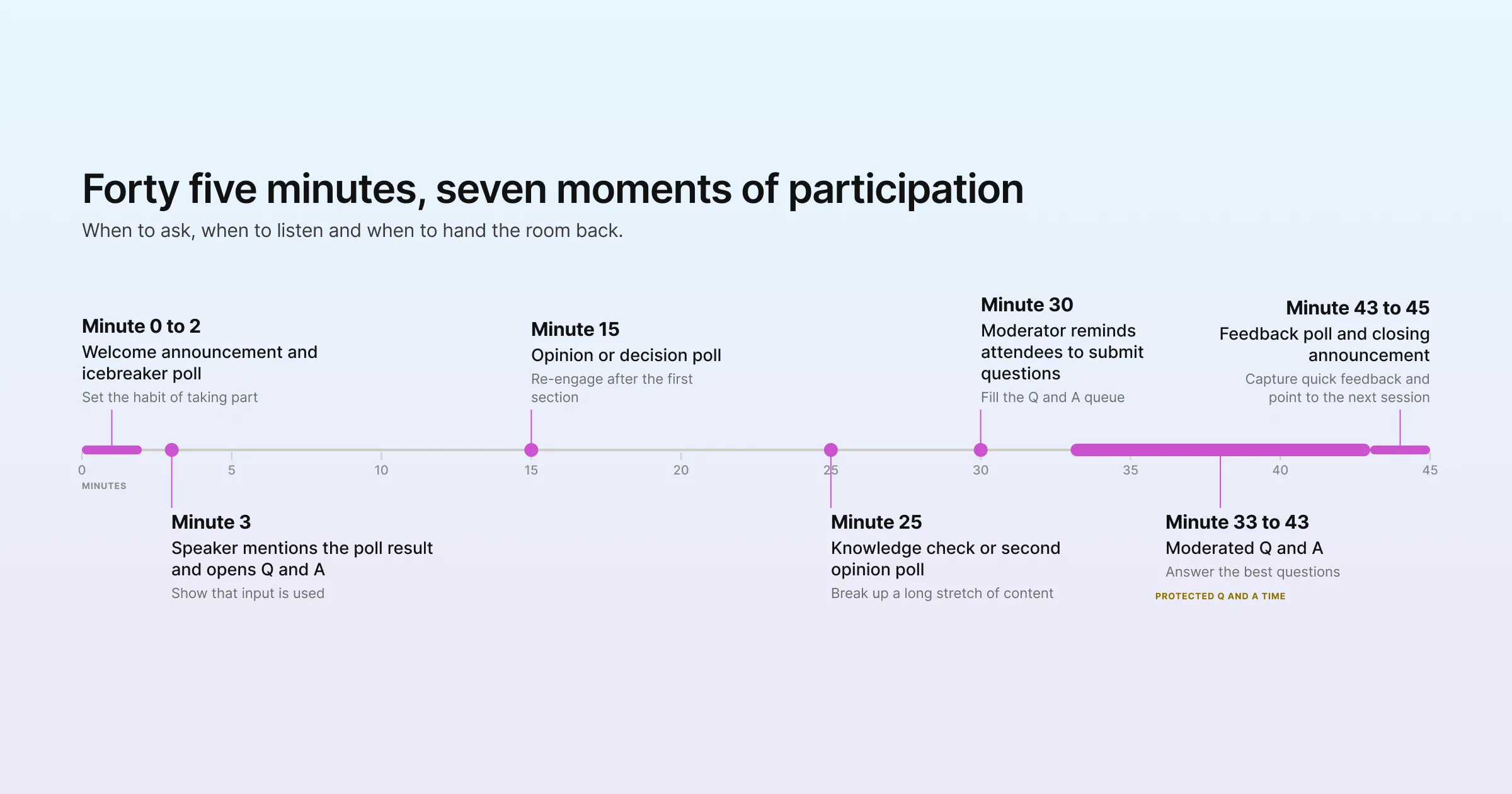
Timing Plan for a 45-Minute Session
| Time | Engagement moment | Purpose |
|---|---|---|
| Minute 0 to 2 | Welcome announcement and icebreaker poll | Set the habit of taking part |
| Minute 3 | Speaker mentions the poll result and opens Q&A | Show that input is used |
| Minute 15 | Opinion or decision poll | Re-engage after the first section |
| Minute 25 | Knowledge check or second opinion poll | Break up a long stretch of content |
| Minute 30 | Moderator reminds attendees to submit questions | Fill the Q&A queue |
| Minute 33 to 43 | Moderated Q&A | Answer the best questions |
| Minute 43 to 45 | Feedback poll and closing announcement | Capture quick feedback and point to the next session |
In-Person, Virtual and Hybrid: What Changes
The principles stay the same across formats, but the practical details differ.
In-Person Events
In a room, attendees need a simple way to take part from their phones. Put the link or QR code on the opening slide and on screens around the venue, and have the host mention it out loud. Showing live poll results on the main screen adds energy, because people can watch the numbers move.
Virtual Events
Online, attendees are a click away from their inbox. Engagement has to be visible and frequent. Use polls that appear on the page, announcements that point to the next activity, and a chat where hosts actively respond. Gevme’s virtual event tools put polls, Q&A and chat right beside the livestream, so attendees don’t have to switch tabs.
Hybrid Events
The common mistake at hybrid events is running two separate conversations: questions from the room and questions from online. Online attendees feel like second-class guests. In Gevme, hybrid events share the same chat, Q&A and polls across in-person and online attendees, so everyone joins one conversation. Ask the moderator to alternate between in-room and online questions so both groups are heard.
How to Run Polls, Q&A and Engagement in Gevme
Gevme Omnichannel includes engagement tools for polls, Q&A, chat, announcements and gamification, all managed from the same platform as your event website and virtual venue.
Creating and Scheduling Polls
In the settings panel, go to Push Engagement, click Polls, then New Poll. Enter your question and answer options, and drag options to reorder them. The Gevme polls guide shows each step.
You can push a poll in several ways:
Immediately, while the session is running.
At a scheduled date, time and timezone.
By trigger.
When the page loads.
A set number of minutes after the page loads.
Scheduling polls in advance takes pressure off the host. You can line up the icebreaker, the mid-session poll and the feedback poll before the session starts, then let them appear on time.
Switch on “Show Results after Voting” so attendees see live results after they vote. You can also choose where the poll appears on the page, such as bottom left, top right or centre. Centre placement works well for important polls that you want everyone to notice.
The LiveBar: One Place for Chat, Q&A and Polls
The LiveBar is Gevme’s built-in attendee engagement panel. It gives attendees one place for public group chat on each page, private one-to-one messages, the participant list, their meeting schedule, AI-powered recommendations for people and sessions, bookmarks, a history of polls with results, and Q&A.
In Q&A, attendees raise questions and moderators select the relevant ones to be answered by the panel or speakers. Q&A can be page-specific or general across the event, and can be scheduled, so you can open it for one session or keep it running for the whole day.
Moderating Chat
Gevme’s chat moderation module brings all of a page’s chats into one place. Moderators can edit or delete messages from the admin console, which keeps conversations useful and removes spam or off-topic posts quickly.
Announcements That Point People to the Next Activity
Announcements let organisers broadcast an update or highlight an activity to attendees. Each one can include a title, description, a call-to-action button with its own text, link and colour, and a sender name and image. Like polls, announcements can go out now, on a schedule, by trigger, on page load or a set number of minutes after the page loads.
You can push announcements to the page only, mobile only, or both, and to all pages or specific ones. Use them to tell attendees “Q&A is now open” or “Vote in the next poll”, or to send people to the next session. Announcements can close automatically after a set number of seconds or stay until the attendee closes them. Through the Gevme event mobile app, in-person attendees get the same real-time updates on their phones.
Gamification and Recognition
Polls and Q&A aren’t the only ways to get people involved. Gevme supports mini experiences such as Spin the Wheel and treasure hunts, plus custom activities you design yourself. People badges such as Speaker, Sponsor and VVIP make it easy for attendees to see who they are talking to in chat. In Gevme Meet, the built-in video meeting tool, participants can react with emojis during a session.
If your team already runs a dedicated polling or Q&A tool, Gevme also integrates with third-party engagement tools including Slido and Pigeonhole Live.
Captions and Translation for Wider Participation
People participate more when they can follow what’s being said. Snapsight, part of the Gevme Event Intelligence Ecosystem, adds live transcription, captions and translation in 75+ languages, plus real-time key takeaways, which helps attendees who are joining in a second language or in a noisy room.
Engagement Features at a Glance
| Feature in Gevme | What it does | Best use |
|---|---|---|
| Live polls | Push questions with options, scheduled or triggered, with live results | Icebreakers, opinions, decisions, quick feedback |
| Q&A | Attendees submit questions and moderators pick the best ones | Speaker and panel sessions |
| Chat | Public group chat per page, with moderation | Ongoing conversation and peer discussion |
| Private messages | One-to-one conversations between attendees | Networking and follow-ups |
| Announcements | Scheduled or triggered updates to pages and mobile, with a CTA button | Directing attention to the next activity |
| Mini experiences | Spin the Wheel, treasure hunts and custom activities | Driving traffic to booths and sessions |
| People badges | Labels such as Speaker, Sponsor and VVIP | Helping attendees know who they’re talking to |
How to Measure Participation
Raw vote counts can mislead. A poll with 120 votes sounds good until you learn 1,000 people were watching. Track participation as a share of the audience.
Metrics Worth Tracking
Poll response rate: votes divided by attendees in the session at that moment.
Questions per session: total questions submitted, and how many were answered.
Chat activity: number of messages and number of people who posted at least once.
Repeat participation: the share of attendees who took part in more than one session.
Session feedback: results of your end-of-session feedback poll.
Gevme Omnichannel analytics show visits, unique visitors, active visitors over the last 15 minutes and time spent, and you can download reports for media, visits, content, page views, chat and bookmarks. The LiveBar keeps a record of polls sent with their results. Put these side by side to see which sessions, speakers and formats drew the most interaction.
Use What You Learn
Look for patterns after each event. Which speakers got the most questions? Which poll types had the highest response rates? Did sessions with an early icebreaker see more Q&A later? Share the results with speakers before your next event, and build engagement moments into your speaker briefing from day one.
For deeper post-event feedback, Gevme Survey lets you build full surveys and send them through survey campaigns, or embed them on your event pages through an HTML block.
A Few Terms Worth Knowing
Livepage: a page on your Gevme event website or virtual venue where sessions, chat and engagement happen.
Moderator: the person who reviews incoming questions and chat and picks what gets answered on stage.
Seed question: a question prepared in advance to start Q&A if the audience is slow to begin.
Response rate: the share of attendees present who answered a poll.
Pro Tip: Brief Speakers on Engagement Before Slides
Most speakers prepare slides first and think about audience interaction last, if at all. Flip that. In your speaker briefing, agree on three engagement moments for each session: an icebreaker poll in the first two minutes, one decision or opinion poll midway, and a protected Q&A slot. Ask each speaker to put a slide placeholder at those moments so they remember to pause and react to the results. Then schedule the polls in Gevme before the session starts, and have the moderator ready with two seed questions. Sessions planned this way feel more like conversations, and attendees remember them for it.
Frequently Asked Questions
Event engagement is the set of planned moments where attendees take part in an event instead of only watching it. It includes live polls, Q&A, chat, reactions, gamification and feedback, run at the right times by hosts, speakers and moderators.
Two to four polls work well for a 45-minute session. Start with an easy icebreaker in the first few minutes, add one or two polls in the middle, and end with a short feedback poll. More than that can feel like a quiz and slow the session down.
Open questions at the start of the session, remind attendees midway, and let them submit questions in writing through the event platform. Have a moderator pick the best ones and prepare two or three seed questions in case the queue starts slowly.
Yes. Gevme polls can be pushed immediately, scheduled for a set date, time and timezone, triggered, shown when a page loads, or shown a set number of minutes after the page loads. You can prepare every poll for a session before it begins.
Yes. Gevme’s hybrid events share the same chat, Q&A and polls across in-person and online attendees. In-person attendees take part from their phones, so both groups join one conversation.
Yes. Turn on “Show Results after Voting” and attendees see live results once they’ve voted. The LiveBar also keeps a history of sent polls with their results, so attendees can look back at them.
Moderators choose which Q&A questions go to the speakers and panel, and Gevme’s chat moderation module lets them edit or delete chat messages from the admin console. Assign at least one moderator to every session that has Q&A.
Conclusion: Plan Participation Like You Plan the Agenda
Attendees take part when it’s easy, early and worth it. Ask a simple question in the first few minutes, show the results and talk about them, open Q&A from the start with a moderator in charge, and schedule your polls before the session begins. For hybrid events, keep everyone in one shared conversation, and after each event look at participation rates to find the formats and speakers that work best.
Gevme is event management software built by the industry, for the industry, with live polls, moderated Q&A, chat, announcements and gamification built into the same platform as your registration, event website and app. To see how engagement tools would work for your next conference or hybrid event, request a demo.