The day after an event, most teams feel they know how it went. The keynote landed, the coffee queue was long, the networking lunch felt busy. Then someone from leadership asks whether it was worth it, or a sponsor asks what attendees thought of their session, and gut feeling stops being enough.
Event survey questions are the questions you ask attendees, and often speakers and exhibitors, to find out what worked, what did not, and what to change next time. A good post-event survey is short, specific and sent while the event is still fresh. It turns impressions into numbers you can compare year on year, and into comments that tell you why those numbers moved.
This guide covers what a post-event survey should achieve, the types of questions to use, a full bank of event survey questions grouped by topic, separate questions for speakers and exhibitors, when to send your survey and how to raise response rates, and how to build and send it in Gevme.
Key Takeaways
- Decide what you will do with each answer before you add the question, and cut anything that will not change a decision.
- Keep attendee surveys to around 10 to 15 questions, with most answered by a quick rating or choice.
- Start with one overall question, such as a satisfaction score or likelihood to recommend, so you have a single number to track across events.
- Mix rating questions with two or three open questions so you learn why people scored the way they did.
- Send the survey within 24 hours of the event and follow up once with a reminder.
- Ask speakers and exhibitors their own short surveys, because their view of the event is different from an attendee’s.
- Run the survey in the same platform as registration so responses sit alongside the attendee data you already hold.
What a Post-Event Survey Should Tell You
Before writing a single question, decide what the survey needs to answer. Most event teams are trying to learn four things.
Did the Event Meet Its Goals?
Every event has a purpose: generate leads, educate members, launch a product, bring a team together. Your survey should include at least one question that maps directly to that goal. For a customer conference, that might be “How likely are you to explore our new product after today?” For an internal town hall, it might be “Do you understand the company’s priorities for next year?”
What Did Attendees Value Most?
Sessions, speakers, networking and the exhibition floor all compete for attendee time. Asking people to rate each part tells you where to invest next year and where to cut.
What Got in the Way?
Registration hiccups, long queues, poor Wi-Fi and hard-to-find rooms rarely show up in session ratings, but they colour the whole experience. Logistics questions catch these.
Will They Come Back?
Intent to return and likelihood to recommend are the clearest signals of long-term health for a recurring event. Track them every year.
Types of Event Survey Questions
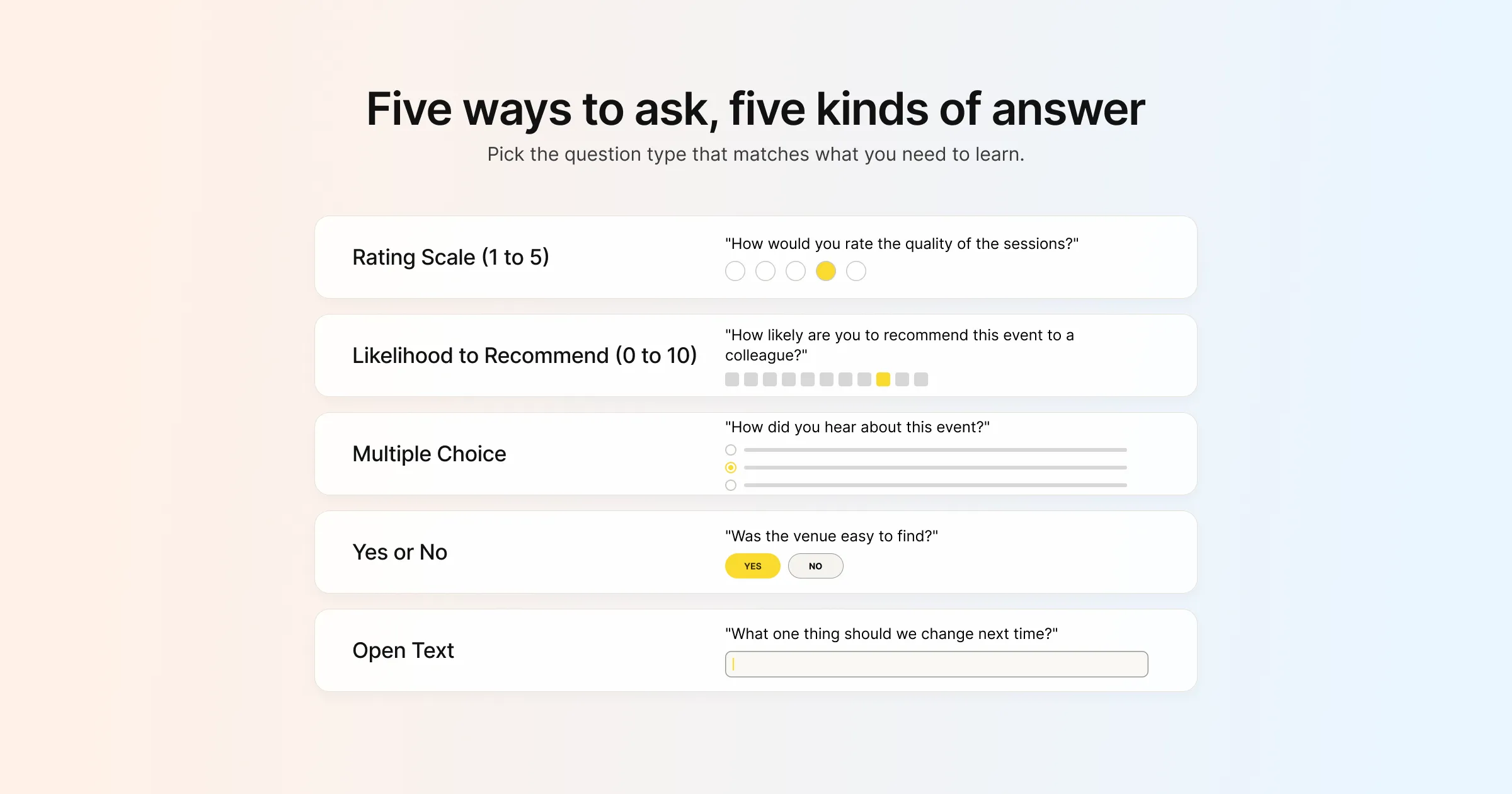
The way you ask a question shapes the answers you get. Most good surveys use a mix of these formats.
Rating Scales
A 1 to 5 or 1 to 10 scale (“How satisfied were you with the keynote?”) is quick to answer and easy to compare across events. Keep the scale the same throughout the survey so people do not have to re-read the labels.
Likelihood to Recommend
“How likely are you to recommend this event to a colleague?” on a 0 to 10 scale is the basis of the Net Promoter Score (NPS). People who answer 9 or 10 are promoters, 7 or 8 are passives, and 0 to 6 are detractors. Subtract the percentage of detractors from the percentage of promoters to get your score.
Multiple Choice
Use multiple choice for facts and preferences: how people heard about the event, which sessions they attended, which format they prefer for next year.
Yes or No
Short and useful for clear checks, such as “Did you find the information you needed before the event?”
Open Questions
“What was the most useful part of the event?” and “What one thing should we change?” give you the reasons behind the scores. Limit these to two or three, and make them optional, because they take the most effort to answer.
Question Types at a Glance
| Question type | Best for | Example |
|---|---|---|
| Rating scale (1 to 5) | Satisfaction with specific parts of the event | How would you rate the quality of the sessions? |
| Likelihood to recommend (0 to 10) | One headline number to track across events | How likely are you to recommend this event to a colleague? |
| Multiple choice | Facts, channels and preferences | How did you hear about this event? |
| Yes or no | Simple checks | Was the venue easy to find? |
| Open text | Reasons, ideas and stories | What one thing should we change next time? |
The Event Survey Question Bank
Below is a full bank of event survey questions grouped by topic. You will not need all of them. Pick the groups that match your event, then choose two or three questions from each group so the survey stays short.
Overall Experience
| Question | Answer format |
|---|---|
| Overall, how satisfied were you with the event? | 1 to 5 scale |
| How likely are you to recommend this event to a friend or colleague? | 0 to 10 scale |
| Did the event meet your expectations? | Exceeded / Met / Below |
| How likely are you to attend next year? | 1 to 5 scale |
| Was the event a good use of your time? | Yes / No |
| What was the single most valuable part of the event for you? | Open text |
| What one thing should we change next time? | Open text |
Content and Speakers
| Question | Answer format |
|---|---|
| How would you rate the overall quality of the sessions? | 1 to 5 scale |
| Which session did you find most useful? | Multiple choice (list of sessions) |
| How relevant was the content to your role? | 1 to 5 scale |
| Was the level of the content right for you? | Too basic / About right / Too advanced |
| How would you rate the speakers overall? | 1 to 5 scale |
| Were sessions the right length? | Too short / About right / Too long |
| Which topics would you like us to cover next time? | Open text |
Networking
| Question | Answer format |
|---|---|
| How satisfied were you with the networking opportunities? | 1 to 5 scale |
| How many useful new contacts did you make? | 0 / 1 to 3 / 4 to 10 / More than 10 |
| Did you use the meeting scheduler or matchmaking tool? | Yes / No |
| How useful were your scheduled meetings? | 1 to 5 scale |
| What would help you meet the right people next time? | Open text |
Registration and Check-In
| Question | Answer format |
|---|---|
| How easy was it to register for the event? | 1 to 5 scale |
| Did you receive all the information you needed before the event? | Yes / No |
| How long did you wait to check in? | Under 2 minutes / 2 to 5 minutes / 5 to 10 minutes / Over 10 minutes |
| How would you rate the check-in and badge collection process? | 1 to 5 scale |
| How did you hear about this event? | Multiple choice (email, social media, colleague, website, other) |
Venue and Logistics
| Question | Answer format |
|---|---|
| How would you rate the venue overall? | 1 to 5 scale |
| Was it easy to find your way around the venue? | Yes / No |
| How would you rate the food and drinks? | 1 to 5 scale |
| Were the event date and time convenient for you? | Yes / No |
| How would you rate the Wi-Fi and power access? | 1 to 5 scale |
| Did you have any accessibility needs that were not met? | Open text |
Virtual and Hybrid Experience
| Question | Answer format |
|---|---|
| How did you attend the event? | In person / Online / Both |
| How would you rate the livestream quality? | 1 to 5 scale |
| How easy was it to find sessions in the virtual venue? | 1 to 5 scale |
| Did you take part in chat, polls or Q&A? | Yes / No |
| Did you feel as involved as people attending in person? | 1 to 5 scale |
| Would you prefer to attend in person or online next time? | In person / Online / No preference |
Event App and Technology
| Question | Answer format |
|---|---|
| Did you use the event app? | Yes / No |
| How useful was the app for finding sessions and people? | 1 to 5 scale |
| Which app feature did you use most? | Multiple choice (agenda, speakers, maps, networking, other) |
| Did you have any technical problems during the event? | Open text |
Sponsors and Exhibition
| Question | Answer format |
|---|---|
| How many exhibitor booths did you visit? | 0 / 1 to 5 / 6 to 10 / More than 10 |
| How useful was the exhibition for your work? | 1 to 5 scale |
| Did you discover a product or service you plan to follow up on? | Yes / No |
| Which sponsor sessions or booths stood out for you? | Open text |
Outcomes and Next Steps
| Question | Answer format |
|---|---|
| Will you do anything differently at work because of this event? | Yes / No / Not sure |
| What is one idea you are taking back to your team? | Open text |
| Would you like someone from our team to contact you? | Yes / No |
| Which format would you prefer for next year? | In person / Online / Hybrid |
Questions for Speakers and Exhibitors
Attendees are only one side of the event. Speakers and exhibitors see things attendees never do, and their feedback shapes whether they return. Send each group its own short survey.
Speaker Survey Questions
| Question | Answer format |
|---|---|
| How satisfied were you with the support you received before the event? | 1 to 5 scale |
| Was the briefing information clear and on time? | Yes / No |
| How would you rate the room setup and AV for your session? | 1 to 5 scale |
| Did you have enough time for your session and Q&A? | Yes / No |
| How engaged did the audience feel? | 1 to 5 scale |
| Would you speak at this event again? | Yes / No / Maybe |
| What could we do to make speaking here easier? | Open text |
Exhibitor and Sponsor Survey Questions
| Question | Answer format |
|---|---|
| Overall, how satisfied were you with your participation? | 1 to 5 scale |
| How would you rate the quality of visitors to your booth? | 1 to 5 scale |
| How many qualified leads did you collect? | 0 to 10 / 11 to 50 / 51 to 100 / More than 100 |
| How useful was the lead scanning tool? | 1 to 5 scale |
| Did the event meet your business goals? | Yes / Partly / No |
| How likely are you to exhibit or sponsor again? | 1 to 5 scale |
| What would make your participation more valuable next time? | Open text |
When to Send Your Event Survey
Timing has more effect on response rates than almost anything else you control.
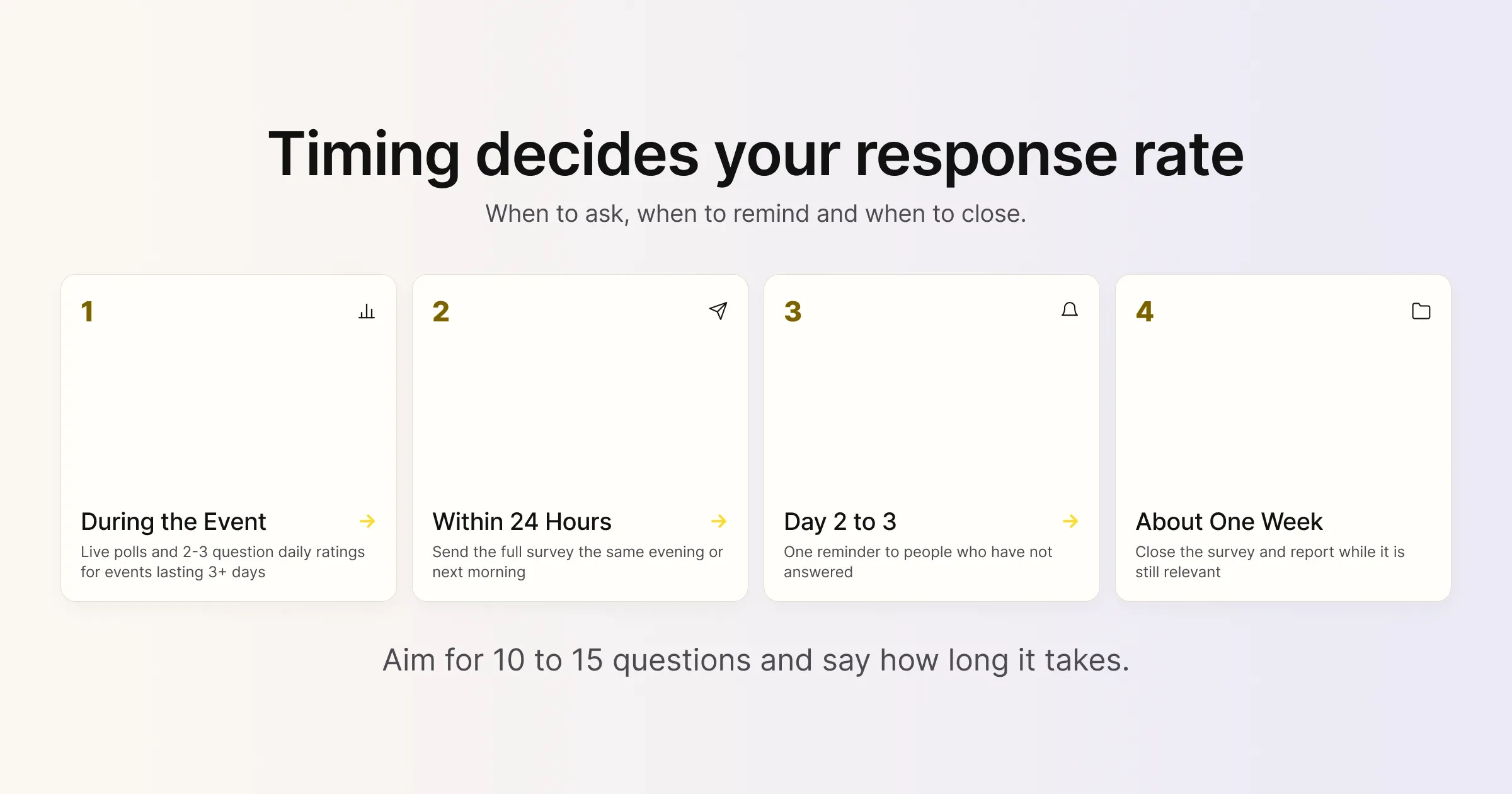
Within 24 Hours
Send the attendee survey the same evening or the next morning, while people still remember the sessions they attended. Wait a week, and they will have moved on to other things.
One Reminder, Then Close
Send a single reminder two or three days later to people who have not answered, then close the survey after about a week so you can report while the event is still relevant to your stakeholders.
During the Event, for Quick Pulses
Not everything needs to wait. Live polls during a session can capture immediate reactions, and session ratings gathered as people leave a room give you content feedback at the moment it is freshest. Keep the post-event survey for the bigger picture.
Multi-Day Events
For events running three days or more, consider a short daily pulse of two or three questions, then a fuller survey at the end. That way, a problem on day one can be fixed by day two.
How to Get More People to Answer
A survey with a handful of responses is hard to act on. These habits help.
Keep It Short
Aim for 10 to 15 questions, and tell people up front how long it takes. “This takes about 3 minutes” is more inviting than a blank link.
Put the Most Important Question First
Some people will stop partway through. Put your headline question, such as overall satisfaction or likelihood to recommend, at the top so you capture it from everyone who starts.
Use Logic to Skip Irrelevant Questions
If someone attended online only, they should not see venue and catering questions. Conditional questions keep the survey relevant to each person.
Tell People What Changed
If last year’s feedback led to shorter sessions or a new networking lounge, say so in the survey email. People answer more readily when they see feedback being used.
Make It Easy on a Phone
Most attendees open survey emails on a phone. Use tap-friendly rating scales and short open questions, and test the survey on a mobile screen before you send it.
How to Run Your Event Survey in Gevme
Gevme Survey sits inside Gevme Registration, so your survey works from the same attendee lists and email tools you used for registration. Here is how it works.
Build the Survey
Gevme Survey uses the same form builder as your registration forms, so you can add rating scales, multiple choice, yes or no and open text questions, with conditional questions that only appear when they are relevant. You set a start and end date, and write Welcome, Thank You and Closing messages so respondents know what to expect.
Choose Who Can Answer
Surveys can be public or private. Private surveys can be opened by email invitation, a password, or access codes with validity dates, which is useful when you only want feedback from people who actually attended. Submission rules let you allow a single response or multiple responses, with or without previous answers shown.
Send It With a Campaign
Survey campaigns go out through Gevme’s email campaigns with a “Take Survey” button. You can send to an attendee list, schedule the email for the morning after the event, and follow up with a reminder. Email statistics show opens and clicks, so you can see how the campaign is performing.
Put It Where Attendees Already Are
For virtual and hybrid events, the survey can be embedded on a page of your Gevme Omnichannel event website through an HTML block, with attendee details passed through so people do not have to type their name again.
Read and Share the Results
The survey report shows every response, and you can export it in full for deeper analysis or to share with stakeholders. Registration reports also include survey data alongside tickets, orders and attendees, so your feedback sits next to the rest of your event data.
The Gevme Survey guide walks through each setting step by step. Gevme Survey is included on the Registration Pro and Enterprise plans, as shown on the pricing page.
Gather Feedback During the Event Too
During sessions, Gevme’s engagement tools include live polls (scheduled or triggered) and moderated Q&A, which give speakers instant feedback in the room or online. Snapsight, part of the Gevme ecosystem, can also collect session ratings and feedback alongside its live summaries.
Turning Survey Answers Into Action
Collecting answers is half the job. The other half is using them.
Compare Against Last Year
Keep your headline questions identical from one event to the next. A satisfaction score only means something when you can see whether it went up or down.
Segment the Results
Look at answers by ticket type, attendance mode and session attended. First-time attendees and returning delegates often want very different things, and an average can hide both.
Read Every Open Answer
Open answers are where the best ideas sit. Group them into themes, such as content, networking and logistics, and count how often each theme comes up.
Share a Short Summary
Send stakeholders a one-page summary: the headline score, the top three things that worked, the top three things to fix, and what you plan to change. Share a version with speakers and sponsors too.
Prove the Value
If leadership wants to see return on investment, survey data is one input among several. ImpactAIQ, part of the Gevme ecosystem, helps turn event impact evidence into ROI, sponsorship value and legacy outcomes that leaders can act on.
A Few Terms Worth Knowing
- Net Promoter Score (NPS): a single score based on how likely people are to recommend your event, from minus 100 to plus 100.
- Conditional question: a question that only appears when an earlier answer makes it relevant.
- Response rate: the share of people invited to the survey who actually complete it.
- Pulse survey: a very short survey of two or three questions, often sent during a multi-day event.
Pro Tip:
Split your list before you send the survey. Send the full survey only to people who attended, and a separate two-question survey to people who registered but did not attend, asking what stopped them. The first group tells you how to improve the event. The second tells you how to reduce no-shows next year, and it is feedback most teams never collect.
Frequently Asked Questions
The best event survey questions cover overall satisfaction, likelihood to recommend, session quality, networking, logistics and intent to return. Add one question tied to your event’s main goal and one or two open questions asking what worked and what to change.
A post-event survey should have around 10 to 15 questions, most of them quick ratings or multiple choice. Shorter surveys get more complete responses, so cut any question you will not act on.
Send a post-event survey within 24 hours of the event, while attendees still remember the details. Follow up with one reminder two or three days later, then close the survey after about a week.
Increase response rates by keeping the survey short, sending it within a day, telling people how long it takes, making it easy to complete on a phone, and sharing what you changed based on last year’s feedback.
Yes. A short survey for no-shows, asking what stopped them from attending, helps you understand drop-off and plan reminders, timing or formats that bring more registrants through the door.
Yes. Gevme Survey lets you build surveys with the form builder, control access, send them through email campaigns with a “Take Survey” button, and export the full survey report. It is included on the Registration Pro and Enterprise plans.
Any score above zero means you have more promoters than detractors, and the most useful benchmark is your own previous events. Track the same question every year and focus on whether the score is rising.
Conclusion: Ask Less, Learn More
A good event survey is short, focused on decisions you will actually make, and sent while the event is fresh. Start with one headline question you track every year, pick a few questions from each part of the bank that matters for your event, add two open questions, and send separate short surveys to speakers and exhibitors. Then share what you learned and what you will change.
Gevme keeps registration, check-in, surveys and reports in one place, so your survey responses sit alongside the registration and attendee data you already collected. That makes your feedback easier to segment and easier to act on. To see how surveys fit into the rest of your event data, request a demo.