Everything you need for a smooth onsite experience
QR Code Scanning
Enable smooth and fast event check-in process through QR code scanning
Facial Recognition
Avoid tickets altogether and streamline event check-ins with facial recognition.
ID Card Scanning
Make your events smarter and data-driven with ID card scanning event check-in.
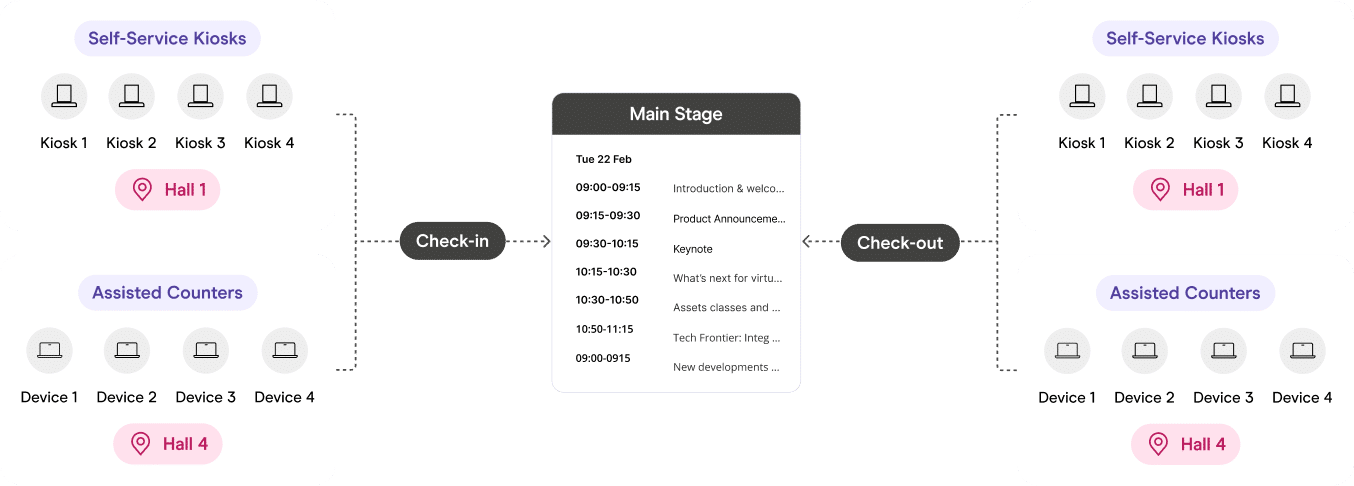
Self-Serve Mode
Let attendees take control of their check-in process through self-serve stations.
Assisted Mode
Implement assisted check-in to help them check in manually through a promoter.
Session & Location Check-in
Effortlessly monitor the sessions and locations your attendees visit with this feature.
Branding Control &
Ad Spaces
Exercise full control over on-site branding for a unified and consistent brand identity.
On-Demand Badge Printing
Save resources by printing badges on-demand, reducing waste, and promoting sustainability events.
Mass Device Deployment & Management
Install the onsite app on individual devices or groups of similar devices to enhance check-in efficiency.
Reports & Analytics
Access detailed event check-in, entire event or session data for comprehensive insight.
We’ve got you covered with our hardware options
Everything you need, out of the box
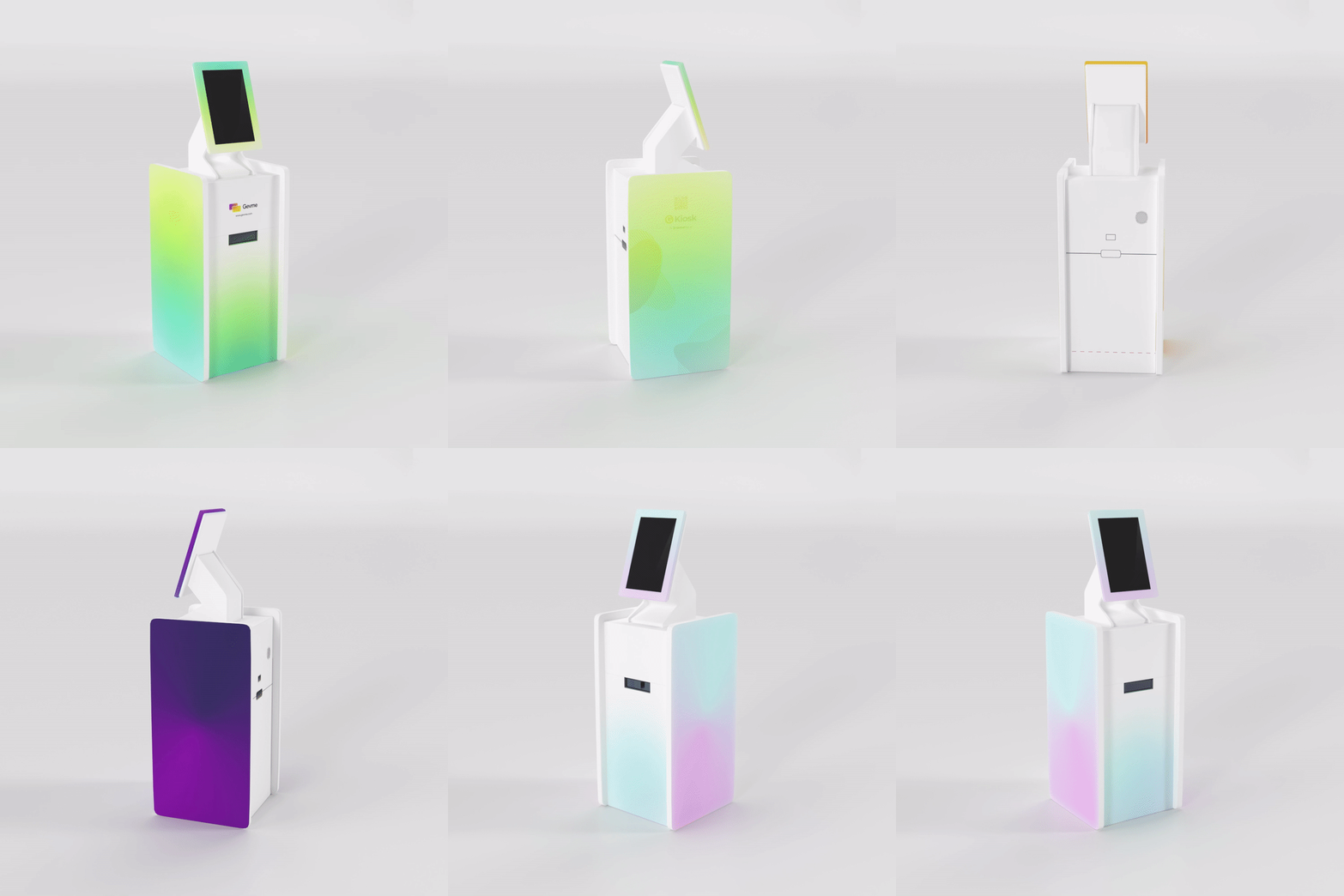
Welcome your attendees with our flagship self-serve physical kiosks that help automate attendee check-in through easy QR scanning and badge printing. These kiosks connect wirelessly to your network ensuring maximum flexibility.
Onsite event registration is how attendees are checked in when they arrive at your venue. It covers verifying tickets, printing name badges, registering walk-ins and recording who has attended. Good onsite registration keeps queues short and gives organisers accurate attendance data from the moment doors open.
How does check-in work with Gevme?
With Gevme’s onsite event registration, attendees check in by scanning the QR code on their ticket, through facial recognition or by scanning their ID card. You can run check-in in self-serve mode, where attendees check themselves in at a kiosk, or in assisted mode, where your staff check guests in. Badges can print automatically as each attendee checks in.
What check-in kiosks does Gevme offer?
Gevme offers three onsite setups: • Kiosk Model S: a self-serve standing kiosk with wireless connectivity, QR scanning and badge printing, made from eco-friendly paperboard • Kiosk Model T: a portable tabletop kiosk for tight spaces, with an optional wireless sticker printer • Counter Set: a flexible setup using laptops, printers and scanners
Can I use my own devices for event check-in?
Yes. Gevme’s Onsite App is hardware-agnostic, so you can run check-in on your own desktops and tablets as well as Gevme kiosks. Devices can be set up quickly by scanning a QR code or installing a certificate, which makes it easy to deploy many devices at once.
Can Gevme print name badges onsite?
Yes. Badges print on demand as each attendee checks in, so there is no pre-printing and less waste. Gevme’s badge editor lets you design badges from a template or from scratch, in preset or custom sizes, and set rules so each ticket type or attendee category gets the right badge. Badges can also carry a QR code that shares the attendee’s contact details.
Can attendees check themselves in?
Yes. With self check-in, attendees scan their QR code at a kiosk or on a mobile device. You can also let them search for their registration by name, email, company or registration ID, with sensitive details such as email addresses partly masked on screen.
Can I track attendance at individual sessions?
Yes. Gevme’s session and location check-in records who attends each session or area, and you can track check-outs as well as check-ins. This gives you accurate attendance numbers for every session and location.
Can I control who enters specific areas?
Yes. Each check-in point can allow everyone, allow only specific attendees or allow multiple entries. This lets you restrict VIP lounges, workshops or closed sessions to the right people, with a clear message on screen when someone is not allowed in.
Can I brand the check-in screens?
Yes. You can add your logo and background to the check-in welcome screen, edit the title, instructions and check-in guide, and customise the messages attendees see after a successful, duplicate or invalid check-in. Kiosks also offer ad spaces for sponsor branding.
What check-in reports does Gevme provide?
Gevme’s onsite analytics include a live dashboard and reports on check-in activity, so you can follow check-in activity as it happens. You can use the ready-made reports or build custom ones.
How can we empower you?
Whether you are a Professional Conference Owner or a Business Event Planner, deliver unified event experiences across all attendee touchpoints