If you’ve just been handed the job of picking event software for your organization, you’ve probably hit the same wall everyone does. “Event management software” sounds like it should mean one specific thing. Instead it turns out to cover a dozen different products that barely overlap. Some tools only handle registration. Others are built entirely around virtual delivery. A few print name badges and nothing else. Vendors rarely explain where the lines are, which makes shopping for this stuff harder than it needs to be.
None of that is your fault. The category grew out of a handful of separate problems: ticketing, badge printing, and webinar hosting. Those got bundled together over the years as platforms expanded. Most vendor websites then assume you already know the vocabulary before you land on their pricing page.
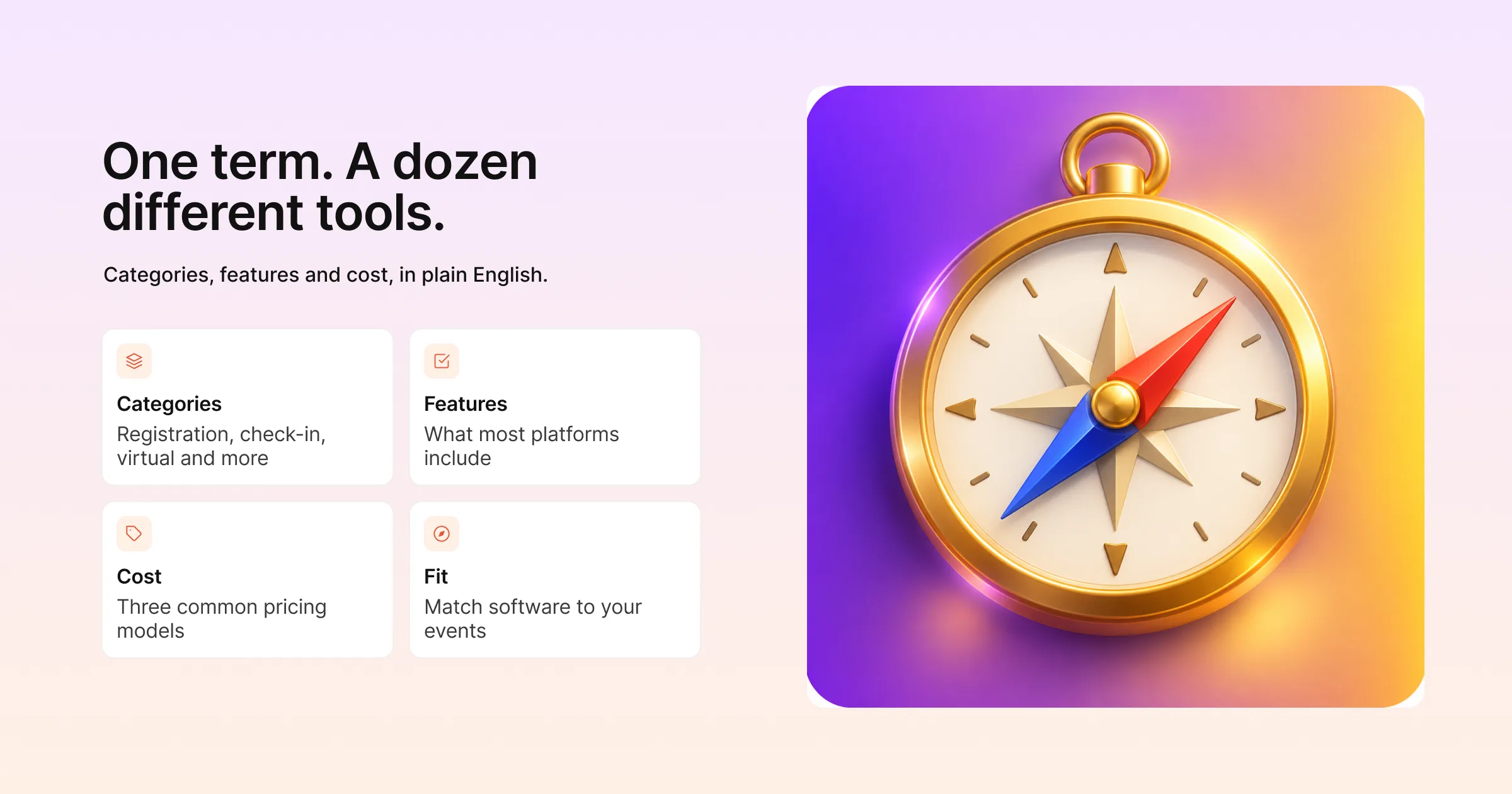
This guide covers what event management software does, and the main categories you’ll run into while shopping. It sets out the features that show up across most platforms and what it typically costs. Finally, it offers a practical way to match a category to the kind of events you run.
Key Takeaways
- “Event management software” is an umbrella term. Most vendors specialize in one or two categories, such as registration, on-site check-in, or virtual delivery, rather than doing everything equally well.
- Registration and ticketing is the one category almost every platform includes. It’s the starting point for everything else, because attendee data, payments, and communication all flow from there.
- Pricing falls into three rough models: published subscription tiers, “starting at” floors with a custom quote on top, and fully quote-based sales conversations with no public number at all.
- A platform that shares one attendee record across registration, check-in, and virtual delivery saves real coordination work, compared to stitching together three separate tools.
- Virtual and hybrid capability varies a lot in depth. It ranges from a basic livestream embed to a fully designed virtual venue with its own navigation and networking.
- On-site check-in and badge printing is handled either with dedicated hardware kiosks, or with lighter, wireless setups that don’t need a dedicated technician.
- The right category for you depends more on how many events you run and in what format, than on which platform has the longest feature list.
What Event Management Software Actually Does
At its core, event management software replaces a pile of separate tools. Think of a registration form in a form builder, a spreadsheet for attendee tracking, a paid webinar tool, and a rented badge printer. One system replaces all of it. That system holds attendee data in one place, from the moment someone registers to the moment the event wraps up.
That’s the theoretical version, anyway. In practice, most platforms are strongest in one or two of these areas and adequate in the rest. A tool built primarily for virtual delivery usually has thinner on-site check-in tools. A platform that started as a badge-printing company has the opposite gap. So learn which category a platform specializes in, versus which ones it merely supports. That is most of what you need to shop well.
The Main Categories
Registration and Ticketing
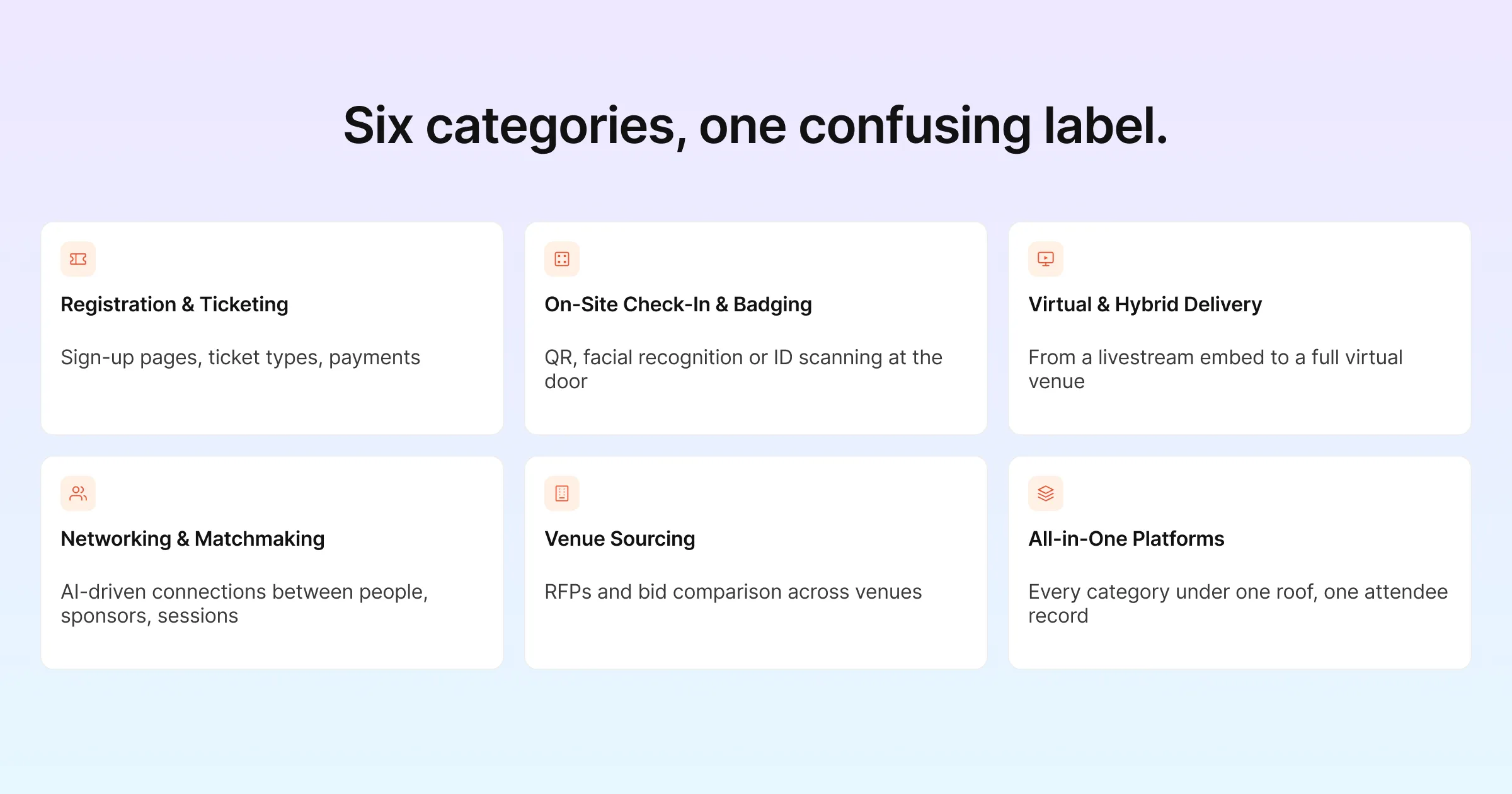
This is the foundation almost every platform builds around. It’s a branded page where people sign up, pick a ticket type, pay if there’s a fee, and get confirmed. Underneath that simple description sits a lot of variation. Think custom form fields, multi-step registration flows, waitlists, group registration, and discount codes. Payment processing also has to support the currencies and gateways your attendees actually use.
Gevme’s registration platform, for example, includes multi-step forms, prepopulation for returning attendees, multilingual forms, and automated email workflows. Most competitors in this space cover similar ground with their own particular strengths. Cvent, Bizzabo, vFairs, Whova, Swapcard, Accelevents, and EventMobi are all in the mix. The draw might be Cvent’s deep CRM integrations, or Whova’s mobile-first approach.
On-Site Check-In and Badging
For in-person and hybrid events, this category covers how attendees get scanned in and how their name badges get produced. The split here is mostly about hardware. On one side are dedicated kiosk fleets built for high-volume events. On the other are lighter, wireless setups a small team can run without technical support.
Gevme’s on-site tools cover QR-code, facial-recognition, and ID-scanning check-in, backed by its own kiosk hardware line. EventMobi takes the opposite approach with a wireless badge station built for teams without dedicated AV staff. Cvent and Bizzabo both offer their own combinations of self-service and staffed check-in.
Virtual and Hybrid Delivery
This covers a wide range. At one end sits a basic embedded livestream. At the other sits a fully built virtual environment with its own navigation, sponsor booths, and networking lounges. The depth here varies enormously between vendors. Some treat virtual as a core product built to stand on its own. Others bolt a streaming layer onto a tool designed primarily for in-person events.
Gevme’s virtual venue platform is a no-code, template-driven builder with more than 50 themes to start from. RTMP channel streaming is available on its Enterprise tier. It was built as one of Gevme’s two core products rather than a bolt-on. vFairs is known for particularly elaborate 3D and animated virtual environments, while platforms like Whova and EventMobi lean on integrations with Zoom or Microsoft Teams for the streaming layer itself.
Attendee Networking and Matchmaking
Some platforms add software that suggests connections between attendees, sponsors, and sessions. That happens either through simple interest tags, or through an AI-driven recommendation engine that factors in behavior at the event. This category matters most for trade shows and B2B conferences. It also matters at any event where the people in the room are as much the point as the sessions on the agenda.
Gevme’s business matchmaking runs on an AI-powered matching engine. It connects people to people, sponsors, and sessions, and is available from the Pro tier up on its Virtual Venue Platform. Swapcard, Bizzabo, Brella, and Grip all compete heavily in this specific niche. For them, matchmaking is a headline feature rather than an afterthought.
Venue Sourcing
This is a smaller category focused specifically on finding and booking physical venues. It covers sending RFPs to multiple hotels or spaces at once and comparing bids. Cvent’s Supplier Network is the best-known example, built around a marketplace of hundreds of thousands of venues. Most other platforms in this comparison don’t compete in venue sourcing at all, since it’s a different problem from running the event itself.
All-in-One Platforms
Some vendors try to cover every category above under one roof rather than specializing. The tradeoff is usually depth. An all-in-one platform’s virtual environment might not match a virtual-first specialist’s. Its check-in hardware might not match a check-in specialist’s either. In exchange, everything shares the same attendee data without needing separate integrations. Gevme, Cvent, Bizzabo, vFairs, and Accelevents all fall into this broader category, each with a different balance of strengths across the categories above.
Features That Show Up Across Most Platforms
Beyond the categories above, a handful of features cross over into almost every platform you’ll evaluate, whatever it specializes in. Knowing what to expect here helps you catch a thin feature list while you’re still comparing vendors, well before a contract is on the table.
Attendee communication. Automated confirmation emails, reminder sequences, and post-event follow-ups are close to table stakes now. What varies is how customizable the workflows are. Some platforms let you build multi-step email sequences triggered by attendee behavior, while others offer a single confirmation template and little else.
Analytics and reporting. Registration counts, session attendance, and check-in timestamps are standard across most platforms. The gap shows up in depth. Can you export raw data for your own analysis? Does reporting cover virtual engagement as well as in-person attendance? Do the dashboards update in real time during a live event, or only after it wraps?
Integrations, Support and Security
Integrations. Most platforms connect to at least a payment gateway and a couple of common marketing or CRM tools, but the breadth differs sharply. Enterprise-focused platforms tend to offer the widest integration libraries, because large organizations often need an event tool to slot into an existing CRM and marketing stack rather than operate on its own.
Support and security. Support ranges from email-only ticketing on lower tiers to dedicated account managers and phone support on enterprise plans. On the security side, look for standard practices like data encryption, role-based access controls for your team, and compliance certifications relevant to your industry or region. That matters particularly if you handle payment data or operate across borders with data residency requirements.
None of these features alone should decide which platform you pick. They matter more as a checklist. If a platform you’re considering is missing several of them entirely, that’s worth asking about directly before you commit, rather than discovering the gap mid-event.
What It Costs
Pricing in this industry falls into three rough patterns. Knowing which one you’re looking at, before you get too far into a sales conversation, saves you from a wasted call.
Published subscription tiers show real dollar amounts for named plans, such as Starter, Pro, or Enterprise. That way you can compare numbers before talking to sales. “Starting at” pricing shows a floor number instead. The actual cost then depends on your attendee volume, add-ons, or a custom quote layered on top. Fully quote-based pricing shows no numbers at all, just a demo request or contact form. That last pattern is common among platforms built primarily for large enterprise programs.
Where Eight Platforms Land
Here’s a snapshot of how eight platforms fall into these patterns, checked in late August 2026.
| Platform | Pricing Model | Starting Point |
|---|---|---|
| Gevme | Published tiers, two product lines | Free (Virtual Venue) / $960 per year (Starter, either product line), per Gevme’s pricing page |
| Cvent | Quote based | No published numbers, per Cvent’s pricing page |
| Bizzabo | Published starting number | $499 per user per month ($17,999 per year minimum), per Bizzabo’s pricing page |
| vFairs | Quote based | No published numbers, per vFairs’ pricing page |
| Whova | Quote based | No published numbers, per Whova’s pricing page |
| Swapcard | “Starting at” plus volume-based quote | From $610 per year (Event Engagement plan), per Swapcard’s plans overview |
| Accelevents | Published starting numbers | From $7,500 per event, per Accelevents’ pricing page |
| EventMobi | “Starting at” floor | From $3,000 per event or $8,900 per year, per EventMobi’s pricing page |
None of this is locked in stone. Vendors update these pages often enough that a number from last quarter can already be wrong. Treat this table as a starting point for your own research, and confirm current figures before you budget against them.
Gevme is worth calling out here specifically. It’s the only platform in this table with full tiered pricing for both of its product lines, rather than a single blended number or a quote request. The Virtual Venue Platform runs Free, then Starter at $960 a year, then Pro at $2,160 a year, then a custom Enterprise tier. The Registration Platform has no free tier. It runs Starter at $960 a year, Pro at $2,160 a year, and a custom Enterprise tier, sold as a separate purchase from the Virtual Venue line rather than bundled into it.
A Few Terms Worth Knowing
- RFP (Request for Proposal): A formal document sent to venues or vendors asking for pricing and availability. It’s most relevant if you’re using a venue-sourcing tool like Cvent’s Supplier Network.
- Hybrid event: An event that runs in-person and virtual sessions together, so both in-room and remote attendees can take part in some combination.
- Matchmaking engine: Software that suggests which attendees, sponsors, or sessions a given person should connect with, based on their profile and behavior rather than a static directory they have to search manually.
- On-demand badge printing: Printing name badges one at a time as each attendee checks in, instead of pre-printing the full list in advance. It cuts down on wasted badges and handles late registrations cleanly.
How to Match Software to Your Event
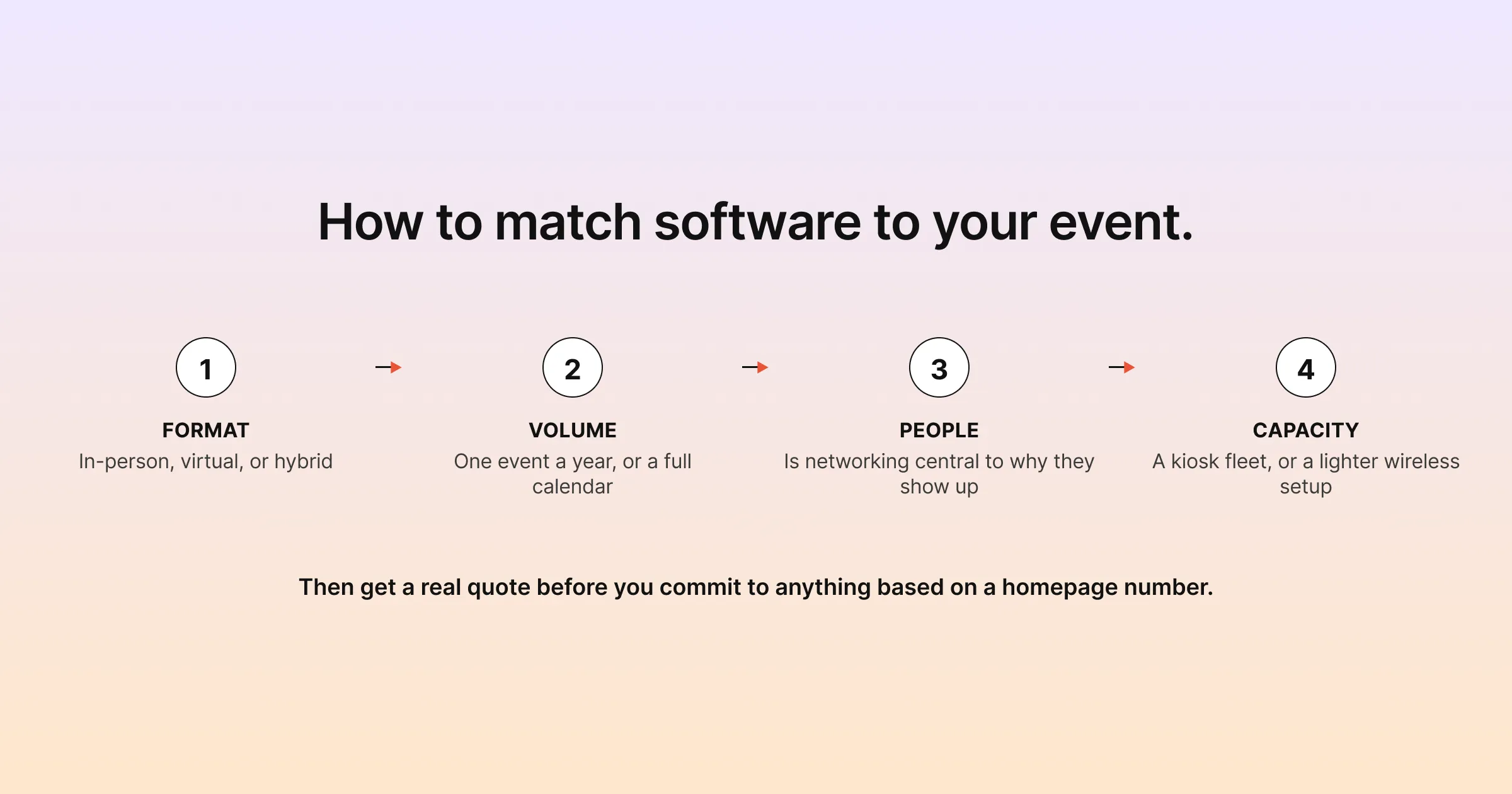
Start with format. If you run purely in-person events, on-site check-in and badging matter more than virtual delivery depth. For purely virtual events, the opposite is true, and it’s worth checking whether a platform’s virtual environment is a core product or an add-on. If you run both, or expect to start mixing formats, a platform that treats registration, check-in, and virtual delivery as one connected system will save you real coordination work.
Next, look at volume. A platform priced per event makes sense if you run one or two events a year. A platform priced per year with unlimited events usually pencils out better once you’re running more than a handful, because the per-event cost drops as you use it more.
Then think about who’s in the room. Networking may be central to why people show up. That is often true at a trade show, an association conference, or an investor event. In that case, a platform with real matchmaking capability is worth prioritizing over one that treats it as an afterthought.
Team Capacity and the Real Quote
Consider your team’s capacity too. A platform with heavier hardware requirements, like a full kiosk fleet for check-in, usually needs someone on-site who knows the equipment. A lighter, wireless setup can often be run by whoever’s already staffing the registration desk. If your events are staffed by a small team wearing several hats, that difference matters as much as any feature comparison.
Finally, get a real quote before you commit to anything based on a homepage number. Several platforms in this guide use volume-based or per-event pricing. That figure can climb well past the starting number once you add streaming, integrations, or hardware rental. The only number that matters is the one for your specific event.
Pro Tip
Before you sign up for a platform, ask for a live demo using your actual event details rather than a generic walkthrough. Give them your expected attendee count, your ticket types, and whether you need virtual or hybrid delivery. Vendors tailor generic demos to look impressive, but a demo built around your real numbers will surface pricing surprises and feature gaps before you’ve committed a budget to them.
Frequently Asked Questions
Not quite. Event management software handles the operational side, such as registration, check-in, and virtual delivery. Event marketing software focuses on driving registrations through email campaigns, landing pages, and promotion. Many platforms bundle basic marketing tools into their registration product, but dedicated marketing depth varies a lot between vendors.
No. If every event you run is in-person, you can reasonably skip virtual capability entirely and prioritize registration and on-site check-in instead. Just be aware that plans change, and a platform with at least basic virtual support gives you room to add a hybrid component later without switching vendors.
It depends heavily on your event volume and which categories you need. Platforms with published tiers, like Gevme and Bizzabo, let you estimate costs directly from their pricing pages. Quote-based platforms require a sales conversation before you get a real number, so budget extra time for that process if you are comparing several vendors.
Free tiers typically cover basic functionality, such as a simple virtual venue with limited themes. Paid tiers unlock features like custom branding, advanced analytics, matchmaking, or higher attendee limits. Not every platform offers a free tier at all, and registration-focused products in particular tend to skip free tiers, because there is a real cost to processing payments and support.
Yes, most platforms in this comparison cover both, though the depth of each varies. The advantage of using one platform for both is that attendee data flows automatically from registration to check-in without a manual import step. That matters more than it sounds like once you are running a live event with people waiting in line.
It means the vendor does not publish a number. The price depends on factors like attendee volume, which products you need, and any add-ons such as hardware rental or premium support. It is common among platforms built for large enterprise programs, because those deals vary too much to summarize in a simple pricing table.
Not necessarily. Price often tracks scale and enterprise features like deep CRM integrations or a large venue-sourcing network, which matter enormously for some teams and not at all for others. A platform that costs less but covers exactly the categories you need will usually serve you better than one with a longer feature list you will never touch.
Yes, especially if you are collecting payment details or attendee data covered by regulations like GDPR. Look for encryption, role-based access for your team, and any compliance certifications relevant to your industry before you hand over attendee data. Ask vendors directly about data residency if you operate across multiple regions.
Conclusion: Picking the Category That Actually Fits
There’s no single “best” event management software, because the category covers genuinely different jobs. Venue sourcing, badge printing, virtual delivery, and attendee matchmaking are all separate problems, and different vendors specialize in different combinations of them. The right starting point is figuring out which categories your events actually need. Then judge platforms against that shortlist, instead of against whichever homepage has the longest feature list.
Gevme covers registration, on-site check-in, and a template-rich virtual venue on one platform sharing the same attendee data. Business matchmaking is built in from the Pro tier up, and pricing is published so you can see it for yourself before talking to anyone. If that combination sounds like a fit for what you’re running, request a demo and see it against your own event details.