Search for free event management software and you will find plenty of tools that say “free” on the homepage. Click through, however, and the picture changes. Some are free for 14 days. Some are free until you sell a ticket, then take a cut of every sale. Others ask for a credit card before you can see the dashboard.
None of that is necessarily bad. After all, event software costs money to build and run, and every vendor has to pay for it somehow. The problem is working out what you are signing up for before you have spent an afternoon building an event page.
Free event management software is any event platform you can use at no cost, whether through a permanent free plan, a time-limited trial, or a model where attendees pay the fees. This guide covers the main types of “free” you will come across, what Gevme’s Free plan includes line by line, what it leaves out, the best ways to use it, and how to tell when a paid plan starts to make sense.
Key Takeaways
- “Free” in event software usually means one of three things: a permanent free plan, a time-limited trial, or free for organisers with fees charged on each ticket.
- Before you build anything, check whether the tool asks for a credit card, whether it has a time limit, and which features sit behind a paid plan.
- Gevme’s Free plan needs no credit card and covers the Omnichannel Website Builder, Virtual Venue Editor, Content Management, and 50+ Themes and Experiences.
- The Free plan also includes live chat, polls and Q&A, streaming from YouTube, Vimeo or Facebook Live, attendee management and an analytics dashboard.
- Registration and ticketing are not part of the Free plan. Gevme Registration starts on the Starter plan, from USD 1,050 per year.
- The Free plan works well for interest pages, public livestreams, speaker and agenda microsites, and for building your event website before you commit budget.
- Move to a paid plan when you need private pages, your own domain, a mobile app, matchmaking or native live streaming.
What “Free” Usually Means in Event Management Software
Vendors use the word “free” in a few different ways, and each one suits a different kind of organiser. So knowing which type you are looking at saves you from surprises halfway through setting up an event.
Permanent Free Plans
A permanent free plan gives you a set of features at no cost, with no end date. However, the trade-off is scope: free plans cover a slice of the product, and the rest sits in paid tiers. This model suits teams that want to learn a platform properly, or run simple events that only need that slice.
The questions to ask are what the slice includes, whether the vendor adds its own branding, and whether your work carries over when you upgrade.
Free Trials
A free trial gives you most or all of the product for a fixed period, often 7, 14 or 30 days. Trials are useful for testing a full workflow, but events rarely fit inside two weeks. You may still be building the event page when the trial runs out, and many trials ask for card details at sign-up so they can start billing on day 15.
Free for Organisers, Paid by Attendees
Some ticketing tools charge nothing to the organiser and make their money from a fee on every paid ticket, often passed on to the attendee at checkout. That works for small free events. For paid events, however, those fees add up across hundreds of tickets, and they change what your attendees see at checkout.
Spreadsheets and General Tools
Many teams start with a form tool, a spreadsheet and a shared inbox. It costs nothing in software, but every event means copying data between tools, sending reminders by hand and checking people in from a printed list. Instead, the cost shows up in staff hours and mistakes.
Comparing the Types of Free
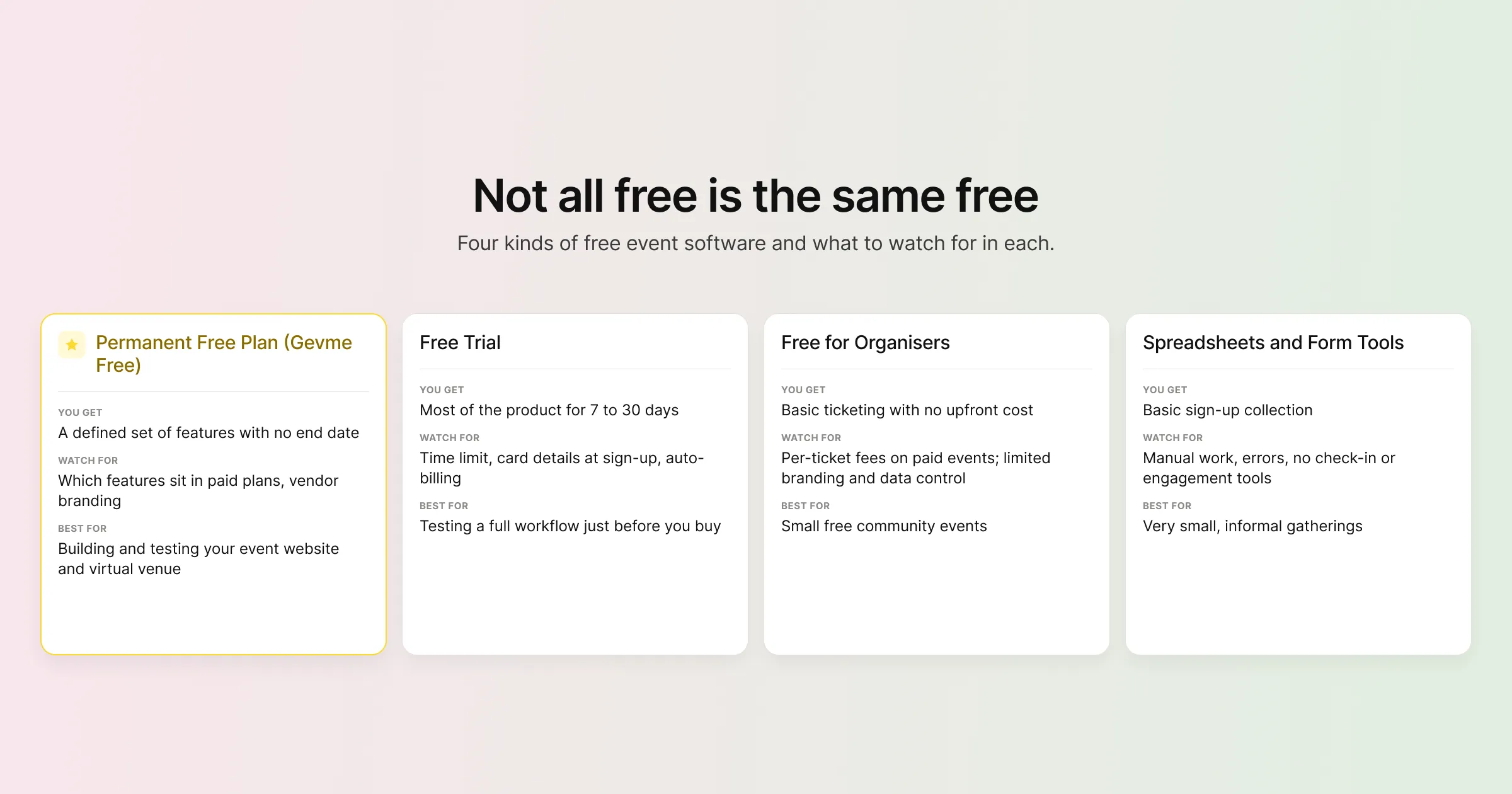
| Type of free | What you usually get | What to watch for | Best for |
|---|---|---|---|
| Permanent free plan (Gevme Free) | A defined set of features with no end date | Which features sit in paid plans; vendor branding on pages | Building and testing your event website and virtual venue at your own pace |
| Free trial | Most of the product for 7 to 30 days | Time limit; card details at sign-up; auto-billing | Testing a full workflow just before you buy |
| Free for organisers | Basic ticketing with no upfront cost | Per-ticket fees on paid events; limited branding and data control | Small free community events |
| Spreadsheets and form tools | Basic sign-up collection | Manual work, errors, no check-in or engagement tools | Very small, informal gatherings |
What You Get on Gevme’s Free Plan
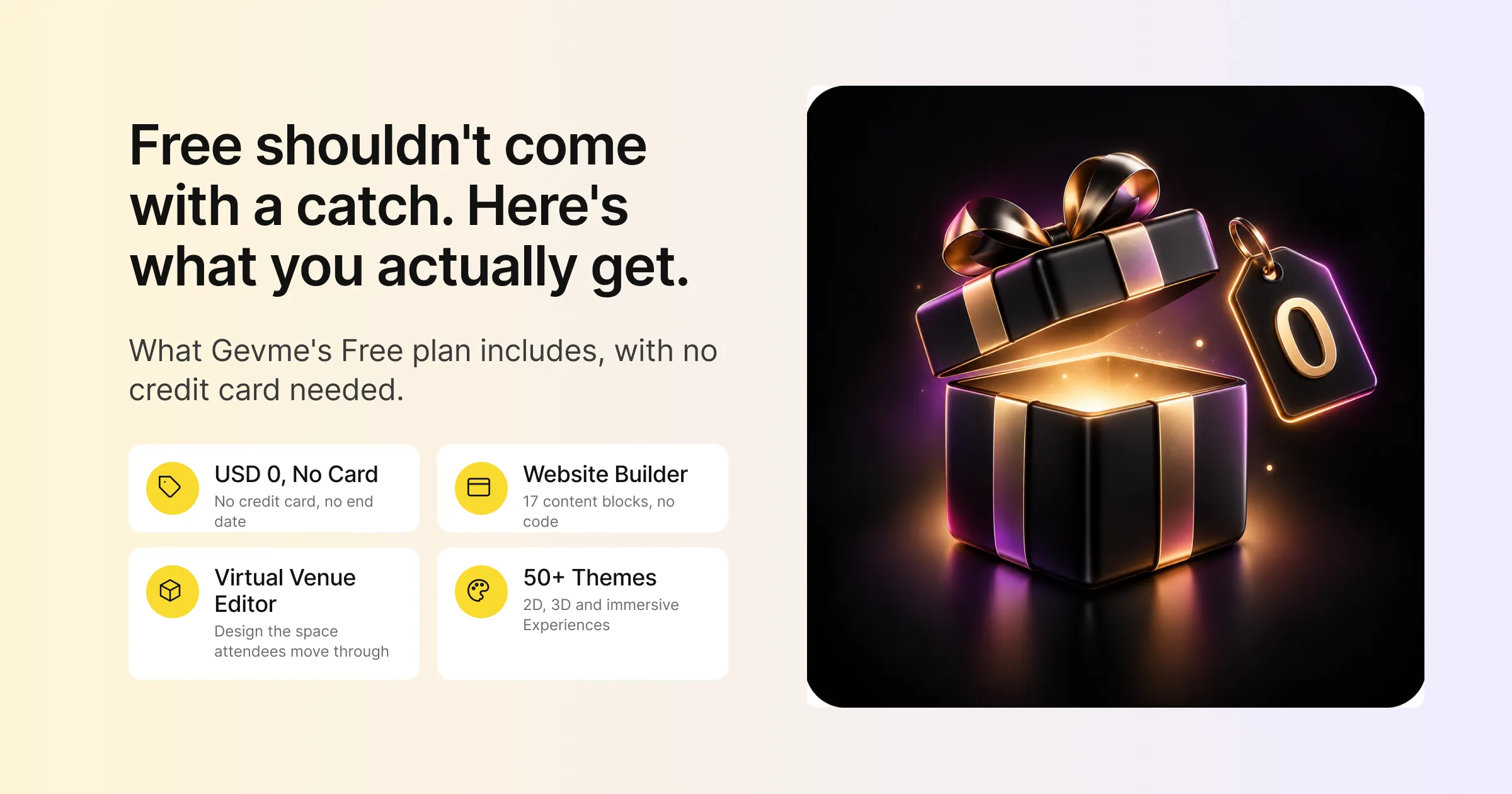
Gevme’s Free plan sits on the Omnichannel tab of the pricing page. It costs USD 0, has no credit card requirement, and gives you four core apps: Website Builder, Virtual Venue Editor, Content Management, and 50+ Themes and Experiences. Here is what each one does in practice, followed by the extra features the plan includes.
Website Builder
The Website Builder is Gevme’s no-code event website builder. You build pages visually by dragging in content blocks, then preview them on desktop, tablet and mobile before publishing.
There are 17 content blocks to work with, including Rich Text, Video, Image Slideshow, PDF, Speakers, Agenda, Sponsors, Hero Content, Live Stream and an HTML block for embedding surveys, social walls, quizzes or Google Docs. On the Free plan, your event pages are public, so anyone with the link can view them.
Virtual Venue Editor
The Virtual Venue Editor is where you design the online space attendees enter for a virtual or hybrid event. You lay out the areas and pages they move between, give them the look of your chosen theme, and place sessions, videos and resources where people will find them. Gevme’s virtual events page shows the kinds of formats this supports.
Content Management
Content Management keeps the building blocks of your event in one place so you update them once and they change everywhere. On the Free plan this includes:
- Agenda, speakers and locations
- Exhibitor companies and their products
- Media assets: videos up to 500MB per file, audio up to 50MB per file, and recordings
- Tags for organising content
- Embeddable widgets for placing Gevme content on other websites
So if a speaker changes their title the night before, you edit it once and every page showing that speaker updates.
50+ Themes and Experiences
Themes decide the look and feel of your event, from 2D and parallax layouts to 3D flat, 3D panorama and immersive styles. Experiences are ready-made bundles of pages built for a type of event, such as a one-day conference with multiple tracks or a town hall. You can browse them in the Gevme Experiences marketplace and start from one that is close to what you need, which is often faster than starting from a blank event website template.
Engagement, Streaming, Attendees and Analytics
The four core apps are the headline, but the Free plan includes more than that. Gevme’s plan comparison shows these features available on Free:
- Engagement: live chat, polls and Q&A during sessions. More on these on the engagement tools page.
- Streaming: embed live streams from YouTube, Vimeo or Facebook Live into your event pages.
- Attendees: attendee management, CSV import, custom fields and onboarding fields.
- Connections: integration with Gevme Registration and with Zapier.
- Analytics: an event dashboard and reports showing visits, unique visitors, time spent, locations and devices.
- Team access: organiser users, so colleagues can build the event with you.
The Free Plan at a Glance
| Area | Included on Free |
|---|---|
| Website | Website Builder, 17 content blocks, unlimited access to themes, public pages, organiser users |
| Virtual venue | Virtual Venue Editor for designing the online space attendees move through |
| Content | Agenda, speakers, locations, exhibitor companies, products, tags, embeddable widgets |
| Media | Videos up to 500MB per file, audio up to 50MB per file, recordings |
| Streaming | Third-party streaming from YouTube, Vimeo and Facebook Live |
| Engagement | Chat, polls, Q&A |
| Attendees | Attendee management, CSV import, custom fields, onboarding fields |
| Integrations | Gevme Registration, Zapier |
| Analytics | Event dashboard and reports |
What the Free Plan Does Not Include
Every free plan has limits, and it is better to know them before you build. These are the main features that start on a paid plan, taken from Gevme’s plan comparison.
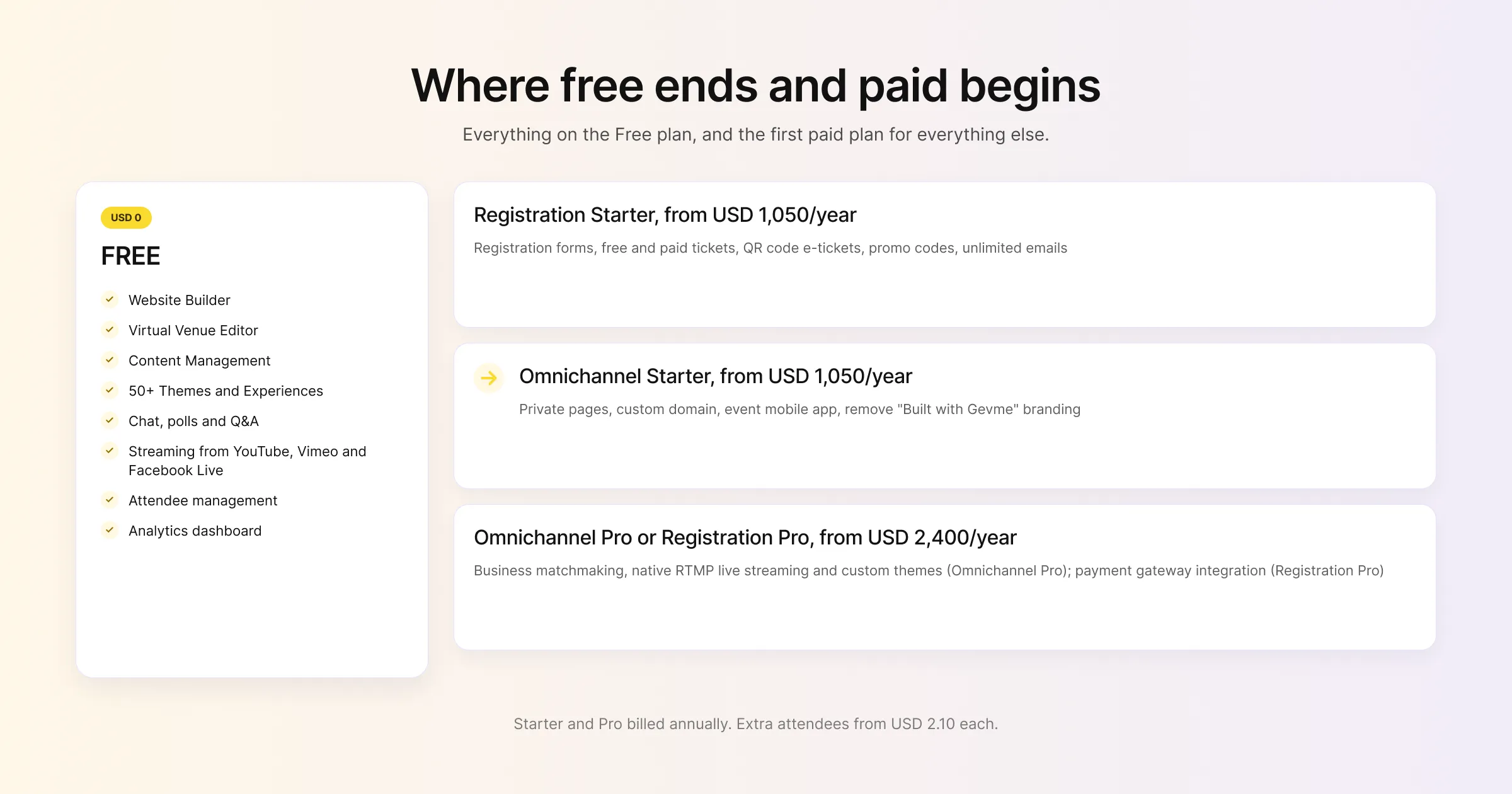
| Feature | First plan that includes it |
|---|---|
| Registration forms, tickets (free or paid), RSVP, QR code e-tickets | Registration Starter, from USD 1,050 per year |
| Promo codes, merchandise, taxes and fees, Gevme Pay | Registration Starter |
| Unlimited emails and email campaigns | Registration Starter |
| Private pages (login required) | Omnichannel Starter, from USD 1,050 per year |
| Custom domain, custom SEO, custom CSS | Omnichannel Starter |
| Remove “Built with Gevme” branding | Omnichannel Starter |
| Event mobile app | Omnichannel Starter |
| Announcements and attendee badges | Omnichannel Starter |
| Unlimited media hosting | Omnichannel Starter |
| Gevme Meet, scheduled and instant meetings | Omnichannel Starter |
| Exhibitor users and packages | Omnichannel Starter |
| Business matchmaking with recommendation engine | Omnichannel Pro, from USD 2,400 per year |
| Native live streaming (RTMP channels) with real-time analytics | Omnichannel Pro |
| Custom themes | Omnichannel Pro |
| Payment gateway integration, waiting list, onsite web check-in | Registration Pro, from USD 2,400 per year |
In addition, both Starter and Pro are billed annually, and extra attendees beyond your plan allowance start from USD 2.10 each. Finally, Enterprise plans on both tabs are quoted on request.
A Note on Free Event Registration Software
This is the limit most people ask about. Gevme’s Free plan is built around the event website and virtual venue, and it does not include registration or ticketing. Gevme Registration starts on the Starter plan and covers custom registration forms, free and paid tickets, QR code e-tickets, promo codes, unlimited emails, smart attendee lists and event reports.
If you are searching for free event registration software because you run a small, free event and only need names and emails, a basic form tool may be enough for now. You can link to it from your Gevme event website, or embed it with the HTML block. When you need proper ticketing, payments, confirmation emails with QR codes and check-in, that is the point to add Gevme Registration. New confirmed registrations then sync into your Omnichannel event in real time, so your attendee list stays in one place.
Good Ways to Use the Free Plan
A free plan earns its keep when you match it to the right job. These are the uses that fit Gevme’s Free plan well.
Build an Interest Page Before You Announce
Planning a new conference but not ready to open registration? Build a public event page with the theme, dates, a short agenda and confirmed speakers. Share it with sponsors, partners and your leadership team to get feedback while plans are still flexible.
Run a Public Livestream With Audience Interaction
For a public talk, product launch or community session, stream through YouTube, Vimeo or Facebook Live and embed it in a Gevme page. Add chat, polls and Q&A around the stream so viewers can take part, and use the analytics dashboard afterwards to see how many people watched and for how long.
Create a Speaker and Agenda Microsite
Some events already handle registration elsewhere and just need a proper home for the programme. The Free plan’s agenda, speakers, locations and sponsors content gives you a clean, mobile-friendly microsite that you update in one place.
Showcase Exhibitors and Products
Exhibitor companies and products are part of the Free plan’s content tools, so you can build a public showcase of partners or a product gallery alongside your event pages.
Design Your Event Website Before You Commit Budget
This may be the most useful one. You can build your full event website and virtual venue on the Free plan, share it internally, and get sign-off on the design before anyone signs a budget request. As a result, your stakeholders see the real thing, which makes the decision on paid features much easier.
When to Move to a Paid Plan
The Free plan covers a lot, but some signals tell you it is time to upgrade. Look at the event management software pricing tabs when any of these apply.
You Need People to Register or Buy Tickets
As soon as you need registration forms, paid tickets, promo codes or confirmation emails with QR codes, you need Gevme Registration, which starts on Starter.
Your Event Is Private
Internal town halls, member-only sessions and paid content need pages that only registered people can see. Private pages start on Omnichannel Starter, with login options such as email one-time passwords, Google or Microsoft Azure AD. Access control for private pages (who can see which page or block) then comes with Pro.
You Want Your Own Brand and Domain
If the event is client-facing or sponsored, you will likely want your own domain, custom SEO and no “Built with Gevme” credit. All three start on Starter.
You Need a Mobile App or Networking
The event mobile app, Gevme Meet video meetings, and scheduled or instant meetings start on Starter. AI-powered business matchmaking with the recommendation engine, however, starts on Pro.
You Are Producing a Bigger Show
Native live streaming through RTMP channels, with real-time channel analytics, starts on Pro. So do custom themes and advanced event analytics, which suit larger conferences and multi-track events.
How to Get Started Without a Credit Card
Getting going on the Free plan takes a few steps:
- Go to the Gevme pricing page and open the Omnichannel tab.
- Select Get in touch under the Free plan. No credit card is needed.
- Once your account is set up, log in to Gevme Omnichannel from the Login menu on gevme.com.
- Create an event, pick a theme or Experience, and start adding pages and content blocks.
- Add your agenda, speakers and media in Content Management, then preview on mobile before you publish.
If you want step-by-step help, the Gevme Omnichannel knowledge base covers the website app in detail, and Gevme Academy has courses for new users.
A Few Terms Worth Knowing
- Freemium: a pricing model where a basic version of a product is free and more advanced features are paid.
- Virtual venue: an online event space with areas such as a lobby, session rooms and an exhibition hall that attendees move between.
- Private pages: event pages that only logged-in, authorised attendees can see.
- RTMP: Real-Time Messaging Protocol, the standard way to send a live video stream from production software to a streaming platform.
Pro Tip:
Treat the Free plan as your event’s rehearsal space. Build the full website and virtual venue for your next event, including the agenda, speakers and sponsor pages, then ask three colleagues to find a specific session on their phones and time how long it takes. Fix whatever slows them down. By the time you add registration or upgrade for private pages and the mobile app, your event structure has already been tested by real people.
Frequently Asked Questions
Yes. Some platforms offer permanent free plans with a defined set of features. Gevme’s Free plan costs USD 0, needs no credit card, and includes the Website Builder, Virtual Venue Editor, Content Management, and 50+ Themes and Experiences.
No, you do not need a credit card to use Gevme’s Free plan. You select Get in touch under the Free plan on the pricing page to get started.
No, registration and ticketing are not part of the Free plan. Gevme Registration starts on the Starter plan, from USD 1,050 per year billed annually, and includes custom registration forms, free and paid tickets, QR code e-tickets and unlimited emails.
Yes, you can run a public virtual event on the Free plan. You can build a virtual venue, embed streams from YouTube, Vimeo or Facebook Live, and use chat, polls and Q&A. Private access, the mobile app and native RTMP live streaming need a paid plan.
No, a custom domain starts on the Omnichannel Starter plan, which also lets you remove the “Built with Gevme” branding and set custom SEO.
Yes, organiser users are included on the Free plan, so colleagues can build pages, add content and manage attendees with you.
A free plan has no end date but covers a set part of the product, while a free trial usually gives you the full product for a limited time, often 7 to 30 days, and may need card details up front.
Conclusion: Start Free, Upgrade When the Event Needs It
Free event management software is worth using when you know what kind of free you are getting. Check for time limits, card requirements and per-ticket fees, and match the plan to the job. A permanent free plan is the best place to build and test your event website and virtual venue, while registration, private access and networking are usually where paid plans begin.
Gevme’s Free plan gives you a proper starting point with no credit card: a no-code website builder, a virtual venue editor, content management, 50+ themes, and live chat, polls and Q&A. When your event needs registration, a mobile app or matchmaking, the paid Omnichannel plans add them, and Gevme Registration syncs new confirmed registrations into your event in real time. Start on the pricing page, or request a demo if you would like a walkthrough first.